SPF, DKIM and DMARC: What They Actually Prove (and What They Don't)
Part of Security Operations · Step 6 of 17 · recommended
Browse all 27 field guides
- Alert to Conclusion: Investigating Without Tunnel Vision
- From Header to Host: Investigating Phishing in the SOC
- How to Think Like a SOC Analyst in an Interview
- Identity Attacks for SOC Analysts: Sessions, Tokens, MFA and Account Compromise
- The IP Isn't the Attacker: A SOC Analyst's Guide to NAT, VPNs and Proxies
- PowerShell Is Not the Alert: Investigating Living-off-the-Land Activity
- Ransomware Before the Ransomware: What the SOC Should See Before Encryption Starts
- SPF, DKIM and DMARC: What They Actually Prove (and What They Don't) (this article)
- Threat Hunting for SOC Analysts: Turning a Suspicion Into a Searchable Hypothesis
- Windows Event Logs for SOC Analysts: What an Event ID Actually Proves
- One Alert Is Not the Incident: Scoping Security Incidents in the SOC
- Beyond the Alert: CIS Critical Security Controls v8.1 for SOC Analysts
- Six Functions, Not Six Steps: NIST CSF 2.0 for SOC Analysts
- Check the Scope First: ISO 27001 for SOC Analysts
- Search It, Don't Memorise It: NZISM for Security Practitioners
- Same Problem, Four Lenses: CIS vs NIST vs ISO 27001 vs NZISM
- A Claim Is Not Evidence: Security Assurance for SOC Analysts
- Inherent Risk Comes First: Supplier Security Assurance for Analysts
- Present Is Not Effective: How to Test Security Controls
- A Clean Opinion Is Not Zero Risk: How to Read a SOC 2 Report
- Count Is Not Risk: Security Metrics, KPIs and KRIs That Actually Matter
- Read the Scope Before the Findings: How to Review a Penetration Test Report
- Not the Assessment Itself: How to Design a Supplier Security Questionnaire
- Which Part? Cloud and SaaS Security Assurance
- Lead With the Decision: Executive Security Risk Reporting
- Related Is Not Identical: Framework and Control Mapping Without the Spreadsheet Monster
- CIS, NIST, ISO 27001 and NZISM: The Interview Guide for Security Practitioners
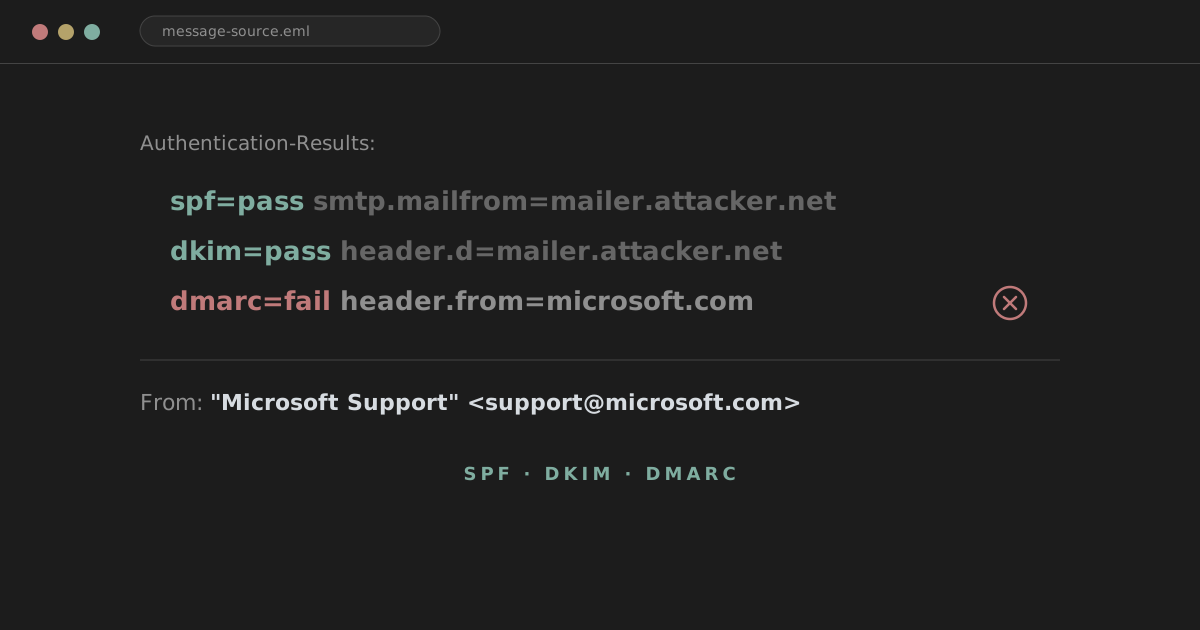
If you spend any time in a SOC, you'll end up staring at an Authentication-Results header at some point during almost every phishing investigation. You'll see spf=pass, dkim=pass, dmarc=fail, and some combination of those three, and you need to know instantly what that means. Not eventually. Instantly, because the ticket queue isn't getting shorter while you look it up.
This is my attempt at the reference I wish I'd had earlier: not a marketing explanation of "how to stop phishing," but a working mental model of what SPF, DKIM and DMARC each check, how they interact, and where the gaps are that attackers regularly walk through.
The short version, before we go anywhere else:
- SPF: is this server allowed to send email for this domain?
- DKIM: was this message signed by the domain, and has the signed content been tampered with since?
- DMARC: does an authenticated identity from SPF or DKIM actually match the domain the recipient sees, and what should happen if it doesn't?
Keep that in your head. Everything below is just filling in the mechanics behind those three questions.
analyst@thefish.nz:~$ cat contents.txt
Sections
- Authentication is not the same thing as trust
- An email has more than one identity
- SPF: who's allowed to send
- DKIM: who signed it, and is it intact
- DMARC: does it line up, and what happens if it doesn't
- A worked example
- Legitimate third-party senders
- Reading the Authentication-Results header
- A practical investigation workflow
- Mistakes I've seen (and made)
- What DMARC actually stops, and what it doesn't
- Four short examples
- Useful DNS lookups
- A note on Microsoft 365 / Defender headers
- Going a little deeper
- How I remember it
- Analyst cheat sheet
Authentication is not the same thing as trust
This is the single most important idea in this article, so I'm putting it near the top instead of burying it in a caveat somewhere in the middle.
SPF, DKIM and DMARC can all pass perfectly on a phishing email. All three of them. If an attacker registers microsoft-account-alerts.example and configures it correctly, an email from security@microsoft-account-alerts.example can sail through SPF, DKIM and DMARC with flying colours. Nothing about that is a bug or a misconfiguration. The domain owner, the attacker, is genuinely authorised to send mail for their own domain, and they signed it with their own key. Authentication only tells you the message came from where it claims to have come from at the domain level. It says nothing about whether that domain deserves your trust.
Watch out
Analysts, myself included early on, sometimes read "DMARC pass" as "safe" and move on. It isn't. It's one data point. Keep that distinction in mind as you read the rest of this, because it's the thread that ties the whole thing together.
An email has more than one identity, and that's where the confusion starts
Before getting into SPF specifically, it's worth being explicit about something that trips people up constantly: a single email message carries several different sender identities, and they don't have to match each other.
- The visible
From:header: what the recipient sees in their mail client. This is the RFC5322.From address. - The SMTP
MAIL FROM: the address used during the actual SMTP transaction, also called the envelope sender or RFC5321.MailFrom. Return-Path: usually mirrors the envelope sender, and is where bounce messages get sent.- The DKIM
d=domain: the domain that cryptographically signed the message, which may or may not be the same as anything above. - HELO/EHLO: the identity the sending server announces at the start of the SMTP conversation, occasionally relevant but the least commonly checked of the group.
Here's the thing that makes this concrete:
From: PayPal Security <security@paypal.com>
Return-Path: bounce@mailer.attacker-example.com
SPF authenticates the envelope sender, not the visible From address. So in this example, SPF is checking whether the sending server is authorised for mailer.attacker-example.com, not paypal.com. If the attacker controls mailer.attacker-example.com, SPF can pass cleanly while doing absolutely nothing to validate the address the user is actually looking at.
This gap, between what SPF authenticates and what the user sees, is more or less the entire reason DMARC exists. Keep it in mind, we'll come back to it more than once.
SPF: who's allowed to send
SPF (Sender Policy Framework) is a DNS TXT record that lists which mail servers are permitted to send mail using a domain's SMTP envelope identity. A domain publishes a list of approved IPs and includes, and receiving servers check the sending IP against that list when a message arrives.
A typical record looks like this:
example.com TXT "v=spf1 ip4:203.0.113.20 include:_spf.google.com -all"
Breaking it apart:
v=spf1: declares the record version. Every valid SPF record starts with this.ip4:(andip6:): explicitly authorises an IP address or range.include:: pulls in another domain's SPF record, commonly used for third-party senders like Google Workspace or Microsoft 365.a: authorises the IPs listed in the domain's own A records.mx: authorises the domain's mail servers as listed in its MX records.all: the catch-all at the end, and its qualifier decides what happens to anything not explicitly matched:-all: hard fail. Anything not matched should be rejected.~all: soft fail. Anything not matched is flagged as suspicious but not necessarily rejected outright.?all: neutral. No real statement either way.+all: pass everything. You'll basically never want to see this on a domain you're investigating; it authorises any server on the internet to send as that domain.
Watch out
SPF evaluation has a hard limit of 10 DNS lookups (each include, a, mx, exists, and a few others count toward it). Domains that nest too many third-party include statements, which happens easily once marketing, HR and IT each bolt on their own sending platform, can blow past that limit. When that happens, SPF evaluation returns permerror rather than pass or fail, and that record effectively stops providing useful protection. If you see permerror during an investigation, it's worth checking the SPF record directly rather than assuming something more exotic is going on.
The other thing to nail down is exactly what SPF is checking. It's evaluated against the SMTP envelope sender (MAIL FROM), which is usually reflected in Return-Path, not the visible From: header. This is the same distinction from the identities section above, and it's the reason SPF passing tells you less than people assume.
You'll also occasionally see a null Return-Path (Return-Path: <>), used for bounce messages and some automated mail, where SPF instead falls back to checking the HELO identity. Worth recognising when it shows up, not something you need to dwell on.
The forwarding problem
SPF has a well-known weakness: forwarding breaks it.
original sender
↓
forwarding server
↓
recipient
When a message is forwarded, the receiving server sees the forwarding server's IP, not the original sender's. Unless the forwarding server is explicitly included in the original domain's SPF record, which it usually isn't, because the domain owner has no idea the message is being forwarded, SPF will fail on the forwarded copy, even though the message is completely legitimate.
This is exactly the kind of failure mode that pushed the industry toward DKIM, which doesn't care what IP relayed the message, only whether the signature is still valid. You'll also sometimes come across ARC (Authenticated Received Chain) headers in investigations, which exist specifically to preserve authentication results across forwarding hops, mailing lists being the classic case. ARC is worth recognising when you see it, but it's not something you need to go deep on for day-to-day triage.
DKIM: who signed it, and is it intact
DKIM (DomainKeys Identified Mail) uses public-key cryptography to let a domain cryptographically sign outgoing messages. Unlike SPF, which cares about the sending IP, DKIM cares about the content of the message and travels with it regardless of how many hops it takes.
A DKIM signature header looks something like this:
DKIM-Signature: v=1; a=rsa-sha256; d=example.com; s=selector1; c=relaxed/relaxed;
The two fields that matter most day to day:
d=: the signing domain. This is the domain claiming responsibility for the signature, and it's the value DMARC will later check for alignment.s=: the selector. Domains can have multiple DKIM keys in use at once, different mail platforms, rotated keys, and so on, and the selector tells the verifier which specific public key to look up.
The public key itself lives in DNS, at a predictable location built from the selector and signing domain:
selector1._domainkey.example.com
The verification process, at a high level:
- The sending system generates a signature over specified parts of the message using a private key.
- That signature gets added to the message as the
DKIM-Signatureheader. - The receiving server looks up the public key at
<selector>._domainkey.<domain>. - It uses the public key to verify the signature.
- If the signed content has changed since signing, verification fails.
Because the signature travels with the message, DKIM survives ordinary forwarding far better than SPF does. But it isn't immune to breakage. Anything that modifies the signed content after signing, mailing list footers, security gateway disclaimers, body rewriting, some forms of link rewriting, can invalidate the signature depending on exactly what was signed and how canonicalisation was configured.
Canonicalisation (c=relaxed/relaxed in the header above) controls how tolerant the verifier is of minor formatting changes, whitespace, line endings, between signing and verification. relaxed tolerates small changes; strict doesn't. You don't need to memorise the canonicalisation rules, but recognise the field when you see it, and know that it's the reason two messages that look nearly identical can behave differently under DKIM.
DKIM pass doesn't mean DMARC pass
This is worth stating explicitly, because it's easy to read dkim=pass and stop there.
Say the visible sender is:
From: accounts@example.com
but the DKIM signature reads:
DKIM-Signature: ... d=mailer.example.net
That's a perfectly valid, perfectly passing DKIM signature, for mailer.example.net. It says nothing about example.com. Whether that matters depends entirely on alignment, which is DMARC's job, not DKIM's. We'll get into alignment properly in a moment, but keep this example in your back pocket.
DMARC: does it line up, and what happens if it doesn't
DMARC (Domain-based Message Authentication, Reporting and Conformance) is the layer that ties the previous two mechanisms back to the identity the user actually sees, specifically the domain in the RFC5322.From header.
DMARC passes if either of the following is true:
- SPF passes and SPF is aligned with the From domain, or
- DKIM passes and DKIM is aligned with the From domain
                 DMARC
                   |
        +----------+----------+
        |                     |
       SPF                   DKIM
        |                     |
      PASS                  PASS
        |                     |
   aligned?               aligned?
        |                     |
        +----------+----------+
                   |
          Either path works
Both mechanisms don't need to pass. One aligned, passing mechanism is enough to satisfy DMARC. This trips people up constantly, so it's worth repeating: SPF can fail entirely and DMARC can still pass off the back of an aligned DKIM signature, and vice versa.
Alignment, properly explained
Alignment is probably the single most important technical concept in this article, so take this section slowly.
Alignment asks: does the domain that was actually authenticated, by SPF or DKIM, match the visible From domain, under a defined comparison rule?
Example, aligned via SPF:
From: alerts@example.com
SPF authenticated domain: bounce.example.com
Under relaxed alignment, the default most domains use, these align, because they share the same organisational domain, example.com. Relaxed alignment allows for subdomain differences as long as the organisational domain matches.
Example, not aligned:
From: alerts@example.com
Return-Path: bounce@mailer-example.net
SPF might pass perfectly for mailer-example.net. That's a genuinely valid SPF result. But mailer-example.net shares nothing with example.com as an organisational domain, so it does not align. This SPF pass cannot satisfy DMARC on its own.
The same logic applies to DKIM.
From: alerts@example.com
d=example.com aligns. d=sendgrid.net does not align, unless the domain has also arranged for SendGrid to sign with a customer-specific domain (more on that in the third-party senders section below).
Alignment has two modes, set via the DMARC record itself:
aspf=r/adkim=r: relaxed. Organisational domain match is enough (subdomains are fine).aspf=s/adkim=s: strict. The domains must match exactly, no subdomain flexibility.
Relaxed is by far the more common configuration, mostly because strict alignment breaks a lot of legitimate subdomain-based sending setups.
The DMARC DNS record
A DMARC record lives at _dmarc.<domain> and looks something like this:
_dmarc.example.com TXT "v=DMARC1; p=reject; rua=mailto:dmarc-reports@example.com; adkim=r; aspf=r"
The tags worth knowing:
v: version, alwaysDMARC1.p: the policy applied to the domain itself:none,quarantine, orreject.sp: subdomain policy, if you want subdomains handled differently from the main domain.pct: percentage of failing mail the policy applies to, useful for gradual rollout.rua: where aggregate reports get sent.ruf: where forensic (failure) reports get sent, less commonly configured these days.adkim/aspf: alignment mode, covered above.
Watch out
p=none does not mean DMARC authentication is switched off. It means the domain is still being evaluated against SPF, DKIM and alignment, and the results are still being reported, but receivers aren't being asked to quarantine or reject mail based on the outcome. A domain can absolutely have a message that evaluates to dmarc=fail while the domain's published policy is p=none. That's not a contradiction. It's usually a domain still in the monitoring phase of a DMARC rollout, or one that's simply never tightened its policy. Worth checking the actual published policy during an investigation rather than assuming a fail result implies rejection happened.
A worked example
Here's a realistic one, the kind you'd actually see in a ticket:
From: Microsoft Support <support@microsoft.com>
Return-Path: bounce@mailer.attacker.net

Authentication-Results:
    spf=pass smtp.mailfrom=mailer.attacker.net;
    dkim=pass header.d=mailer.attacker.net;
    dmarc=fail header.from=microsoft.com;
Walking through it the way I would on a ticket:
- What domain did SPF authenticate?
mailer.attacker.net. - Did SPF pass? Yes.
- Does that align with the visible From domain (
microsoft.com)? No, not even close. - What domain signed DKIM?
mailer.attacker.net. - Did DKIM pass? Yes.
- Does the DKIM domain align? No, same problem.
- What does DMARC conclude? Fail, because neither passing mechanism aligns with
microsoft.com.
This can look contradictory at first glance, SPF pass, DKIM pass, but DMARC fail, until you remember that SPF and DKIM were never authenticating microsoft.com in the first place. They were authenticating mailer.attacker.net, correctly. DMARC is the layer that notices the authenticated identity doesn't match what the user is being shown, and that's precisely the scenario it was built to catch.
Legitimate third-party senders aren't automatically suspicious
It's worth walking through the other side of this too, because seeing a third-party hostname in the mail path isn't itself a red flag.
Say a company sends its newsletter through a marketing platform:
From: newsletter@example.com
but the actual sending infrastructure belongs to a third-party provider (Mailchimp, SendGrid, whatever). A properly configured setup will typically have:
- A custom Return-Path pointing at the provider's infrastructure, authorised via an
includein the domain's SPF record. - DKIM signing configured with
d=example.comrather than the provider's own domain, done via a CNAME selector delegated into the customer's DNS, so the signature still aligns withexample.comeven though the provider's servers did the actual sending.
This is why you'll regularly see SendGrid, Mailchimp, Microsoft 365, Salesforce and similar platforms showing up in the mail path of completely legitimate email.
Analyst tip
A third-party hostname in Return-Path or a DKIM d= value that doesn't immediately match the visible domain isn't proof of anything malicious on its own. It might just mean the organisation delegated their DKIM signing properly. Check alignment, not just the raw hostname.
Reading the Authentication-Results header
This is the header you'll lean on most during triage, so it's worth having a fixed way of reading it.
Authentication-Results: mx.example.net;
    spf=pass smtp.mailfrom=bounce.example.com;
    dkim=pass header.d=example.com;
    dmarc=pass header.from=example.com
The way I read this mentally:
SPF    PASS   bounce.example.com
DKIM   PASS   example.com
DMARC  PASS   example.com
Everything lines up. Compare that with:
spf=pass smtp.mailfrom=randommailer.net;
dkim=pass header.d=randommailer.net;
dmarc=fail header.from=example.com
Same structure, but neither authenticated domain matches example.com, so DMARC fails.
Analyst tip
Don't stop reading at spf=pass. It's the DMARC line, and specifically what domain it's evaluating alignment against, that tells you whether the authenticated identity actually matches what the recipient saw.
You'll occasionally see the older Received-SPF header as well, which some mail systems still populate. It carries similar information to the SPF portion of Authentication-Results, but in practice Authentication-Results tends to be the more complete and more consistently formatted source, and it's usually where I go first. Some security products will also surface all of this in a GUI rather than raw headers, worth knowing where your own tooling exposes it.
A practical investigation workflow
A compact version of what I actually do when triaging a suspicious email:
- Check the visible sender. What domain is the user being shown in their mail client?
- Check the actual mail path. Look at the
Receivedheaders,Return-Path, sending IP, and originating infrastructure. - Check SPF. What identity did it authenticate? Did it pass? Does it align with the From domain?
- Check DKIM. Did it pass? What's the
d=domain? Does it align? - Check DMARC. Pass or fail? What policy does the domain publish (
p=none,quarantine,reject)? - Look beyond authentication. Domain age, lookalike domains, the Reply-To address, URLs, attachments, display-name impersonation, sending infrastructure, prior messages from the same sender, threat intel context, and whether the recipient was actually expecting this message.
Authentication results are one piece of evidence, not a verdict. Step six is where most real investigations actually get decided.
Mistakes I've seen (and made)
"SPF passed, so the email is legitimate." Wrong. SPF only authenticated the envelope domain, which may have nothing to do with the visible sender.
"DKIM passed, so the sender is genuine." Wrong. It proves possession of the private key for the d= domain and that the signed content wasn't altered. It doesn't prove that domain is who it claims to be.
"DMARC passed, so the email is safe." Wrong. A malicious actor can implement DMARC correctly on a domain they own.
"DMARC failed, therefore this is phishing." Not necessarily. Misconfiguration, forwarding, mailing lists, and imperfectly configured legitimate third-party senders can all produce a DMARC fail on genuine mail.
"SPF fail means spoofing." Not automatically. Could just as easily be a forwarding artifact or a misconfigured SPF record on a legitimate domain.
"The From address and Return-Path should always be identical." No. They serve different purposes and routinely differ on entirely legitimate mail.
What DMARC actually stops, and what it doesn't
DMARC is genuinely effective against direct domain spoofing, an attacker trying to send From: ceo@example.com without controlling any infrastructure authorised for example.com. That's the core problem it was built to solve, and it does it well.
What it does not inherently stop:
Display name impersonation.
From: "Jason Hill" <attacker@gmail.com>
The display name says whatever the attacker wants. The actual address is attacker@gmail.com, fully authenticated as itself.
Lookalike domains.
example-security.com
examp1e.com
example-support.net
Each of these can implement SPF, DKIM and DMARC flawlessly, because they're legitimately owned by whoever registered them. DMARC has nothing to say about domain similarity.
Compromised legitimate accounts. If an attacker gets into a real mailbox on genuinely authorised infrastructure, every authentication check passes, correctly, because the mail really is coming from where it claims.
Legitimately authenticated malicious domains. Same idea as the worked example above: an attacker who owns their own domain can configure it correctly.
Understanding this boundary matters, because it stops you from treating "authentication passed" as the end of the investigation.
Four short examples
| Scenario | From | SPF | DKIM | DMARC | What's actually going on |
|---|---|---|---|---|---|
| A | payroll@example.com |
Pass, aligned | Pass, aligned | Pass | Plausibly legitimate, but authentication alone still doesn't prove intent or that the content is benign. |
| B | payroll@example.com |
Pass, for attacker.net |
Pass, for attacker.net |
Fail | Strong evidence of sender-domain impersonation. This is the pattern DMARC exists to catch. |
| C | payroll@examp1e.com |
Pass | Pass | Pass | Authentication is entirely fine. The problem is the domain itself, a lookalike that DMARC has no way to flag. |
| D | "CEO" <ceo@gmail.com> |
Pass | Pass | Pass | The attacker impersonates the CEO purely through the display name on a genuine, correctly authenticated Gmail address. |
Useful DNS lookups
A few commands worth having on hand during an investigation:
dig TXT example.com
dig TXT _dmarc.example.com
dig TXT selector1._domainkey.example.com
Or the nslookup equivalents if that's what's available on the box you're working from:
nslookup -type=TXT example.com
nslookup -type=TXT _dmarc.example.com
The first tells you the domain's SPF record (and anything else published in a root TXT record). The second gives you the DMARC policy currently in force. The third pulls the DKIM public key for a specific selector, useful when you want to confirm a signature is even theoretically valid for that domain, though you'll rarely need to go that deep outside of genuinely contested cases.
A note on Microsoft 365 / Defender headers
Since a lot of SOC work happens in Microsoft environments, it's worth a quick mention. The headers you'll be looking at are the same ones covered above:
Authentication-Results:
spf=pass
dkim=pass
dmarc=pass
along with Received, Return-Path, From, Reply-To and DKIM-Signature. You'll also sometimes see Microsoft's own compauth (composite authentication) value in the header, which is Microsoft's internal scoring that factors in more than just standard SPF/DKIM/DMARC, including sender reputation and other signals. It's useful context, but it's a Microsoft-specific layer on top of the actual standards, not a replacement for understanding the underlying SPF/DKIM/DMARC results themselves.
Going a little deeper
A few terms worth being able to place, even if you don't need to memorise the full mechanics:
- RFC5321.MailFrom: the formal name for the SMTP envelope sender, what SPF actually authenticates.
- RFC5322.From: the formal name for the visible header sender, what DMARC checks alignment against.
- Organisational domain: the registrable domain (
example.com) as distinct from a specific subdomain (mail.example.com), and the level at which relaxed alignment is evaluated. - Public Suffix List: the reference list used to correctly determine where an organisational domain boundary actually sits (this matters more than it sounds, since
.co.uk,.co.nzand similar multi-part suffixes would otherwise confuse the calculation). - DKIM selectors: how a domain can run multiple concurrent DKIM keys, referenced via the
s=tag. - Envelope sender vs header sender: the distinction covered earlier, and the root cause of most of the confusion around this topic.
- DKIM canonicalisation: how tolerant signature verification is to minor formatting changes after signing.
- SPF DNS lookup limits: the 10-lookup ceiling that can silently break an over-nested SPF record.
- Forwarded mail and mailing lists: common, entirely legitimate causes of SPF and sometimes DKIM failure.
- ARC: a mechanism for preserving authentication results across forwarding hops, worth recognising in headers rather than needing to fully implement yourself.
None of this is exotic once the core alignment concept clicks. Most of what looks confusing in a raw header dump is really just these same few ideas expressed in slightly different notation.
How I remember it
SPF: who is allowed to send? DKIM: who signed this, and is the signature intact? DMARC: does an authenticated identity match the sender the user sees, and what happens if it doesn't?
Shorter still:
SPF   = authorised sender
DKIM  = cryptographic signature
DMARC = alignment + policy
Useful as a memory aid, not as a complete definition. The simplified version leaves out the envelope-versus-header distinction, alignment strictness, and the third-party delegation cases covered above, so don't rely on it alone during an actual investigation. Use it to recall the shape of the system, then come back to the detail when it matters.
Analyst cheat sheet
| Question | Where to look |
|---|---|
| What sender does the user see? | From: |
| Where should bounces go? | Return-Path: |
| What identity did SPF authenticate? | Authentication-Results / Received-SPF |
| What domain signed the message? | DKIM-Signature d= |
| Did SPF align? | Compare SPF domain with From domain |
| Did DKIM align? | Compare d= with From domain |
| Did DMARC pass? | Authentication-Results |
| Where will replies go? | Reply-To: |
| Where did the message actually travel? | Received: headers |
Result interpretation:
| Result pattern | Reading |
|---|---|
| SPF pass + DKIM pass + DMARC pass | Authentication looks healthy. Still investigate sender, domain and content. |
| SPF pass + DKIM pass + DMARC fail | Check alignment immediately. This is the classic "authenticated for the wrong domain" pattern. |
| SPF fail + DKIM pass + DMARC pass | Entirely possible, and not a contradiction, if the aligned DKIM signature alone satisfied DMARC. |
| SPF pass + DKIM fail + DMARC pass | Same logic in reverse, fine if the aligned SPF result satisfied DMARC on its own. |
| SPF fail + DKIM fail + DMARC fail | Authentication is genuinely poor. Worth understanding why before drawing further conclusions, could be an attack, could be a misconfigured but legitimate sender. |
None of this replaces judgement. SPF, DKIM and DMARC tell you whether a domain authenticated correctly and whether that identity lines up with what the recipient saw. They don't tell you whether the domain is trustworthy, whether the content is malicious, or whether the account behind it has been compromised. Treat the authentication result as one input into the investigation, not the conclusion of it.