How to Think Like a SOC Analyst in an Interview
Part of Security Operations · Step 13 of 17 · essential
Browse all 27 field guides
- Alert to Conclusion: Investigating Without Tunnel Vision
- From Header to Host: Investigating Phishing in the SOC
- How to Think Like a SOC Analyst in an Interview (this article)
- Identity Attacks for SOC Analysts: Sessions, Tokens, MFA and Account Compromise
- The IP Isn't the Attacker: A SOC Analyst's Guide to NAT, VPNs and Proxies
- PowerShell Is Not the Alert: Investigating Living-off-the-Land Activity
- Ransomware Before the Ransomware: What the SOC Should See Before Encryption Starts
- SPF, DKIM and DMARC: What They Actually Prove (and What They Don't)
- Threat Hunting for SOC Analysts: Turning a Suspicion Into a Searchable Hypothesis
- Windows Event Logs for SOC Analysts: What an Event ID Actually Proves
- One Alert Is Not the Incident: Scoping Security Incidents in the SOC
- Beyond the Alert: CIS Critical Security Controls v8.1 for SOC Analysts
- Six Functions, Not Six Steps: NIST CSF 2.0 for SOC Analysts
- Check the Scope First: ISO 27001 for SOC Analysts
- Search It, Don't Memorise It: NZISM for Security Practitioners
- Same Problem, Four Lenses: CIS vs NIST vs ISO 27001 vs NZISM
- A Claim Is Not Evidence: Security Assurance for SOC Analysts
- Inherent Risk Comes First: Supplier Security Assurance for Analysts
- Present Is Not Effective: How to Test Security Controls
- A Clean Opinion Is Not Zero Risk: How to Read a SOC 2 Report
- Count Is Not Risk: Security Metrics, KPIs and KRIs That Actually Matter
- Read the Scope Before the Findings: How to Review a Penetration Test Report
- Not the Assessment Itself: How to Design a Supplier Security Questionnaire
- Which Part? Cloud and SaaS Security Assurance
- Lead With the Decision: Executive Security Risk Reporting
- Related Is Not Identical: Framework and Control Mapping Without the Spreadsheet Monster
- CIS, NIST, ISO 27001 and NZISM: The Interview Guide for Security Practitioners
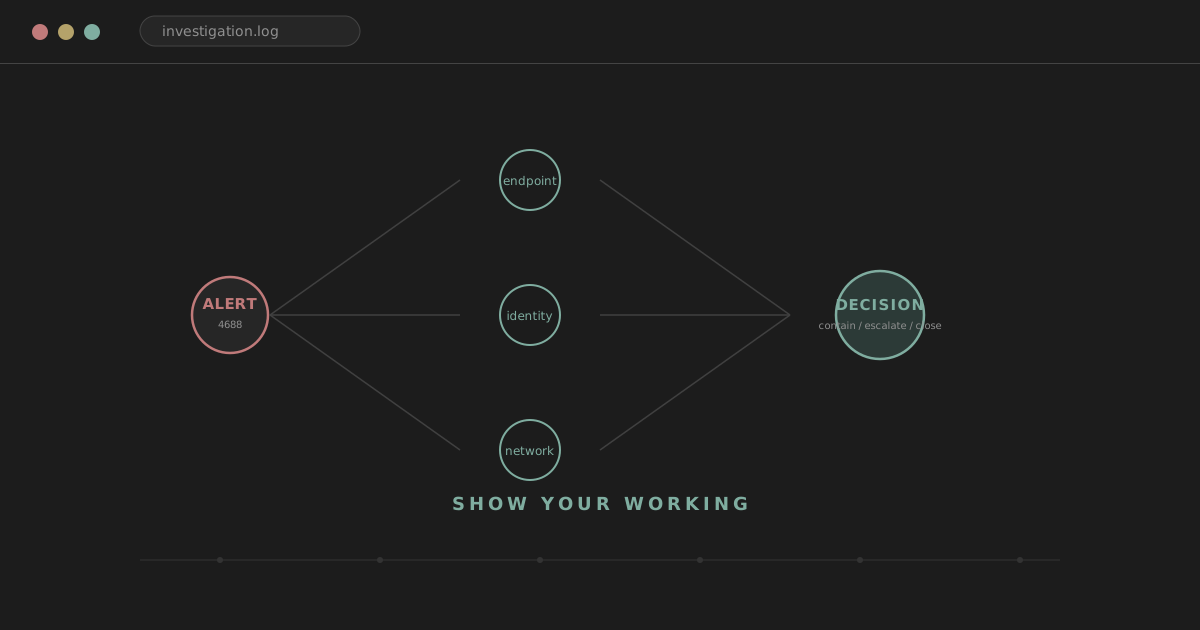
"You get an alert showing a workstation communicating with a suspicious IP. What do you do?"
There's a version of the answer almost everyone gives on the way up. Check VirusTotal. Block the IP. Isolate the machine. None of those actions are wrong exactly, and in the right circumstances you might genuinely do all three. The problem is what the answer leaves out. It doesn't say why the interviewer should believe you understood what actually happened before you acted, what you looked at to validate it, how far you checked whether this was bigger than one host, or how you weighed the cost of isolating a machine against the risk of leaving it connected. It's a list of actions standing in for a chain of reasoning that never got said out loud.
That's usually what's actually being tested. Not whether you know that VirusTotal exists, or that isolating a host is a valid containment step. The interviewer already knows those things. What they're trying to find out is whether you can turn a pile of incomplete, sometimes contradictory evidence into a decision you could defend to someone who wasn't in the room when you made it. This article is about making that reasoning visible, out loud, in a way that holds together even when the interviewer changes one detail and watches what happens to your answer.
I'm writing this partly as a refresher for myself ahead of senior SOC and security operations interviews, and partly because I think the standard advice for this kind of interview, memorise these answers, learn these Event IDs, skips the actual skill. The tools and the numbers matter less than most people think. The thinking underneath them is the whole interview.
analyst@thefish.nz:~$ cat contents.txt
Sections
A model for the thinking, not a script
Investigations don't run in a straight line, but it helps to have a shape to hang the reasoning on, both for your own sake mid-investigation and for the interviewer's sake when you're explaining it afterwards.
Trigger
↓
Understand
↓
Validate
↓
Enrich
↓
Correlate
↓
Scope
↓
Assess impact
↓
Decide
↓
Contain / escalate / close
↓
Document & communicate
Treat this as a map, not a route. Real investigations double back constantly. Enrichment sometimes produces a completely different hypothesis than the one you started with. Scoping can turn up a second host that sends you straight back to validating evidence you thought you'd finished with. Containment sometimes has to happen before you've built the full picture, because waiting for certainty carries its own risk. The value of the model isn't that you follow it in order. It's that when you're explaining an investigation to an interviewer, you can point to where you are in it and why you moved, which is a much stronger answer than a flat list of things you did.
Trigger: know what actually fired
An alert is a starting point, not a conclusion, and it's worth being precise about the difference between an alert, an event, a detection and an incident. An event is something that happened and got recorded. A detection is a rule that matched against one or more events. An alert is that detection surfaced to a human. An incident is a judgement call, made after investigation, that something requires a response. Conflating these is one of the quickest ways to sound less experienced than you are, because it usually shows up as treating the alert title as though it were already the finding.
"Microsoft Defender says malicious PowerShell" tells the interviewer you can read a dashboard. "The alert says PowerShell activity matched a suspicious behaviour rule; I'd first look at the process telemetry and command line to see what actually happened" tells them you understand that the rule made a claim and your job is to check it. Before doing anything else, it's worth being able to say what actually triggered, which telemetry generated it, what behaviour the rule is looking for, which user, system or account is involved, and how confident the alert itself claims to be. If the underlying event isn't accessible from where you're sitting, that's worth saying too, because it changes what you can actually establish.
Understand: the same telemetry means different things in different places
Identical evidence can mean completely different things depending on what it's sitting on top of, and establishing that context early changes how you read everything that follows. What kind of system is this: a user workstation, a domain controller, a server, a jump host? Who owns it, and what does that person normally do? Is the account involved privileged? Is the asset business-critical?
PowerShell executing is a good example of how much this matters. The exact same process name, launched from SCCM or another management platform as part of a routine software push, is unremarkable. The exact same process name, launched moments after a finance user opened an email attachment, is a completely different situation. The process is identical. The context isn't, and reading the two the same way is exactly the kind of mistake that context is meant to prevent.
Validate: confirm before you interpret
The alert description is a claim, not evidence, and a large part of doing this job well is going and looking at what actually happened rather than trusting the summary someone else's rule wrote. What that looks like depends on what kind of activity you're chasing. For a process, you'd want the parent, the child, the command line, the account, the timestamp, the file path, whether it's signed, and its hash. For authentication, the account, source, destination, logon type, MFA state, location, device and timestamp. For network activity, source, destination, port, protocol, direction, whether it was allowed or denied, the process responsible, the DNS resolution behind it, the SNI or hostname, and the volume of data involved.
The habit worth building, and worth saying out loud in an interview, is simply: I want to confirm what actually happened before I start interpreting it.
Observation, interpretation and conclusion are three different things
This is probably the single most useful distinction in the whole article, and it's worth being deliberate about it rather than letting the three blur together the way they do in casual conversation.
Analyst tip
An observation is something the telemetry literally shows: winword.exe spawned powershell.exe. An interpretation is a reasonable read of that observation, held alongside others: this may indicate execution from a malicious document. A conclusion is a claim you're prepared to stand behind: malicious document execution occurred. Those are three different levels of certainty, and experienced analysts keep them separate on purpose, because collapsing them, treating an interpretation as though it were already a conclusion, is exactly where overconfident write-ups and unnecessary panic both come from.
Ten failed logons is an observation. Brute force, stale credentials and simple user error are all interpretations sitting on top of it, and none of them earns conclusion status until you've looked at the pattern properly. An endpoint resolving a domain flagged by two threat-intelligence vendors is an observation. That domain warrants further investigation is a reasonable interpretation. The machine is compromised is a conclusion the observation alone doesn't support.
The language that keeps these levels honest is worth practising until it's natural rather than performed: the evidence shows, this is consistent with, this increases my confidence that, I'd want to validate, I don't yet have enough evidence to conclude. That's not caution for its own sake. It's accuracy, and interviewers notice the difference between someone being precise about what they know and someone hedging because they're unsure of the material.
Enrichment adds context, it doesn't deliver a verdict
VirusTotal comes up in almost every SOC interview, usually because it's genuinely useful and partly because it's the easiest thing to say when you're not sure what else to add. It's worth being precise about what it actually is: enrichment, not a verdict. A clean result doesn't clear something, and a handful of detections doesn't convict it. Both are inputs into a decision you're still responsible for making.
The same logic applies to the wider category of enrichment sources: WHOIS and RDAP, ASN information, passive DNS, certificate transparency logs, file reputation services, sandbox results, threat-intelligence platforms, and, often underrated, your own environment's internal prevalence and first-seen or last-seen data.
Watch out
External intelligence adds context to local evidence; it doesn't replace it. A hash with zero VirusTotal detections that suddenly appears on a single endpoint moments after suspicious PowerShell is still genuinely interesting, reputation or no reputation. A domain with a poor public reputation being contacted by a legitimate security product doing its own threat-intel lookups may not represent compromise at all. The number attached to an indicator is a data point, not the finding.
Tools are verbs, not answers
The interviewer is rarely interested in whether you know where a button lives. They're interested in why that source is the right one for the question you're currently trying to answer.
| Source | Why I'd reach for it |
|---|---|
| VirusTotal | reputation and enrichment on a specific indicator |
| Splunk or another SIEM | search, correlation and scoping across log sources |
| EDR (Cortex XDR, Defender, CrowdStrike, and similar) | endpoint context, process relationships and response actions |
| WHOIS/RDAP | who registered or currently controls a piece of infrastructure |
| Passive DNS | historical infrastructure relationships for a domain or IP |
| Sandbox | behavioural analysis of a file or URL in isolation |
| MITRE ATT&CK | a shared vocabulary for describing behaviour and technique |
| Firewall/proxy logs | validating what network activity actually occurred and whether it was allowed |
| Identity logs | authentication and account activity |
None of these are answers by themselves. They're verbs: enrich, search, correlate, scope, validate. Naming five tools in a row without saying which question each one answers is a list, not an investigation, and interviewers can tell the difference immediately.
Correlation is what turns ambiguous signals into a picture
A single log source is almost always ambiguous on its own, and one of the clearest signs of an experienced analyst is instinctively reaching for a second, independent source rather than treating one as sufficient.
Email gateway
↓
attachment delivered
↓
Endpoint
↓
winword.exe → powershell.exe
↓
DNS
↓
suspicious domain resolved
↓
Firewall
↓
outbound TLS connection
↓
Identity
↓
new authentication shortly afterwards
Any single row in that chain could have an innocent explanation on its own. An attachment arriving is normal. A DNS query is normal. An authentication event is normal. It's the combination, in that order, over a short window, that turns individually unremarkable events into a coherent, investigable story. Being able to say which sources you'd correlate and why is worth more than naming any single tool: process activity against DNS, authentication against endpoint behaviour, email delivery against endpoint execution, firewall logs against EDR telemetry, cloud identity against mailbox audit logs, threat intelligence against internal prevalence.
Timelines turn events into a sequence
A lot of investigation is really just working out the order things happened in, because sequence is what turns a pile of related-looking events into an actual narrative.
| Time | Event |
|---|---|
| 09:14 | Email received |
| 09:17 | Document opened |
| 09:17 | Word launches PowerShell |
| 09:18 | DNS query |
| 09:18 | Outbound connection |
| 09:19 | Executable written |
| 09:20 | Scheduled task created |
Laid out in order, this starts to suggest initial access, execution, and an attempt at persistence, in that sequence. It also does something quieter but just as useful: it helps you tell activity that's genuinely related from activity that just happens to be nearby in time. Two events three seconds apart in a tight causal chain are a different thing from two events that both happened sometime in the same ten-minute window with nothing actually connecting them.
Investigate like you're testing a hypothesis, not confirming one
It helps to frame an investigation as a hypothesis you're testing rather than a story you're building evidence for. "The user may have executed a malicious document" is a hypothesis. The next useful question is what evidence would support it: an email attachment, an Office parent process, a script interpreter spawned from it, outbound network activity, a file written to disk, something resembling persistence.
The more senior question, and the one worth deliberately practising until it feels natural, is what evidence would make me change my mind. Maybe the document turns out to be a known internal automation tool. Maybe the PowerShell command is a signed, expected company script. Maybe the process chain matches a standard software deployment pattern you'd recognise if you checked. Maybe the same activity is happening across hundreds of endpoints that were all pushed the same update. Actively going looking for the version of events that disproves your first theory is the direct antidote to confirmation bias, which is a genuinely easy trap to fall into when you've already half-decided what happened and every subsequent piece of evidence gets read to fit.
Scope: the alert tells you where it started, not where the incident ends
The first alert is a starting point. It's not automatically the boundary of what happened, and one of the more consistent markers of seniority is not stopping at the host or account the alert happened to land on.
Watch out
Worth asking directly: is this one host or several? One user or several? One account or several? A single malicious email or a wider campaign? One domain or a cluster of related infrastructure? One payload or several variants of the same thing? Don't confuse the alert's scope with the incident's actual scope. They're not automatically the same thing, and assuming they are is how a contained-looking problem turns out not to have been contained at all.
Starting from a malicious hash, useful pivots include other systems carrying the same hash, the same filename, the same parent process, the same download URL, the same source domain, the same email attachment, and the same sender. Starting from a suspected account compromise, useful pivots include other sign-ins on that account, mailbox activity, recent MFA changes, newly authorised OAuth applications, mail forwarding rules that shouldn't be there, and whether any other accounts show the same pattern.
Prevalence is context, not a verdict
How common something is across your environment is genuinely useful information, and worth checking deliberately rather than assuming. A binary that exists on one endpoint is a different situation from the same binary existing on five thousand, deployed through a known software channel. But it's worth resisting the temptation to read "widespread" as "therefore safe." Malware spreads. Legitimate, niche internal tooling is often genuinely rare by nature. Prevalence tells you something about how unusual a piece of evidence is in your environment, not whether it's benign.
Assessing impact means thinking past "is this malicious"
Once you have a reasonable read on what happened, the next question isn't only whether it's malicious, it's what it could actually cost if you're wrong about how urgent it is. What access does the affected user have? Is the asset business-critical? Is sensitive data involved? Is lateral movement realistically possible from here? Are privileged credentials exposed? Is the activity still ongoing right now? What happens if you wait another twenty minutes to be more certain?
Sometimes the honest answer is that you need to act before every one of those questions has a satisfying answer, and being able to say that plainly, rather than pretending every investigation concludes neatly before a decision gets made, is itself a mark of experience.
Confidence and impact aren't the same axis
It's worth keeping these separate on purpose. High-confidence malicious activity on a disposable test workstation and moderate-confidence suspicious activity on a domain controller are genuinely different situations, and the second one can justify moving faster precisely because of what's at stake if the moderate confidence turns out to be right. Weighing the strength of the evidence against the potential damage, the speed at which the situation could get worse, and the business cost of the response itself is where judgement actually lives, and it's a different skill from simply reading telemetry accurately.
Deciding: close, continue, escalate, contain, declare
At some point the investigation has to produce a decision, and the realistic set of outcomes is close as expected or benign, continue investigating, escalate, contain, declare a formal incident, or recommend remediation. Which of those is available to you depends entirely on your environment and your authority, and it's worth being upfront about that rather than implying every analyst can unilaterally isolate a host or disable an account. "If authorised, I'd isolate the endpoint" and "I'd recommend containment to whoever holds that authority" are both honest, credible answers. Claiming unrestricted authority you may not actually have in a given environment isn't.
Containment is a reasoned trade-off, not a reflex
"I'd isolate the host" on its own doesn't demonstrate much. What does is being able to say what threat you're actually trying to stop, why waiting carries risk, what isolating that specific host would cost the business, whether it's critical enough that the cost matters more than usual, and whether a lighter option exists that achieves most of the same protection. Isolating an endpoint, revoking active sessions, disabling an account, blocking a malicious domain, quarantining a message, blocking a hash, and disabling a service account all sit on a spectrum of proportionality, and picking the right one for the actual threat, rather than reaching for the most dramatic available option by default, is the thing worth demonstrating.
You will rarely have perfect certainty, and that's normal
SOC work runs on decisions made under incomplete information, and it's worth saying that plainly rather than implying every good analyst waits for certainty before acting. You might be sitting at seventy percent confidence that something is malicious, with genuinely high potential impact and signs the activity is still ongoing. Waiting for the missing thirty percent has its own cost. Aggressive containment before you're sure has a different cost. This tension is exactly where judgement shows up, and being able to articulate the trade-off, rather than pretending it doesn't exist, is a stronger answer than either extreme.
Escalation is a decision, not an admission
"I'd escalate if I couldn't work it out" is a weak answer because it frames escalation as running out of ability rather than as a deliberate judgement about authority, scale or risk. Better reasons to escalate include the severity exceeding what the SOC is authorised to act on alone, privileged or critical systems being involved, signs of widespread compromise, suspected ransomware, potential regulatory or privacy implications, an executive account being affected, a need for specialist forensic capability, or a genuine requirement to activate a formal incident response process.
A good escalation carries enough for the next person to act without re-doing your work: what happened, the evidence behind it, which assets and users are affected, the current understanding of scope, what's already been done, the current assessment of risk, what's still unanswered, and a recommendation for next steps. Escalating well is itself a skill worth being able to describe, not a fallback you mention apologetically.
Closure means the reasoning is defensible, not just that a scan came back clean
"VirusTotal came back clean, so it's a false positive" is a closure that doesn't hold up to a single follow-up question. A defensible closure means you've validated what the alert claimed happened, established a plausible benign explanation and actually checked it, looked at the activity immediately around it, considered whether the scope might extend anywhere else, found nothing that requires further response, and written down the reasoning so someone else could follow it later.
It's also worth keeping the categories distinct rather than collapsing everything into "false positive": a genuine false positive, where the detection logic itself misfired; a benign true positive, where the detection correctly identified real activity that turns out to be legitimate; expected activity that matches a known process or schedule; a closure based on insufficient evidence to proceed further rather than a positive finding of benign intent; and a straightforward duplicate of something already handled. They're different findings with different implications, and using the right one signals you understand what you actually established.
Documentation is for the next person, including future you
Good notes let another analyst pick up where you left off without having to redo the investigation from scratch: what happened, what you checked, what you found, what you ruled out and why, your conclusion, the actions taken, and anything still genuinely uncertain. That's a different thing from either a wall of raw log output or "checked VT, clean, closing." Concise and complete aren't in tension here; the skill is knowing what's worth writing down.
Communication changes shape depending on who's listening
The same finding needs to be told differently to different audiences, and being able to do that without dumbing anything down is worth demonstrating directly. To another analyst, the process tree, the specific indicators, the authentication sequence, the raw telemetry. To management or a non-technical stakeholder, which user or system is affected, what the business impact actually is, the current risk, what's already been done, and what decision, if any, is needed from them. Handing a business stakeholder a wall of raw logs isn't thoroughness. It's a failure to translate.
A reusable framework for technical interview questions
A structure worth having ready for almost any "what would you do if" question: Context, Evidence, Analysis, Decision, Next Step.
Context is what system, user or alert you're actually dealing with. Evidence is what telemetry confirms the underlying event genuinely occurred. Analysis is how you'd enrich, correlate and weigh it. Decision is what the evidence currently supports, stated at the right level of confidence. Next step is close, continue, contain, escalate, or widen the scope. It's not a rigid script, it's a shape that keeps an answer from turning into a list of tool names, and it holds up whether the scenario is a suspicious IP, a phishing email, or an account compromise.
Five worked scenarios
A suspicious outbound connection. "A workstation is communicating with a suspicious IP. What do you do?" The weak version: check VirusTotal, block the IP. A stronger answer walks through where the alert actually came from and what generated it, whether the connection was inbound or outbound and whether it was allowed or denied, which endpoint and which user, which process initiated it, the DNS resolution and SNI or hostname behind the connection, when it happened and for how long, the IP's reputation and the ASN it sits in, how prevalent contact with this IP is across the rest of the environment, whether any other hosts show the same pattern, and what other process or network activity surrounds it. Only once that picture exists does a decision, close, continue watching, or contain, actually follow from something rather than from instinct.
Suspicious PowerShell. "EDR has alerted on PowerShell activity." Not "PowerShell is malicious," ever, on its own. Worth checking: which user and which parent process, the full command line if it's available, Script Block Logging output if it's enabled, whether the command is encoded or obfuscated, what network connections followed, what files were written, what child processes were spawned, how prevalent this exact activity is elsewhere, whether it matches known administrative tooling, whether the binary and script are signed, and what other alerts, if any, are attached to the same chain. The outcome could genuinely be routine administration or genuinely be the early stage of a compromise, and the investigation is what tells them apart, not the presence of PowerShell itself.
Repeated failed logons. "Splunk is alerting on repeated failed logon attempts." Worth establishing: how many attempts, over what period, against one account or many, from one source or many, whether that source is internal or external, whether a successful logon followed, whether the account involved is privileged, whether this matches an expected system or service account, what location or device is involved, and whether similar patterns are showing up anywhere else. One source hitting many accounts in a short window looks like a possible spray. One user, one host, repeated failures over time looks more like stale credentials or a genuine user problem. Neither pattern is automatic proof of anything; it's a starting shape for the rest of the investigation.
A malicious file hash. "A file hash has come back flagged as malicious." Worth walking through: was the file actually present on the host, and was it executed or only downloaded and never run, where did it come from and what path did it land in, what's its parent process, is it signed, what's its reputation and how prevalent is it elsewhere in the environment, what process and network activity followed its execution if it ran, whether there's any sign of persistence, and whether other hosts show the same file.
Watch out
The distinction worth holding onto throughout: a file being present is not the same as it having executed, and it having executed is not automatically evidence that the compromise succeeded. Each of those is a separate claim requiring its own evidence.
A possible account compromise. "A user's account may be compromised." This one's useful precisely because it pulls you out of endpoint-only thinking into identity. Worth checking: sign-in logs, including device and location, MFA status at the time, anything that looks like impossible or simply unusual travel, active session tokens, mailbox activity, any recent password or MFA changes, any OAuth applications authorised recently, any mail forwarding rules that shouldn't exist, corresponding endpoint context for the device involved, and whether any other accounts show a similar pattern. Where authorised, revoking active sessions and resetting credentials are the containment actions that usually matter most here, and being able to say why those specifically, rather than reaching for an endpoint-focused response to an identity problem, is worth demonstrating.
Questions worth asking yourself mid-investigation
What do I actually know, as distinct from what I'm assuming? What telemetry genuinely supports this? What telemetry should exist if this theory is correct, and have I checked whether it does? What evidence would disprove it? Has this happened anywhere else? Is the activity still ongoing right now? What's the risk of doing nothing for another few minutes? What's the risk of the containment action itself? Who actually needs to know about this, and at what level of detail?
It's fine not to know a specific product or Event ID
Interviews often name specific tooling: Splunk, Sentinel, Defender, CrowdStrike, Cortex XDR, Elastic, and the honest answer when you haven't used one of them isn't to bluff. "I haven't used that particular product, but I'd approach it by identifying the equivalent telemetry, the process, identity and network evidence, and work out how to query for it" is a stronger answer than guessing and getting caught out on a follow-up. Same with a specific Event ID you can't quite recall: "I don't remember the exact number, but I'd be looking for the successful authentication event and checking the source, logon type, account and surrounding activity" demonstrates the actual skill, which is knowing what you're looking for, not whether you've memorised a four-digit number.
The underlying question behind most tool-specific interview prompts is usually the same regardless of platform: can you search, pivot, correlate, build a timeline, scope an incident, and make a defensible decision. "I know how I'd investigate this in Splunk; in Sentinel I'd be looking for the equivalent identity, device and network telemetry and querying it in KQL" is a genuinely strong answer, because it shows the skill transfers even where the syntax doesn't.
What separates a junior answer from a senior one
Take "what would you do with a malicious domain alert." A junior-shaped answer checks reputation, blocks the domain, scans the endpoint. A more senior-shaped answer validates the alert, works out which host and user actually contacted the domain, identifies the process responsible, checks whether the connection succeeded, correlates DNS, network and endpoint evidence together, tries to establish how the domain was reached in the first place, checks whether it shows up anywhere else in the environment, assesses whether anything is still ongoing, contains proportionately to what's actually found, and documents and communicates it properly.
None of that makes the junior answer wrong, and it's not about disparaging where someone's starting from. Seniority here tends to show up less in any single correct action and more in breadth, prioritisation, comfort managing uncertainty, awareness of scope beyond the original alert, business context, and the visible presence of a decision-making process rather than a single reflexive step.
Naming a lot of tools quickly is not the same as demonstrating skill
"I'd check Splunk, CrowdStrike, VirusTotal, Shodan, AbuseIPDB, Talos" sounds thorough and demonstrates very little, because it never says which question any of those tools is answering. The more useful habit is starting from the question and letting that pick the source. "Who else contacted this domain" points you at SIEM, DNS, proxy or endpoint telemetry, not WHOIS. "Who actually owns this infrastructure" points you at RDAP, ASN data or infrastructure enrichment, not your SIEM. The investigative question determines the tool, not the other way round.
Order matters, and it depends on risk, not on finishing a checklist
If a workstation looks like it's actively running ransomware, you contain it before you've built a beautiful timeline, because every extra minute connected is minutes of potential encryption. If the alert is a low-confidence reputation hit against a business-critical server, it's usually worth validating more before you isolate anything, because the cost of being wrong about that particular action is high. The sequence isn't fixed. It's set by risk and urgency in the specific situation, not by working through a checklist in a predetermined order.
Make your reasoning visible, out loud
An interviewer can't see what you're thinking, which means the entire interview is really just you narrating a process that, in the real job, mostly happens silently. Say what you're checking, why you're checking it, what you expect to find, and how the result would change your next step. "I'd next check how prevalent this binary is across the environment. If it's showing up on hundreds of managed endpoints from the same known software deployment path, that reduces my suspicion significantly. If it's unique to this one host and appeared right after suspicious PowerShell, that raises my concern" tells the interviewer far more than "I'd check the hash," even though both sentences describe the same first action.
A handful of phrases worth having genuinely available, not memorised as a script but practised until they come out naturally: first I'd want to validate what actually triggered the alert; I'd separate what the telemetry proves from what I'm currently inferring; I'd treat that as enrichment rather than the verdict; I'd want to widen the scope and check whether this appears anywhere else; at this point my confidence would increase because; I'd want to rule out legitimate administrative activity first; the potential impact here would affect how quickly I'd move to contain; if authorised, I'd; I don't have enough evidence yet to conclude that; what I'd expect to see next, if this hypothesis is right, is.
What tends to read as inexperienced
Jumping straight to blocking or isolating before establishing what actually happened. Treating a VirusTotal result as definitive either way. Saying "I'd check the logs" without saying which question the logs are meant to answer. Calling every alert an incident. Calling everything that doesn't immediately look malicious a false positive. Treating a single indicator as proof. Never widening scope past the original host or account. Never mentioning business impact at all. Assuming containment is free and has no downside. Sounding certain about things the evidence doesn't actually support. Listing tools instead of reasoning through a question. Bluffing familiarity with a platform you haven't really used. Staying fixed on the one host the alert happened to land on. Assuming the SIEM necessarily contains every event the endpoint actually generated.
What tends to read as experienced
Not fancier vocabulary. Just that validation, evidence, hypotheses, correlation, prevalence, timelines, scope, honest uncertainty, asset criticality, business impact, containment trade-offs, escalation criteria, documentation and communication all show up naturally in how someone talks through a problem, without needing to be prompted for any of them individually.
This isn't something to memorise
The point of everything above is not to hand you model answers to learn by heart. A memorised answer survives exactly until the interviewer changes one detail. What if this is a domain controller. What if the firewall actually blocked the connection. What if VirusTotal has no detections at all. What if the account belongs to the CEO. A script breaks the moment any of those change the scenario. A methodology adapts, because it was never about the specific facts of one hypothetical in the first place, it was about how you'd go and find out.
A five-minute-before-the-interview refresher
1. What happened?
2. How do I know?
3. What does it mean?
4. What else is related?
5. How far does it go?
6. What is the risk?
7. What do I do next?
8. Who needs to know?
Six scenarios to practise on your own
Don't write model answers to these and memorise them, that defeats the point. Talk through each one out loud, using the framework above, and check afterwards whether you actually hit the things listed.
A suspicious outbound connection. A strong answer should establish direction and whether it was allowed, identify the process and user responsible, check DNS and reputation without treating either as the verdict, and address scope before landing on a decision.
Repeated failed logons. A strong answer should separate volume from distribution (one account, many sources, or the reverse), check whether a successful logon followed, and avoid calling it brute force or user error before actually checking which pattern is present.
Unusual PowerShell activity. A strong answer should look at parent process and command line before anything else, distinguish administrative tooling from something genuinely unfamiliar, and never treat PowerShell's presence alone as the finding.
A malicious email. A strong answer should establish whether the attachment or link was actually opened, check for other recipients of the same message, and correlate email gateway data with endpoint activity rather than treating them separately.
An impossible travel or identity alert. A strong answer should check MFA state, device and session information, look at mailbox and OAuth activity, and weigh how the account's actual privilege level should affect the pace of the response.
Malware detected on a business-critical server. A strong answer should explicitly weigh confidence against potential impact, be honest about whether waiting for more certainty is actually acceptable given what the server does, and address who needs to be looped in before or alongside containment.
Related reading on thefish.nz
A few pieces this one connects naturally to. The Windows Event Logs guide covers the telemetry-level detail behind the validate and observation-versus-interpretation sections above. Alert to Conclusion goes deeper on hypothesis testing and avoiding confirmation bias generally. The IP Isn't the Attacker is the reasoning behind the suspicious-outbound-connection scenario specifically, since a raw IP or domain reputation hit is exactly where its cautions about attribution apply most directly. The SPF, DKIM and DMARC guide extends the malicious-email scenario considerably further than this article goes. A future piece on identity and account-compromise investigation specifically would slot in well next to the account-compromise scenario above.
The actual point
None of this is a memory test. A strong interview answer, and a strong investigation, is really just someone establishing facts, working honestly with evidence that's incomplete, testing a hypothesis instead of defending one, widening scope when the evidence asks for it, weighing risk against certainty, making a decision, and being able to explain why. You don't need to have memorised every Event ID or every button in every platform. You need to be able to show how you'd go and find out, and say so plainly enough that someone else could follow exactly how you got there.