One Alert Is Not the Incident: Scoping Security Incidents in the SOC
Part of Security Operations · Step 2 of 17 · essential
Browse all 27 field guides
- Alert to Conclusion: Investigating Without Tunnel Vision
- From Header to Host: Investigating Phishing in the SOC
- How to Think Like a SOC Analyst in an Interview
- Identity Attacks for SOC Analysts: Sessions, Tokens, MFA and Account Compromise
- The IP Isn't the Attacker: A SOC Analyst's Guide to NAT, VPNs and Proxies
- PowerShell Is Not the Alert: Investigating Living-off-the-Land Activity
- Ransomware Before the Ransomware: What the SOC Should See Before Encryption Starts
- SPF, DKIM and DMARC: What They Actually Prove (and What They Don't)
- Threat Hunting for SOC Analysts: Turning a Suspicion Into a Searchable Hypothesis
- Windows Event Logs for SOC Analysts: What an Event ID Actually Proves
- One Alert Is Not the Incident: Scoping Security Incidents in the SOC (this article)
- Beyond the Alert: CIS Critical Security Controls v8.1 for SOC Analysts
- Six Functions, Not Six Steps: NIST CSF 2.0 for SOC Analysts
- Check the Scope First: ISO 27001 for SOC Analysts
- Search It, Don't Memorise It: NZISM for Security Practitioners
- Same Problem, Four Lenses: CIS vs NIST vs ISO 27001 vs NZISM
- A Claim Is Not Evidence: Security Assurance for SOC Analysts
- Inherent Risk Comes First: Supplier Security Assurance for Analysts
- Present Is Not Effective: How to Test Security Controls
- A Clean Opinion Is Not Zero Risk: How to Read a SOC 2 Report
- Count Is Not Risk: Security Metrics, KPIs and KRIs That Actually Matter
- Read the Scope Before the Findings: How to Review a Penetration Test Report
- Not the Assessment Itself: How to Design a Supplier Security Questionnaire
- Which Part? Cloud and SaaS Security Assurance
- Lead With the Decision: Executive Security Risk Reporting
- Related Is Not Identical: Framework and Control Mapping Without the Spreadsheet Monster
- CIS, NIST, ISO 27001 and NZISM: The Interview Guide for Security Practitioners
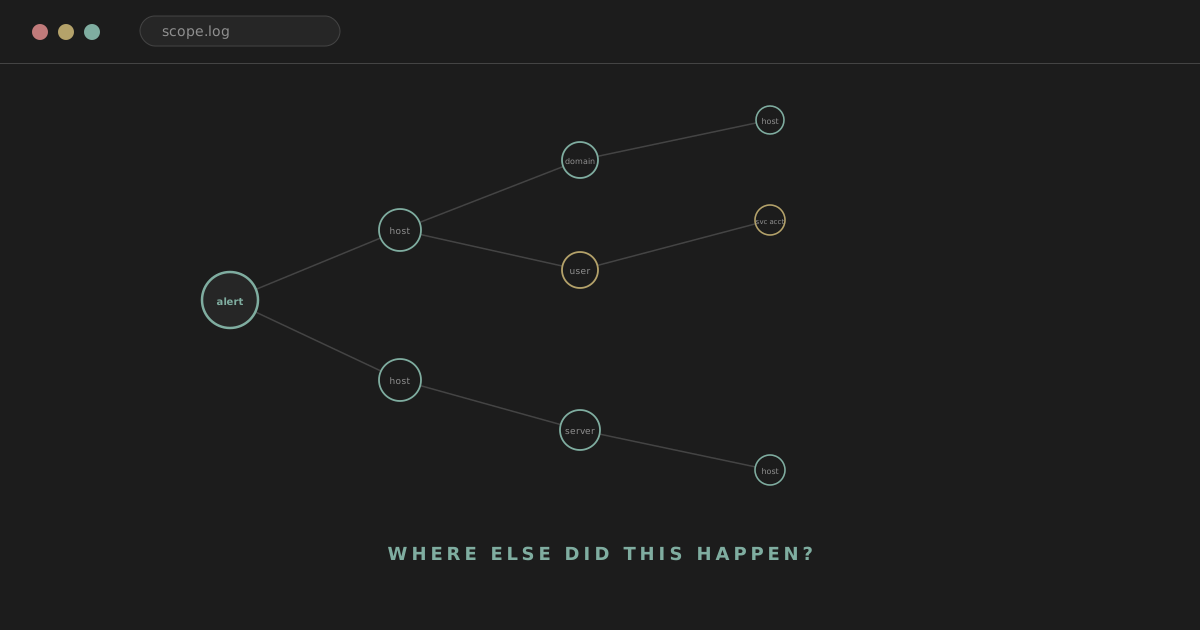
The first compromised host is not necessarily the only compromised host. The first malicious account is not necessarily the only affected identity. The first IOC is not necessarily the only way the attacker appears in your environment.
The first alert tells you where the investigation started. It does not tell you where the incident ends.
Analyst tip
Scope by relationships and behaviour, not just by whichever alert happened to fire first. That single habit is most of what separates a contained incident from one that reopens three weeks later on a host nobody thought to check.
analyst@thefish.nz:~$ cat contents.txt
Sections
- A simple scenario
- Alert scope vs incident scope
- Scope dimensions
- Entity-based scoping
- From IOCs to behaviour
- Scoping by entity type
- Scope by time
- Scope expansion model
- Scoping vs hunting
- Scoping by prevalence
- Scope confidence
- Reusable scoping workflows
- Worked scenario: one workstation
- Worked scenario: phishing
- Worked scenario: ransomware
- Worked scenario: identity
- Pivot chains
More sections
- Over-pivoting on weak relationships
- High-risk scoping scenarios
- Negative findings and uncertainty
- Scope reporting
- Scope is dynamic
- Scoping and the rest of IR
- SPL examples
- KQL examples
- Aggregation is essential
- Entity matrix
- Scope graph
- Common mistakes
- SOC interview refresher
- Six scenarios to practise
- Quick reference
- The point
A simple scenario
EDR alerts on one workstation, FIN-LT-014. The alert shows suspicious PowerShell, an outbound connection, and a downloaded executable. At first glance, the incident is "one compromised laptop." That conclusion is premature, and it's premature in a specific, checkable way rather than just generically cautious.
The next questions should be: did the same payload execute elsewhere? Did the same domain appear on other hosts? Did the same user authenticate elsewhere? Did another user receive the same phishing email? Did the attacker move laterally? Was the same scheduled task created elsewhere? Did the account access servers? Were credentials stolen? Did another host contact the same infrastructure?
None of these are answerable by looking harder at FIN-LT-014. They require deliberately searching outward from it. That outward search is scoping.
Alert scope versus incident scope
This distinction is worth stating plainly, because the two get conflated constantly under time pressure.
Alert scope:
Host: FIN-LT-014
Process: powershell.exe
Domain: bad-example[.]com
Incident scope might actually be:
5 endpoints
2 user accounts
1 service account
3 servers
1 phishing campaign
2 external domains
1 persistence mechanism
Alert scope is an observation. Incident scope is an investigation result. One is handed to you by a detection rule; the other has to be built, deliberately, by someone asking "where else did this happen" and then actually going and checking.
Scope dimensions
A practical framework worth working from: scope is not a single number, it's a set of dimensions that each need their own answer. Hosts, which endpoints and servers are involved. Users, which human identities are involved. Privileged accounts, are any admin accounts among them. Service accounts, are any non-human identities involved. Network, which IPs, domains and remote systems appear. Files, which hashes, filenames and paths appear. Processes, which execution patterns appear. Email, which recipients and which campaign. Cloud, which tenants, apps and resources are involved. Time, how far back does this go, and is it still ongoing.
An incident write-up that only answers one or two of these dimensions, "we found it on three hosts", is incomplete even if it's accurate as far as it goes.
Entity-based scoping
The most reliable way to work through those dimensions is to think in entities rather than in a single narrative thread. Pick an entity, and pivot outward from it.
Starting from a domain: which hosts resolved it? Which processes made the connection? Which users were logged on when that happened? What did DNS, proxy and firewall logs each independently show about it?
Starting from a hash: which hosts have it present on disk? Which of those actually executed it? What was the parent process in each case? Which user context did it run under? What network activity followed?
Starting from a user: which hosts did they log onto? Which sessions, and which privilege level? Which resources did they touch?
This entity-first habit is the same one used in threat hunting, and for good reason: scoping and hunting are really the same underlying skill applied to slightly different starting conditions.
From IOCs to behaviour
IOC scoping
The fastest way to start scoping is searching for the indicators you already have: the IP, the domain, the hash, the filename, the URL, the sender address, the task name, the service name. These are valuable because they're cheap and fast to operationalise. A single search across the estate for an exact hash match is quick to write and quick to run.
They're also fragile. An attacker who changes the domain, regenerates the payload, renames the file or rotates infrastructure defeats every one of those searches without changing their actual behaviour at all. IOC scoping should usually evolve into behavioural scoping, not stop once the IOC searches come back clean.
Behavioural scoping
Take an initial finding of bad.exe. Searching hash = xyz is the obvious first move, and it's worth doing. But the more durable question is: what would another instance of this attack look like if the attacker changed every IOC?
That reframes the search. Instead of only the hash, also search for the same parent-child process pattern, the same shape of PowerShell command line, the same persistence behaviour, the same scheduled task creation pattern, the same remote access sequence, the same category of destination even if the specific domain differs, the same service creation pattern.
winword.exe
    ↓
powershell.exe
    ↓
network
Search the estate for this relationship itself, not only the original hash or domain. Layer in additional signal where available: a rare command line, a first-seen destination for that host population, unusual file creation, unexpected persistence. The relationship is the durable signature; the specific values feeding into it are what the attacker is most likely to have varied.
Scoping by entity type
Identity
If one account is compromised, resetting the password is a containment action, not a scoping action. It doesn't tell you what the account did while it was compromised, and it doesn't tell you whether anything else was exposed as a result.
Worth asking: where did it authenticate, and from which devices? To which services? When, specifically? What did it access while authenticated? Were any privileged actions taken? Was any mailbox or cloud resource accessed? Did it create new accounts, rules or forwarding? Did it access another system that then itself became compromised, extending the chain one more hop?
Source host
If a suspicious workstation made several remote connections, it may be the pivot point for wider compromise rather than the edge of it. Worth searching: RDP, SMB, WinRM, WMI, remote service creation, authentication events, admin share access, file copy activity. Windows Event ID 4624 with logon type 3 (network) or type 10 (RDP), 4648 (explicit credential use, common in lateral tooling), 4776 (NTLM authentication), and 5140/5145 (share access) are common starting points here, alongside EDR's own remote-connection telemetry where available.
Target host
If a server received unusual admin access, the questions run in the other direction: who else accessed it during the same period? Did it become a new pivot point itself? Did it initiate outbound traffic it wouldn't normally generate? Did it connect onward to other servers? Were new processes or services created on it during or after that access?
Email campaign
For phishing, start with one reported email and pivot on sender, sender domain, reply-to address, message ID, subject line, any URL, any attachment hash, attachment filename, and the general style of the campaign, since a distinctive template or lure often outlasts any single sender address.
Then, separately: who received it? Who clicked? Who entered credentials? Who approved an MFA prompt? Who downloaded or executed anything from it?
Delivery scope, interaction scope and compromise scope are three different numbers, and collapsing them into one is one of the most common overstatements in a phishing write-up. This is the same distinction covered in more depth in From Header to Host.
Network destination
If one host contacts a suspicious domain, search DNS, proxy, firewall and EDR network telemetry to determine which hosts, which users, first seen, last seen, which process was responsible, whether the connection actually succeeded, and how much data moved.
From there, broaden carefully: related domains, related IPs, and only where there's genuine supporting context, shared certificate or infrastructure details.
Watch out
Don't over-scope purely on shared hosting. A malicious domain sitting on the same cloud provider as thousands of legitimate domains tells you almost nothing about relatedness on its own.
Persistence
If one scheduled task is found, search for the same task name, the same executable path, the same creator account, the same command, and any similarly-named task created around the same timeframe. But also hunt for the underlying behaviour independent of the name, since a renamed task with an equivalent trigger and payload is functionally the same persistence mechanism wearing a different label.
Scope by time
Time is not a side detail here, it's a first-class dimension of scope. If compromise is confirmed at 10:32, don't only search forward from 10:30. Go backwards first: what's the first suspicious event? The first external connection? The first unusual authentication? The first file creation? The first phishing email, if one exists?
Then move forward from the confirmed point and ask the same questions in the other direction. Scope is both who and what, and when: the same backward-before-forward habit that applies within a single host's timeline applies across an entire estate.
Earliest observed activity
Use careful terminology rather than overclaiming. Don't automatically label the first visible suspicious event "initial access." Prefer earliest observed suspicious activity, earliest confirmed malicious activity, likely initial access, or plainly unknown initial access where the evidence doesn't support anything stronger. The first event you can see is often just the first event your telemetry happened to capture, not necessarily the true beginning.
First seen / last seen
For a hash, process, domain, user, connection or authentication pattern, ask when it was first seen, when it was last seen, how often it recurs, and across how many hosts or users. This gives a rough activity window and a sense of how widespread the pattern is. Telemetry retention limits what "first seen" can honestly mean, though: if logs only cover the last fourteen days, first seen means first seen within that window, not necessarily the true first occurrence in the environment.
Scope expansion model
A simple way to visualise how scope typically grows:
Initial alert
↓
Host
↓
User
↓
Process
↓
Network
↓
Other hosts
↓
Other users
↓
Persistence / privilege / cloud
Scope tends to grow outward in rings from the initial alert, rather than jumping straight to a final number. Each ring is answered by a specific pivot, not by a vague instruction to "check everything."
Avoid uncontrolled scope explosion
Don't search everything, forever, just in case. Every pivot should answer a specific question. Weak: "Search every log source just in case." Better: "I found this account authenticating to Server A. I now need to know whether it accessed other systems during the same period." The second version has a defined question, a defined entity and a defined time window. It will actually terminate. The first version won't, and tends to produce huge amounts of low-value search output that nobody reads carefully.
Scoping questions should be explicit
Concretely: which other hosts ran this process? Which accounts used this source IP? Which systems were accessed by this user? Which endpoints resolved this domain? Which users received this message? Which systems have this persistence mechanism? Which hosts lost EDR telemetry around the same admin session, a pattern worth treating with real suspicion? If a pivot you're about to run doesn't map onto a question shaped like one of these, it's worth reconsidering before running it.
Scoping versus hunting
These overlap heavily in technique but differ in starting condition. Incident scoping starts from a known incident and asks how far it spread. Threat hunting starts from a hypothesis and asks whether this behaviour could exist elsewhere even without a known incident triggering the question. Many of the pivots described in this article, hash-to-host, domain-to-user, behavioural generalisation, work identically in both contexts.
Scoping by prevalence
Useful measures here: host count, user count, event count, unique destination count, first and last seen. A hash appearing on one host reads very differently to the same hash appearing on five thousand.
Watch out
Don't collapse this into a rule: common doesn't mean safe, and rare doesn't mean malicious. A rare process could be a targeted tool or could just be an uncommon but entirely legitimate admin utility. Prevalence is context that feeds a judgement, not a verdict on its own.
Scope confidence
It helps to classify entities informally rather than treating "affected" as one flat category.
Confirmed affected. Clear malicious activity directly observed.
Suspected affected. Strong related evidence, but not yet confirmed.
Exposed. Received the phishing email, had a reachable service, or was otherwise part of the same campaign, without confirmed compromise.
Cleared. Investigated, and the available evidence supports no compromise.
Your organisation may define its own incident status taxonomy, and that's fine; the point isn't the exact label set, it's keeping these categories distinct rather than flattening everything into "affected."
"Potentially affected" is useful
Incident scope usually has layers. Compare:
Confirmed compromised: 3 hosts
Suspected compromised: 2 hosts
Phishing recipients: 47 users
Clicked: 6 users
Credentials entered: 2 users
against "incident affects 47 users." The first version is far more useful to everyone who reads it afterwards, because it tells them exactly how much confidence sits behind each number. Precision here isn't pedantry, it directly shapes what containment and remediation actually has to happen and for whom.
Reusable scoping workflows
Host scoping workflow
For a confirmed host, a reusable sequence: user and logon context, process tree, network activity, files, persistence, remote connections made or received, credential exposure, and other hosts it touched. Working this list in order rather than jumping around tends to surface a more complete picture with less backtracking.
User scoping workflow
For a confirmed compromised identity: authentication history, devices used, active sessions, resources accessed, privilege level, mailbox and cloud activity, other accounts touched, any persistence tied to the identity such as forwarding rules or OAuth grants, and endpoint context for the devices involved.
Network scoping workflow
For malicious infrastructure: DNS, proxy and firewall records, the process responsible where attributable, the user context, which hosts were involved, the timing, related infrastructure, and any downstream behaviour that followed the connection.
File scoping workflow
For a malicious file: where is it present on disk across the estate? Where did it actually execute, as distinct from merely being present? What was the parent process? What child processes did it spawn? What network activity followed? Was persistence established? Are there other copies, under different names or paths? What's the first and last seen?
The important distinction here: file present is not file executed. A file sitting quietly in a downloads folder is a very different finding to the same file having run.
Authentication scoping workflow
For suspicious account use: failures and successes, source, target, logon type, MFA outcome, session details, privileged actions taken, other systems accessed, and other identities that authenticated from the same source in the same window, since a source host used for one compromised account is frequently used for more than one.
Worked scenario: one compromised workstation
Initial alert: FIN-LT-014.
09:13 winword.exe
09:14 powershell.exe
09:14 external connection
09:15 payload written
09:16 scheduled task
Step 1. Search the payload hash across the estate. Result: FIN-LT-014 and FIN-LT-022. The incident is now at least two hosts, not one.
Step 2. Search the domain. Result: FIN-LT-014, FIN-LT-022, and HR-LT-031. The HR host contacted the domain, but no payload has been found there yet. These three hosts don't get the same label: FIN-LT-014 is confirmed, FIN-LT-022 is confirmed or suspected depending on exactly what evidence is available for it, and HR-LT-031 needs further investigation before it earns either status.
Step 3. Search user activity for the account on FIN-LT-014. It authenticated to FILE-02 shortly after the point where credential access is suspected to have occurred. FILE-02 now needs direct inspection.
Step 4. Inspection of FILE-02 finds a remote service creation event around the same time as that authentication. Scope expands again, this time into server infrastructure the original alert gave no hint of.
Four steps in, the incident has grown from "one laptop" to two confirmed endpoints, one host under investigation, and a server with an unexplained remote service creation. None of that was visible from the original PowerShell alert. All of it came from deliberately asking "where else" at each step rather than closing the case once the original host was cleaned up.
Worked scenario: phishing campaign
Initial report: one user reports a phishing email. A search on the sender and subject finds 63 recipients.
Further scoping finds 11 clicks, 3 authentication events on the credential-harvesting page, 2 sessions that look suspicious afterwards, 1 mailbox rule created, and no malware anywhere in the chain.
Sixty-three recipients are not sixty-three compromises. The honest scope statement separates delivery, 63, interaction, 11 clicked, and confirmed impact, 3 authentication events, 2 suspicious sessions, 1 persistence artefact. Reporting "63 affected users" would overstate the incident by more than an order of magnitude and would misdirect remediation effort toward users who never interacted with the message at all.
Worked scenario: ransomware
Encryption is detected on 12 hosts. Treating those 12 as the whole incident is a mistake covered at length in Ransomware Before the Ransomware: encryption is the last visible event, and scoping has to look at what came before it, not just at where it landed.
Searching for the deployment source, the admin identity used, evidence of lateral movement, backup system access, earlier VPN or RDP activity, and any EDR impairment events can reveal a picture like: 12 encrypted hosts, one compromised admin account, four additional servers that were touched but not encrypted, a backup server that was accessed, frequently a deliberate step to remove the recovery option, and a domain controller that was accessed during the intrusion. The real incident scope, in terms of what needs remediation and what needs investigating for data access, is considerably larger than the 12 hosts that happened to show visible impact.
Worked scenario: identity compromise
Initial alert: an unusual login for a finance user. Scoping reveals mailbox access, a forwarding rule created shortly after, SharePoint access to files related to an active invoice conversation, and an internal phishing email sent from the compromised mailbox to 20 other users inside the organisation.
One account compromise, scoped properly, turned into a multi-user incident with a business email compromise and financial fraud angle, not just an identity-hygiene issue solved by a password reset.
Pivot chains
A few short, memorable patterns worth having internalised.
Hash pivot
hash → hosts → users → processes → network

User pivot
user → source hosts → targets → privilege → sessions → cloud activity

Domain pivot
domain → hosts → processes → users → related files

Email pivot
message → recipients → clicks → identities → endpoints
Beware over-pivoting on weak relationships
This deserves its own section, because it's the failure mode on the opposite side of under-scoping.
If a malicious IP belongs to a large cloud provider, that doesn't make every other IP on that provider related. If a domain shares a registrar with the malicious one, that's not evidence of a relationship by itself. If two files share a filename, that's not evidence they're the same payload.
Strong pivots: an identical hash, a unique scheduled task command that's distinctive rather than generic, the same account or session, a directly observed process-to-domain relationship.
Weaker pivots: shared ASN, shared registrar, a similar-sounding filename, the same country of origin. These are useful for enrichment and context, and sometimes for prioritising what to look at next, but they shouldn't automatically expand confirmed or suspected scope on their own.
Temporal correlation
If multiple hosts show the same pattern within a tight window, that strengthens the case for a connection, especially when combined with a shared user, shared parent process, or shared network destination.
10:03 Host A PowerShell
10:05 Host B PowerShell
10:07 Host C PowerShell
Three hosts, two minutes apart, running the same pattern, is a meaningfully different finding from the same three hosts running similar-looking PowerShell scattered randomly across a week.
Spatial and relationship correlation
Scope also emerges from structural relationships rather than just timing: the same source host, the same admin account, the same domain, the same process chain, the same remote management tool used across multiple targets. These relationships are frequently what turns a set of individually low-confidence findings into a coherent, higher-confidence picture.
High-risk scoping scenarios
Lateral movement
When one system is compromised, whether it authenticated elsewhere deserves attention on its own, because it's one of the most consequential scoping questions there is. Useful sources: Windows logon events, RDP session records, SMB connections, WinRM activity, a wsmprovhost.exe parent or child process is a reasonably reliable indicator of an active PowerShell remote session, WMI activity, firewall logs, and EDR's own lateral-movement detections. As with the timeline article, this is entirely a defensive telemetry discussion: the goal is knowing what to look for, not how to perform lateral movement.
Credentials
If credential access is suspected, don't limit the scope of concern to the endpoint itself. Ask which identities could plausibly have been exposed: the logged-on user, any privileged session active at the time, service account credentials present on the host, browser-stored credentials, and any tokens that might have been accessible in memory or on disk. Then scope each of those identities in turn, the same way you'd scope any other confirmed or suspected compromised account.
Domain controllers
If a domain controller was accessed during an intrusion, treat it as high-risk by default, but don't assume total domain compromise without evidence to support that conclusion either way. Worth establishing: which account accessed it, what activity actually occurred, whether any policy or group changes were made, whether replication activity looks unusual, and whether there are any indicators of credential access specifically, given the domain controller's role as a high-value credential store.
Service accounts
Service accounts can produce hidden breadth precisely because they're often used across many systems without much day-to-day human attention. Worth asking: where is this account actually used? Which systems depend on it? Where has it authenticated? What privileges does it hold? Are its secrets reused anywhere else in the environment? A single compromised service account can legitimately touch far more systems than a single compromised human user, simply because that's how service accounts are usually provisioned.
Cloud identity
For a compromised cloud account: sessions, OAuth consent grants, mailbox activity, OneDrive or SharePoint access, Teams activity, any administrative actions taken, device registrations, forwarding rules, and whether the account was used to target other users internally. This overlaps closely with the identity attacks field guide.
Negative findings and honest uncertainty
If compromise is confirmed but no persistence mechanism has been found yet, don't assume there is none. Search based on what's plausible given the observed behaviour and the environment. But equally, don't invent persistence that hasn't actually been found. The honest statement is "no persistence identified in available telemetry," not "no persistence exists." Those are different claims, and only one of them is actually supported by a search that came back empty.
This applies more broadly than just persistence.
Weak: "Host clean."
Better: "No evidence of the identified process, domain or persistence mechanism was found on this host during the reviewed period."
Analyst tip
The second version accurately states the limit of what was actually searched, which telemetry it covered, and over what time window. "Clean" implies a certainty that a finite search across finite telemetry retention can't actually provide.
Scope reporting
A concise, layered incident summary is far more useful than a single sentence trying to capture everything at once:
Confirmed:
- 2 endpoints
- 1 user identity

Suspected:
- 1 server

Exposed but no compromise found:
- 43 phishing recipients

Indicators:
- 2 domains
- 1 hash
- 1 scheduled task

Time window:
09:12-11:47

Outstanding:
- service account activity
- server forensic review
Compare that to "incident affects several users." The layered version tells a reader exactly what's confirmed, what's still open, and what hasn't been looked at yet, which is what actually drives decisions about containment, communication and further investigation.
Scope is dynamic
Incident scope changes as evidence arrives, and the scope record needs to change with it rather than being written once and left alone. At 10:00 it might genuinely be one host. At 10:30, three hosts. At 11:00, one privileged account plus five servers. None of those earlier statements were wrong at the time they were made; they were accurate summaries of the evidence available at that point. The mistake is treating an early scope statement as final once later evidence contradicts or extends it.
Scoping and the rest of incident response
Containment
There's a real tension here worth naming directly. You don't always need complete scope before taking containment action. If there's active ransomware deployment, active privileged account abuse, or ongoing exfiltration, contain what you already know while scoping continues in parallel. Waiting for a perfect map before acting can let active damage continue unnecessarily.
At the same time, containment actions can affect evidence: isolating a host can end a live session that might otherwise have revealed more about what the attacker was doing, and disabling an account can cut off telemetry about where else it was being used. The two activities run in parallel, informing each other, rather than one strictly finishing before the other begins.
Recovery
Don't restore systems before scope is understood well enough to avoid reintroducing the same compromise. Rebuilding one endpoint while the attacker still controls a privileged account elsewhere in the environment doesn't end the incident, it just removes your visibility into the host they used to get there in the first place. Recovery has to follow scope, not race ahead of it.
Detection engineering
Every incident is worth asking a follow-up question about after the fact: how did we actually find each additional affected entity? Could that specific pivot become a standing detection rather than something manually rediscovered every time?
An incident that showed:
unusual VPN login → RDP → privileged authentication
is a candidate for a correlation rule built on exactly that sequence. One that showed:
email click → successful sign-in → mailbox rule
is a candidate for an identity-focused correlation rule. Scoping work is, in effect, unpaid detection engineering research, and treating it that way means the next occurrence of the same pattern gets caught automatically instead of requiring the same manual pivot chain all over again.
Threat hunting
If there's a suspicion of additional activity but no specific IOC left to search for, the incident findings themselves can become a hunt hypothesis. If the confirmed chain was Office spawning PowerShell which then made an external connection, that sequence, generalised, is worth hunting estate-wide independent of any specific hash or domain from this particular incident.
SPL examples
A handful of practical starting points. Field names below are illustrative CIM-style names; verify against your own data model and sourcetypes before relying on them.
1. Search a hash across hosts.
index=edr file_hash="a1b2c3..."
| stats dc(host) AS host_count, values(host) AS hosts, min(_time) AS first_seen, max(_time) AS last_seen
Counts and lists every distinct host where this hash has been observed, with the earliest and latest observation times. Assumes the EDR index reliably captures file hash on both file creation and file execution events; if it only logs on execution, this search will undercount hosts where the file is merely present but hasn't run. Next pivot: for each host returned, check whether the file executed or was only written to disk.
2. Search a domain across DNS, proxy and EDR.
index IN (dns, proxy, edr) (query="bad-domain.example" OR dest_domain="bad-domain.example" OR url="*bad-domain.example*")
| stats dc(host) AS hosts, dc(user) AS users, values(host) AS host_list, min(_time) AS first_seen, max(_time) AS last_seen
Pulls every reference to the domain across three telemetry sources at once. This assumes consistent field naming (query, dest_domain, url) across sourcetypes, which is rarely true without normalisation; in practice this usually needs per-sourcetype field mapping first. Next pivot: for hosts with EDR hits specifically, identify the process responsible for the connection.
3. Search a user across authentication events.
index=auth user="jsmith"
| stats count, dc(dest) AS systems_accessed, values(dest) AS systems, values(logon_type) AS logon_types, min(_time) AS first_seen, max(_time) AS last_seen
Gives a full picture of where one identity authenticated during the search window, and to how many distinct systems. Assumes dest reliably captures the target system for both interactive and network logons; some data sources separate these into different fields. Next pivot: cross-reference systems against known privileged or high-value assets.
4. Count unique targets accessed by a source host.
index=network src=FIN-LT-014
| stats dc(dest) AS unique_targets, values(dest) AS targets BY user
Useful for spotting whether a suspected source host fanned out to multiple targets, and whether that fan-out happened under one account or several. Raw connection counts don't distinguish legitimate business traffic from lateral movement; this needs to be read alongside the destination list, not as a number on its own.
5. Search a scheduled-task creation pattern across endpoints.
index=wineventlog EventCode=4698
| rex field=_raw "Task Name:\s+(?<task_name>\S+)"
| stats dc(host) AS hosts, values(host) AS host_list BY task_name
| where hosts > 1
Surfaces any scheduled task name that's been created on more than one host, which is unusual for most legitimate administrative tasks. Assumes Event ID 4698 auditing for scheduled task creation is actually enabled; this is not on by default in many environments and needs to be verified before relying on it.
6. First and last seen for a specific IOC.
index=* "bad-example.com"
| stats min(_time) AS first_seen, max(_time) AS last_seen, dc(host) AS hosts, count AS events
| eval first_seen=strftime(first_seen, "%Y-%m-%d %H:%M:%S"), last_seen=strftime(last_seen, "%Y-%m-%d %H:%M:%S")
A general-purpose first/last-seen pattern applicable to almost any indicator. Searching index=* is expensive at scale and should be scoped to relevant indexes once the likely telemetry sources are known.
7. Count affected users and hosts for a confirmed incident.
index=incident_evidence case_id="INC-2026-014"
| stats dc(host) AS affected_hosts, dc(user) AS affected_users, values(host) AS hosts, values(user) AS users
Assumes evidence has been tagged to a case ID as it's found, which is a workflow choice rather than a technical requirement, but one that makes final scope reporting considerably easier to assemble.
KQL examples
Conceptually equivalent patterns using Microsoft Defender XDR's advanced hunting schema and Microsoft Sentinel's SigninLogs table. Table and column names are current as of writing; verify against Microsoft's schema documentation, since these are versioned and do change.
1. Search a hash across hosts.
DeviceFileEvents
| where SHA256 == "a1b2c3..."
| summarize HostCount=dcount(DeviceName), Hosts=make_set(DeviceName), FirstSeen=min(Timestamp), LastSeen=max(Timestamp)
2. Search a domain across network and process telemetry.
DeviceNetworkEvents
| where RemoteUrl has "bad-domain.example"
| summarize HostCount=dcount(DeviceName), Hosts=make_set(DeviceName), Users=make_set(InitiatingProcessAccountName), FirstSeen=min(Timestamp), LastSeen=max(Timestamp)
3. Search a user across sign-in activity.
SigninLogs
| where UserPrincipalName == "jsmith@example.com"
| summarize Attempts=count(), Apps=make_set(AppDisplayName), FirstSeen=min(TimeGenerated), LastSeen=max(TimeGenerated) by ResultType
ResultType of 0 indicates success; non-zero values indicate various failure reasons, worth checking against Microsoft's documented result codes rather than assuming.
4. Count unique targets contacted by a source host.
DeviceNetworkEvents
| where DeviceName == "fin-lt-014"
| summarize UniqueTargets=dcount(RemoteIP), Targets=make_set(RemoteIP) by InitiatingProcessAccountName
5. Search a scheduled task pattern across the estate.
DeviceProcessEvents
| where FileName == "schtasks.exe" and ProcessCommandLine has "/create"
| summarize HostCount=dcount(DeviceName), Hosts=make_set(DeviceName) by ProcessCommandLine
| where HostCount > 1
6. First and last seen for a domain, combining process and network context.
union DeviceNetworkEvents, DeviceProcessEvents
| where RemoteUrl has "bad-example.com" or ProcessCommandLine has "bad-example.com"
| summarize FirstSeen=min(Timestamp), LastSeen=max(Timestamp), Hosts=dcount(DeviceName)
Aggregation is essential
Whichever platform is in use, the underlying discipline is the same: count, distinct host, distinct user, minimum time, maximum time, first seen, last seen. A raw list of matching events is much less useful on its own than the same data summarised:
hash X
hosts = 7
users = 4
first_seen = 09:12
last_seen = 11:43
That single block gives an immediate sense of scope that a scrolling list of individual log lines doesn't, and it's what turns a search result into a scoping finding worth writing into the incident record.
Entity matrix
A practical structure for tracking scope as it develops:
| Entity | Status | Evidence | First Seen | Last Seen |
|---|---|---|---|---|
| FIN-LT-014 | Confirmed | process + network | 09:14 | 10:02 |
| FIN-LT-022 | Confirmed | same payload | 09:20 | 09:44 |
| HR-LT-031 | Investigating | domain contact | 09:29 | 09:29 |
This is useful because it keeps every entity's status and supporting evidence visible at once, rather than buried across separate case notes, and it makes it immediately obvious which entities still need work before the incident record can be closed out.
Scope graph
Incident scope is often easier to reason about as relationships between entities than as a flat list:
            bad-domain
             /      \
     FIN-LT-014    FIN-LT-022
         |
       jsmith
         |
      FILE-02
         |
    svc-backup
Reading this as a graph makes the chain of exposure obvious in a way a bulleted list doesn't: the domain connects two workstations, one of those workstations belongs to a user who reached a file server, and that file server's service account is the next thing that needs scoping. This kind of relationship view is the same underlying idea behind the site's Post Relationship Explorer for tag relationships, applied here to incident entities instead.
Common mistakes
Assuming one alert equals one affected system. Stopping the investigation once the original IOC is blocked. Searching only the exact hash or domain and nothing behavioural. Failing to scope the identities involved, not just the hosts. Failing to scope email recipients separately from clicks and confirmed compromise. Assuming the encrypted hosts in a ransomware incident are the entire incident. Not searching backwards in time from the confirmed point. Not checking first and last seen for key indicators. Treating every recipient of a phishing campaign as compromised. Treating every host that merely contacted a domain as compromised. Expanding confirmed scope based on weak relationships like shared hosting or registrar. Ignoring service accounts, which can have far broader reach than human accounts. Ignoring cloud and identity activity in favour of endpoint telemetry alone. Rebuilding a host while a related privileged account remains compromised. Reporting a system as "clean" when the accurate statement is "nothing found in available telemetry." Failing to document what's still unknown, alongside what's confirmed.
Things worth being able to explain in a SOC interview
The difference between alert scope and incident scope. How to pivot outward from a single host. The difference between IOC-based and behavioural scoping. First seen and last seen, and why they matter. Prevalence and its limits. Identity scoping specifically. Host scoping specifically. How to scope a phishing campaign correctly. The confirmed, suspected, exposed and cleared distinction. Why negative findings need to be phrased precisely. How scoping interacts with containment decisions. When to shift from searching known indicators to hunting for generalised behaviour. This builds directly on How to Think Like a SOC Analyst in an Interview.
Interview answer example
Question: "You find malware on one workstation. What next?"
Weak: "I'd isolate it and scan other machines."
Better: "I'd contain the known host if that's appropriate given what I know so far, then scope the incident using the file hash, the process behaviour, network indicators, user activity, and any persistence I found. I'd search for the same indicators across the estate, but I'd also generalise the behaviour in case the attacker changed the hash or the domain on other hosts. I'd check whether the compromised user authenticated elsewhere, and whether the endpoint itself initiated any lateral connections. The goal is establishing whether this is genuinely one host, or just the first host we happened to find."
Six scenarios to practise
Malware on one workstation. Starting entity: the file hash. First three pivots: search the hash across hosts, identify the parent process, check for network activity from the same process. Behaviour to hunt: the parent-child-network pattern independent of the hash. Key risk: stopping once the hash search comes back with only one host.
One compromised Microsoft 365 account. Starting entity: the user identity. First three pivots: sign-in history across devices and locations, mailbox rule and forwarding checks, OAuth consent history. Behaviour to hunt: the same sign-in anomaly pattern, impossible travel, a new device, an unusual app, across other accounts. Key risk: resetting the password and closing the ticket without checking what the account did while compromised.
Phishing email reported by one user. Starting entity: the message itself. First three pivots: full recipient list, click and credential-entry telemetry, any resulting authentication events. Behaviour to hunt: the campaign's template or lure style, independent of the specific sender address. Key risk: treating all recipients as equally affected.
Suspicious domain seen from one server. Starting entity: the domain. First three pivots: DNS, proxy and firewall history for the domain, the process responsible on the source server, other hosts that resolved it. Behaviour to hunt: the destination category or infrastructure pattern rather than only the specific domain. Key risk: over-scoping to unrelated domains that merely share hosting infrastructure.
Ransomware detected on multiple hosts. Starting entity: the encrypted host set. First three pivots: the deployment source, the admin account used, evidence of earlier lateral movement. Behaviour to hunt: the discovery-to-lateral-movement-to-deployment sequence, since it usually precedes encryption by hours or days. Key risk: assuming the encrypted hosts are the full extent of the compromise.
Service account behaving unusually. Starting entity: the service account. First three pivots: everywhere the account is known to authenticate, what its normal privilege footprint looks like, whether any of its secrets are reused elsewhere. Behaviour to hunt: the same authentication pattern from any other service account with similarly broad reach. Key risk: underestimating how many systems a single service account can legitimately touch, and therefore how far a compromise of it can reach.
Quick reference
START
What do I know is affected?

PIVOT
What users, hosts, processes, files and destinations are connected?

SEARCH
Where else does the same IOC appear?

GENERALISE
Where else does the same behaviour appear?

TIME
First seen? Last seen? What happened before?

IDENTITY
Did affected accounts access other systems?

LATERAL
Did affected hosts touch other assets?

CLASSIFY
Confirmed, suspected, exposed or cleared?

REPEAT
Scope changes as evidence changes.
This piece connects most directly to Threat Hunting for the entity-pivoting technique this article applies to a known incident rather than a hypothesis, From Header to Host for the delivery-versus-interaction-versus-compromise distinction in the email section, Identity Attacks for the identity and cloud scoping detail, Ransomware Before the Ransomware for the reasoning behind the ransomware worked scenario, and How to Think Like a SOC Analyst in an Interview for the underlying mindset this article extends into a specific, practical skill.
The point
The first compromised host is not necessarily the only compromised host. The first malicious account is not necessarily the only affected identity. The first IOC is not necessarily the only way the attacker appears in your telemetry. Scope by relationships and behaviour, not just by whichever alert happened to fire first.