Identity Attacks for SOC Analysts: Sessions, Tokens, MFA and Account Compromise
Part of Security Operations · Step 4 of 17 · essential
Browse all 27 field guides
- Alert to Conclusion: Investigating Without Tunnel Vision
- From Header to Host: Investigating Phishing in the SOC
- How to Think Like a SOC Analyst in an Interview
- Identity Attacks for SOC Analysts: Sessions, Tokens, MFA and Account Compromise (this article)
- The IP Isn't the Attacker: A SOC Analyst's Guide to NAT, VPNs and Proxies
- PowerShell Is Not the Alert: Investigating Living-off-the-Land Activity
- Ransomware Before the Ransomware: What the SOC Should See Before Encryption Starts
- SPF, DKIM and DMARC: What They Actually Prove (and What They Don't)
- Threat Hunting for SOC Analysts: Turning a Suspicion Into a Searchable Hypothesis
- Windows Event Logs for SOC Analysts: What an Event ID Actually Proves
- One Alert Is Not the Incident: Scoping Security Incidents in the SOC
- Beyond the Alert: CIS Critical Security Controls v8.1 for SOC Analysts
- Six Functions, Not Six Steps: NIST CSF 2.0 for SOC Analysts
- Check the Scope First: ISO 27001 for SOC Analysts
- Search It, Don't Memorise It: NZISM for Security Practitioners
- Same Problem, Four Lenses: CIS vs NIST vs ISO 27001 vs NZISM
- A Claim Is Not Evidence: Security Assurance for SOC Analysts
- Inherent Risk Comes First: Supplier Security Assurance for Analysts
- Present Is Not Effective: How to Test Security Controls
- A Clean Opinion Is Not Zero Risk: How to Read a SOC 2 Report
- Count Is Not Risk: Security Metrics, KPIs and KRIs That Actually Matter
- Read the Scope Before the Findings: How to Review a Penetration Test Report
- Not the Assessment Itself: How to Design a Supplier Security Questionnaire
- Which Part? Cloud and SaaS Security Assurance
- Lead With the Decision: Executive Security Risk Reporting
- Related Is Not Identical: Framework and Control Mapping Without the Spreadsheet Monster
- CIS, NIST, ISO 27001 and NZISM: The Interview Guide for Security Practitioners
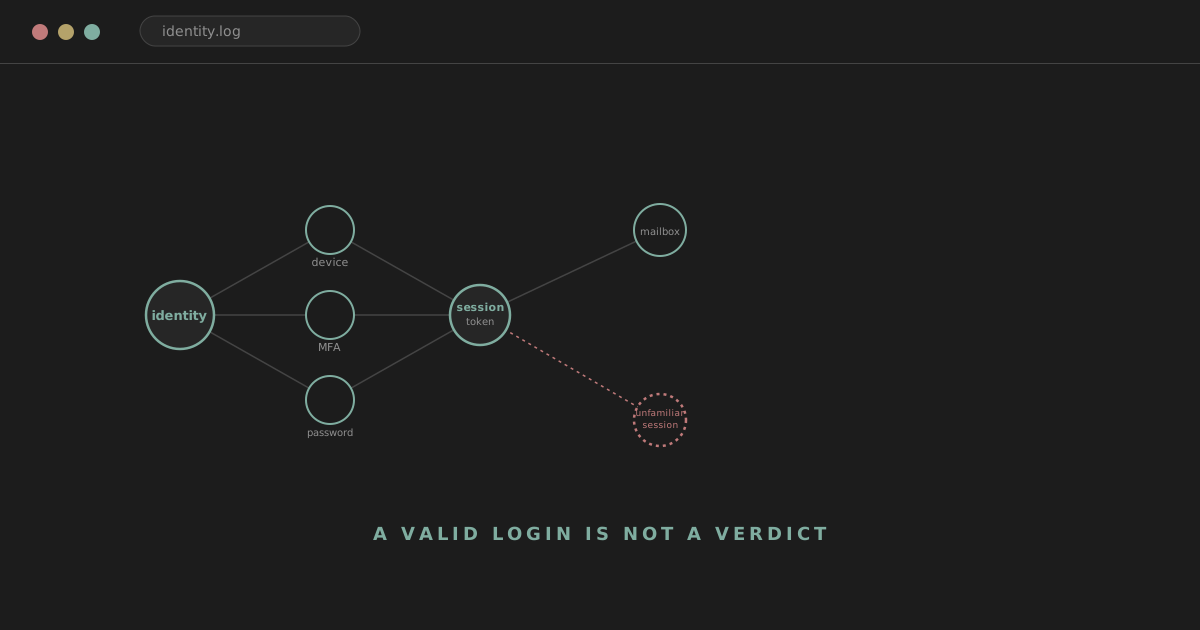
A user reports: "I got an MFA prompt I didn't approve." A few minutes later, the SIEM shows a successful authentication from an unfamiliar IP, a device that's never been seen before, mailbox access, and a new forwarding rule appearing on the account.
The easy conclusion is "password compromised, reset it, done." Identity compromise is very often more complicated than that, and the difference matters for how you investigate and how you respond. Was the password actually stolen, or was something else involved? Did the user genuinely approve the MFA prompt, and if so, why, and if not, how did the attacker get past it anyway? Was a session or token stolen rather than a password? Was a phishing proxy sitting between the user and the real login page the whole time? Did the attacker authorise a malicious application rather than logging in directly at all? Is the IP address actually meaningful, or is it someone's phone on a mobile network? Is this a brand new login, or reuse of a session that's already been sitting there? And did the attacker quietly change account recovery details or MFA methods on their way through, so that resetting the password doesn't actually lock them out?
A successful authentication proves that the identity provider accepted the authentication material. It does not prove that the legitimate user is behind the session. That distinction runs through everything in this article.
analyst@thefish.nz:~$ cat contents.txt
Sections
- The identity attack surface
- Authentication vs session
- Password compromise
- MFA and its limits
- Session tokens and cookies
- OAuth and application consent
- Mailbox compromise
- Conditional Access as policy context
- Identity investigation methodology
- Worked scenario: a suspicious login
- Worked scenario: token compromise
- Worked scenario: BEC
The modern identity attack surface
User
↓
Credentials
↓
MFA
↓
Identity Provider
↓
Session / Token
↓
Cloud service
The useful thing to internalise about this chain is that an attacker doesn't necessarily need to keep possession of the password forever, and in a lot of the more interesting cases, they never needed it at all. If they obtain a session cookie, an access token, a refresh token, or an OAuth application grant, they may retain working access well after the point where the original authentication step happened, sometimes without ever touching the password directly.
Authentication is not the same thing as a session
Worth being precise about this distinction, because a lot of investigative confusion comes from treating the two as interchangeable. Authentication answers "who are you," at a specific moment, through a specific method. A session answers something different: "we've already authenticated this identity, and we're allowing continued access on the strength of that." A SOC analyst might see one legitimate authentication followed later by malicious session activity that never triggers a second login event at all. Or they might see session activity with no fresh authentication anywhere nearby in the logs, because the session or token being used was never freshly issued during the window being investigated.
Watch out
No new login does not mean no attacker activity. A lot of the reasoning in this article exists specifically to catch the cases where that sentence is true.
Password compromise, the obvious case
Worth covering first because it's the most familiar. Potential signals include an unusual login source, repeated failed authentication attempts, a successful login following a run of failures, a new device, an unfamiliar geography or ASN, travel that looks impossible or improbable given the timing, an unusual time of day for that user, or a client application that's never been seen for this account before.
Every one of those has legitimate explanations worth ruling out before treating it as confirmed compromise. Users genuinely travel. They use VPNs, connect over mobile networks that share carrier-level NAT across huge numbers of unrelated customers, buy new laptops, and work remotely from places they've never worked from before. Location anomaly on its own is a reason to look, not proof of anything.
MFA reduces risk. It does not eliminate identity attacks
MFA meaningfully improves the picture by making a stolen password alone considerably less useful to an attacker. It's worth being equally clear about what it doesn't guarantee: that the legitimate user was actually the one who approved the prompt, that the resulting session wasn't later stolen, that a phishing proxy wasn't sitting in the middle of the whole flow, that the MFA method itself hasn't been compromised, or that account recovery mechanisms weren't abused to add a new method the attacker controls.
Watch out
MFA is a genuinely strong layer. It is not, on its own, proof that the account is safe.
MFA fatigue and push bombing
One specific technique worth recognising: an attacker who already has valid credentials repeatedly triggers MFA push prompts, hoping the user eventually approves one out of irritation, confusion, or simple habit. Possible SOC evidence includes a run of MFA prompts, several denied in a row, followed by one approval, from a source that doesn't match the user's normal pattern, with a successful authentication immediately following.
Analyst tip
User reporting is genuinely valuable telemetry here and shouldn't be dismissed as a minor annoyance ticket. If a user says "I kept getting MFA prompts I didn't ask for," that's a real security signal worth treating with the same seriousness as an automated alert.
MFA method changes deserve specific attention
Worth watching for: a new authenticator app registration, a new phone number added for SMS or call-based verification, a new security key, or any other change to how the account satisfies MFA. This matters a great deal after a suspected account takeover, because an attacker who registers their own MFA method has effectively given themselves a durable way back in that survives a simple password reset. Worth asking who made the change, from which session, from which device, whether it was expected, and whether it happened shortly after anything else that already looked suspicious.
Phishing-resistant MFA, briefly
Not every MFA method resists phishing equally well. Push notifications and SMS-based codes can be relayed or approved under pressure by a confused user. Methods built around Windows Hello for Business, FIDO2 security keys, and certificate-based authentication (grouped together in Entra as a distinct, stronger "phishing-resistant" authentication strength) tie the authentication more directly to the legitimate site and device, which meaningfully closes off certain attack paths that push and SMS remain open to. This isn't a product tutorial, and the point isn't that weaker methods are useless. It's that not all MFA is equally resistant to the specific techniques covered in this article.
Session tokens and cookies
After a successful authentication, a service typically issues tokens or cookies that represent that authenticated session going forward. If an attacker steals that session material directly, rather than the password, they may be able to access the service without repeating the authentication or MFA flow at all.
User authenticates
↓
Token / session issued
↓
Token stolen
↓
Attacker reuses session
Watch out
This is where a genuinely important, platform-specific nuance sits, and it's worth stating precisely rather than glossing over: in Microsoft Entra ID specifically, revoking a user's sign-in sessions invalidates their refresh tokens, forcing the next attempt to obtain a new access token to require a fresh sign-in. It does not directly revoke access tokens already issued. Those remain technically valid until they naturally expire, commonly around an hour, unless the tenant has continuous access evaluation in place to shorten that window. Password reset may not invalidate every active token or session immediately, and the exact behaviour depends on the identity provider, the token type, and tenant configuration, so it's worth confirming the specifics for whatever platform you're actually working in rather than assuming.
A thorough response to suspected session or token theft may need password reset, explicit session revocation, review of MFA methods, and review of application consent grants, not password reset alone.
Refresh tokens, briefly
Worth understanding conceptually without diving deep into OAuth protocol internals: access tokens are short-lived credentials used to actually reach a resource, while refresh tokens are longer-lived and used to obtain new access tokens without forcing the user through a full authentication prompt every time one expires. That's most of what a SOC analyst needs to carry forward. Refresh tokens being the piece typically invalidated by session revocation, while access tokens ride out their existing lifetime, is exactly the mechanism behind the nuance above.
Recognising token theft
Possible clues include session activity suddenly originating from new infrastructure that doesn't match the account's history, the same session apparently being used from wildly different locations in quick succession, device changes that don't make physical sense, cloud activity appearing with no corresponding authentication event anywhere nearby, or cloud activity that begins shortly after evidence of endpoint compromise elsewhere.
Infostealer / browser compromise
↓
session material stolen
↓
cloud account activity
That last pattern is worth sitting with specifically, because it's exactly where identity and endpoint telemetry need to meet. A SOC that only watches cloud sign-in logs can miss that the session material was lifted from a compromised browser in the first place. A SOC that only watches the endpoint can miss that the stolen session is now being actively used against cloud resources somewhere else entirely.
Adversary-in-the-middle phishing
Modern phishing increasingly proxies the real login flow rather than hosting a crude fake copy of it. The victim visits what looks like the genuine login page, enters credentials, and completes MFA exactly as they normally would, because from their perspective they're talking to the real service the whole time. The phishing infrastructure sits in between, relaying the exchange and, critically, capturing the resulting session material once authentication succeeds. The lesson worth holding onto: the fact that a user has MFA enabled does not automatically mean account takeover was impossible, if the MFA method in use can be relayed this way rather than being cryptographically tied to the legitimate site.
OAuth and application consent
A user can grant an application permission to access their data without ever handing over their password to that application directly. This is entirely routine and mostly benign: productivity integrations, calendar tools, and countless ordinary SaaS applications work this way. It's also a genuine attack path, because a malicious or compromised application, once granted consent, can access whatever it was authorised for on an ongoing basis.
Worth watching for: a new application consent event, permissions that look unusually broad for what the application claims to do, an application nobody recognises, mailbox or file access happening under the application's own identity rather than a direct user sign-in, and, tellingly, activity that continues completely unaffected after the user's password has already been reset.
User grants malicious app
↓
App receives permission
↓
App accesses resources
Watch out
The attacker may never need the user's password again once the grant exists. Remediation in this case has to include removing the application's consent, not just rotating the password, or the access simply continues uninterrupted.
Mailbox compromise
A practical, largely Microsoft 365-shaped section, though the underlying concepts transfer to most mailbox platforms. Worth reviewing: inbox rules, forwarding rules, deleted and sent items, unusual search activity within the mailbox, delegation settings, external forwarding specifically, unfamiliar OAuth application access to mail data, and the sign-ins associated with all of it. Attackers create rules for specific, practical reasons: hiding their own replies from the legitimate user, quietly forwarding invoices or financial correspondence, intercepting an ongoing conversation, or moving security alert emails straight to a folder nobody checks.
Business email compromise often involves no malware at all
Account access
↓
Mailbox reconnaissance
↓
Monitor conversations
↓
Impersonate user
↓
Change payment details
Analyst tip
This is worth emphasising directly for anyone used to thinking primarily in endpoint terms: a genuinely damaging BEC incident can unfold entirely inside a mailbox and identity platform, with no malicious binary, no EDR alert, and nothing resembling a traditional intrusion anywhere on the endpoint. If your investigative instincts start with "what did the malware do," this category of incident will slip straight past you.
New inbox and forwarding rules
Worth treating as genuinely useful telemetry, while resisting the urge to call every forwarding rule malicious, since plenty of users create entirely legitimate ones. Worth asking when it was created, by whom, from which session, where it forwards to, whether that destination is external, whether the rule name is hidden or deliberately unremarkable-looking, and what else was happening on the account immediately beforehand.
Conditional Access is policy context, not a verdict
Conditional Access can weigh signals like device compliance, location, authentication strength, calculated risk, the specific application being accessed, and group or user membership before deciding whether to allow, block, or challenge a sign-in. It's worth framing this correctly: a login that satisfies Conditional Access policy is a login that met a set of configured conditions, not a login the system has independently confirmed is legitimate. A compromised account that happens to satisfy every policy condition, using a token stolen from a compliant, managed device for instance, sails straight through.
Device context
Worth distinguishing managed from unmanaged devices, compliant from non-compliant, a device the identity provider has seen before from a genuinely new one, and checking endpoint health where that telemetry is available. It's worth being honest about the limit here too: a known, managed, compliant device can still be compromised. Device trust narrows the field. It doesn't settle the question on its own.
Impossible travel, as a lead rather than proof
Worth its own mention, because it's simultaneously useful and genuinely noisy. Reasons a travel-anomaly detection can fire on entirely legitimate activity: VPN use, corporate proxy egress points, mobile carrier routing, cloud services that route traffic through unexpected regions, and plain IP geolocation inaccuracy. Treat it as a reason to look closer, never as confirmation on its own.
IP addresses remain weak identity evidence
This connects directly to the reasoning in The IP Isn't the Attacker: an IP address can genuinely offer infrastructure context, ASN, hosting provider, a rough geolocation, and a reputation score. It does not reliably tell you which physical person was behind the keyboard, their exact location, or their intent. A VPN or cloud-hosted IP might be attacker infrastructure, or it might just be the privacy tooling a completely legitimate user happens to run all the time.
Sign-in risk and user risk are two different signals
Worth being precise here, since the two get conflated constantly. Sign-in risk reflects the likelihood that one specific authentication attempt isn't coming from the legitimate account owner, evaluated fresh at the moment of that sign-in. User risk reflects a broader, persistent judgement that the identity itself may be compromised, based on accumulated signals, and tends to stick around until it's actively investigated and remediated rather than resetting itself sign-in to sign-in. Both are genuinely useful for prioritising where to look first. Neither is a final verdict on its own, and both are still Microsoft's own risk-scoring output, built on models that, like any detection, can be wrong in either direction.
Identity investigation methodology
1. What identity?
2. What authentication?
3. What device?
4. What session?
5. What changed?
6. What resources were accessed?
7. What persistence exists?
8. What else is affected?
Identity. Is this a human user or a service account? Privileged? An executive? Finance? An admin? Shared between multiple people? What access would genuinely be expected for this identity in the first place?
Authentication. Success or failure, MFA satisfied and by which method, source IP and ASN, client application, device, time, rough location, which Conditional Access policies applied, and any recent failures leading up to it.
Session. Is this an existing session being reused, or a freshly issued token? Does the reuse pattern look unusual? Is token or session revocation actually warranted here? Is there activity happening without any fresh authentication event nearby to explain it?
Device. Known to the identity provider or brand new? Managed? Is EDR healthy on it, and has it raised anything? Any sign of browser compromise or infostealer activity that could explain stolen session material?
Changes. Password reset, MFA method changes, new device registration, a new forwarding rule, new OAuth consent, a new application generally, a privilege or group change, or a change to account recovery details.
Resource access. What did the identity actually do once authenticated: mailbox, SharePoint, OneDrive, Teams, a cloud admin portal, file downloads, a sensitive line-of-business application. The key question is what was accessed, not merely where the login came from.
Persistence. A malicious OAuth application grant, a new MFA method the legitimate user didn't register, a new forwarding rule, a long-lived token still sitting active, a new administrative role assignment, or a new device registration that survives a simple password change.
Scope. One account, or several? Same source infrastructure across more than one of them? Same phishing campaign? Same OAuth application consented to elsewhere? Same endpoint? Are other users reporting unexpected MFA prompts around the same time?
Worked scenario: a suspicious login
User: alex@example.com.
09:12  MFA prompt denied
09:13  MFA prompt denied
09:15  MFA approved
09:16  successful authentication
09:19  new inbox rule created
09:22  mailbox accessed
09:31  new OAuth consent
10:04  large number of files accessed
09:12 to 09:13, two denied MFA prompts. Observation: the account is being challenged for MFA and the user is declining it, twice. Interpretation: consistent with someone else attempting to authenticate with valid credentials, though it could also be an accidental double-trigger or a confused user. Confidence: raised somewhat, this pattern is worth watching closely rather than dismissing. Next pivot: check the source of these attempts and whether it matches Alex's normal pattern at all.
09:15, MFA approved. Observation: the third prompt is accepted. Interpretation: either Alex genuinely approved this one, possibly out of habit or irritation after two prompts already, or the attacker's third attempt simply landed at a moment Alex wasn't paying close attention. Confidence: meaningfully raised, an approval following two denials in quick succession is a recognised push-bombing pattern rather than routine behaviour. Next pivot: check the source and device tied to this specific approval.
09:16, successful authentication. Observation: the login completes. Interpretation: this confirms the token issuance now allows continued access. Confidence: unchanged from the prompt sequence itself, this is the expected next step once MFA clears either way. Next pivot: compare the source IP, ASN and device against Alex's established baseline.
09:19, new inbox rule created. Observation: three minutes after authenticating, a new rule appears on the mailbox. Interpretation: this is a fast enough turnaround from login to rule creation that it reads as deliberate, targeted activity rather than routine mailbox housekeeping. Confidence: raised significantly. Next pivot: read the rule itself, specifically its destination and whether it's hidden or misleadingly named.
09:22, mailbox accessed. Observation: mailbox content is being read. Interpretation: consistent with reconnaissance, someone getting a sense of what conversations exist before deciding what to do next. Confidence: raised further given everything preceding it. Next pivot: check what specifically was opened or searched for.
09:31, new OAuth consent. Observation: an application is granted access. Interpretation: this is a second, independent persistence mechanism on top of the inbox rule, and a particularly durable one if the permissions are broad. Confidence: high at this point. Next pivot: identify the application, its requested permissions, and its publisher.
10:04, large number of files accessed. Observation: a high volume of file access begins roughly forty minutes after the original authentication. Interpretation: consistent with staging or exfiltration rather than ordinary browsing. Confidence: very high, this is well past the point of reasonable doubt given the full sequence. Next pivot: scope exactly which files, and move to containment, including session revocation, MFA method review, and removal of the new OAuth grant, rather than continuing to passively observe.
Worked scenario: session or token compromise without a fresh login
A user authenticated earlier in the day from their normal device, in the normal way, with nothing about that original login standing out at all. Later, a cloud session appears active from infrastructure that's never been associated with this account, with no obvious new authentication event anywhere near it. Mailbox activity begins under that session. A forwarding rule appears shortly after.
The question worth asking explicitly: could an existing session or token be involved here, rather than a fresh credential compromise? What would actually help answer that: whether the platform logs token issuance and reuse separately from interactive sign-in events, whether any endpoint telemetry exists suggesting session material was stolen from a browser or device around the time of the original legitimate login, and whether the activity pattern matches known token-replay behaviour rather than a typical fresh-authentication flow. This scenario is exactly why login events alone are an insufficient basis for an identity investigation. A SOC that only ever queries "show me sign-ins" will never surface this one.
Worked scenario: business email compromise, briefly
A legitimate account, no malware anywhere on the associated endpoint, a new mailbox rule quietly routing certain messages, evidence the attacker has been reading an ongoing invoice conversation for some time, external forwarding configured on the thread specifically, and eventually a message sent to someone in finance requesting a change to payment details. Nothing here trips an EDR alert, because nothing on the endpoint is actually doing anything unusual. The entire incident lives in identity and mailbox telemetry, which is exactly why both need to be part of the standard investigative toolkit rather than an occasional afterthought.
Correlating identity with endpoint and network
Browser compromise
↓
cookie/session theft
↓
cloud identity activity
malicious attachment
↓
credential theft
↓
successful login
↓
mailbox rule
A SOC investigating only cloud telemetry can miss that the whole thing started with an endpoint compromise. A SOC investigating only the endpoint can miss that the attacker's actual persistence now lives entirely in the cloud, in a mailbox rule, a token, or an OAuth grant, completely independent of whatever happened on the original machine.
On the network side, the same caution from earlier in this article applies again: a suspicious IP, an unfamiliar ASN, VPN or proxy use, and first-seen infrastructure are all worth checking, without over-relying on any of them as proof given how much legitimate traffic shares exactly those characteristics. On the email side, a phishing message, evidence of credential capture, subsequent mailbox activity, forwarding rules, and BEC-style reconnaissance and impersonation are the pieces most worth correlating together into one picture rather than triaging as separate, unrelated tickets.
Response: more than a password reset
If account compromise is confirmed or strongly suspected, a response may reasonably include resetting the password, explicitly revoking active sessions, revoking refresh tokens where the platform supports it, removing any MFA methods the legitimate user doesn't recognise, removing malicious OAuth application grants, reviewing registered devices, temporarily disabling the account, and investigating the associated endpoint. Exact mechanisms and terminology vary meaningfully by platform, so it's worth confirming the specifics for whatever identity provider is actually in front of you rather than assuming every platform behaves identically.
Reset password
    +
Revoke sessions/tokens
    +
Review MFA
    +
Review app grants
    +
Review mailbox rules
    +
Scope activity
    +
Investigate endpoint
"Reset password, done" is a weak response precisely because of everything covered above: a surviving access token, an unreviewed OAuth grant, or an MFA method the attacker registered can each independently keep working straight through a password change.
When to disable the account outright
Worth weighing: confidence in the assessment, the account's privilege level, whether abuse genuinely appears to be ongoing right now, how business-critical the account is, how quickly sessions and tokens can actually be revoked on this platform, and the overall severity of what's been found. If authorised to do so, immediate disablement can be entirely appropriate for a high-confidence, actively-abused, privileged account. It's still worth weighing the operational cost, particularly for an account that turns out, on closer inspection, to have a more mundane explanation.
Privileged identities need more urgency, not just more scrutiny
A compromised privileged account deserves faster scoping, not just more thorough scoping eventually. Worth checking immediately: recent administrative actions, role and group membership changes, resource access across the estate, any new accounts that have appeared, policy changes, new application registrations, and any credential changes on other accounts this identity had the power to touch. The potential impact of a privileged identity compromise is categorically larger than an ordinary user account, and the investigation should move at a pace that reflects that.
Not every identity is a human being
Modern cloud environments run on a substantial population of non-human identities too: service principals, managed identities, and application identities that authenticate and access resources on their own, without a person sitting behind them. Worth remembering this explicitly, because it mirrors the service-account lesson familiar from traditional Active Directory environments, just wearing different terminology. An investigation that assumes every identity in the logs represents a person will misread a compromised or misconfigured service principal every time.
What makes an identity alert genuinely high risk
Combinations matter more than any single item on its own.
New source
   +
Privileged user
   +
New device
   +
MFA change
   +
Admin action
or
MFA fatigue
   +
successful authentication
   +
mailbox rule
Either combination deserves serious, immediate attention. Any single element from either list, on its own, might reasonably wait its turn in the queue. Correlation is what changes that.
Detection ideas worth building
Conceptually, and worth tuning against your own environment rather than treating as universal: repeated MFA denials followed by an approval, a privileged account authenticating from genuinely new infrastructure, a new MFA method registered shortly after an unusual sign-in, a forwarding rule created immediately after a first-seen session, a new OAuth application requesting high-risk permissions, unusual mailbox search or access volume, session or token activity from infrastructure that doesn't match the account's history, and a new device registration followed closely by administrative action.
Risk-based detection needs context
The same raw signal means different things depending on privilege level, the sensitivity of the data or asset involved, the user's actual role, whether the device or ASN is genuinely new, whether the travel pattern looks impossible, any prior compromise history for this identity, established MFA behaviour, how old the session being used actually is, and which specific application is being accessed. This is the identity-specific version of the same detection-engineering discipline covered elsewhere on this site: raw telemetry becomes a useful detection only once it's weighed against the right context.
Identity-first incidents
Watch out
Worth stating plainly for anyone whose instincts default to endpoint-first thinking: a genuinely serious modern incident can involve no malware, no EDR alert, and no suspicious binary anywhere at all. The entire thing can live inside the identity provider, a SaaS platform, a mailbox, an OAuth consent grant, and cloud audit logs, with the endpoint playing no visible role whatsoever. If your investigative reflexes start with "what ran on the machine," this category of incident will pass straight underneath them.
Common mistakes
"MFA was enabled, so compromise is impossible." "Password reset fixed it." Treating IP geolocation as established fact rather than a rough indicator. Only ever reviewing successful logins and ignoring the failures around them. Ignoring session and token activity entirely in favour of login events alone. Ignoring endpoint context when investigating a cloud identity incident. Ignoring mailbox rules because nothing malicious showed up on the endpoint. Ignoring OAuth consent grants as a persistence mechanism. Failing to check for MFA method changes. Treating an unfamiliar device as automatic proof of compromise. Treating a known device as automatically safe. Investigating a single account when the same campaign may be touching several. Failing to establish what resources were actually accessed, not just where the login came from. Closing an investigation the moment no malware turns up. And assuming that no new login event means no attacker activity is occurring.
Things worth being able to explain in a SOC interview
The practical difference between authentication and a session. The difference between a stolen password and a stolen token, and why the response to each differs. What MFA genuinely improves and what it doesn't guarantee. What MFA fatigue or push bombing looks like from a defensive vantage point. How session or token theft can grant access without a fresh login event. Why a password reset alone may not be sufficient remediation. What to actually check after a suspicious sign-in. Why an IP address is weak identity evidence on its own. What OAuth consent is and why it matters to an identity investigation. Why mailbox rules deserve routine attention. What business email compromise typically looks like, and why it often involves no malware. Conditional Access at a conceptual level. Why identity and endpoint telemetry need to be correlated rather than investigated in isolation. What account containment actually involves beyond a password change. And why scoping an identity incident means checking more than the one account that triggered the alert.
Six scenarios to practise
A user reports repeated MFA prompts. A strong response treats the report itself as telemetry, checks the source and timing of the prompts, establishes whether any were approved, and checks whether a successful authentication followed.
A successful login from an unfamiliar ASN is followed by a mailbox forwarding rule. A strong response reads the actual rule and its destination, checks the account's normal authentication baseline, and treats the combination, not either event alone, as the reason for urgency.
A password reset occurs, but suspicious cloud activity continues. A strong response immediately considers token or session survival and unreviewed OAuth grants as explanations, rather than assuming the reset should have been sufficient.
A privileged account signs in from a new device. A strong response moves faster than it would for a standard user, checks for any administrative action taken during the session, and reviews recent role or policy changes.
A user grants OAuth access to an unfamiliar application. A strong response identifies the exact permissions requested, checks the publisher, and considers that this alone may be sufficient for ongoing access regardless of the account's password.
A finance user sends an unusual payment-change email with no malware detected anywhere. A strong response treats this as a probable business-email-compromise pattern from the outset, and goes straight to mailbox rules, sign-in history and delegation settings rather than searching for a binary that was never going to be there.
Quick reference
| Signal | What it may indicate | What I would check next |
|---|---|---|
| MFA deny/approve pattern | Possible push bombing | Source of the prompts, timing, whether authentication followed |
| New device | Unfamiliar access, or a genuine new device | Device history, registration details, corresponding sign-in context |
| New MFA method | Possible attacker-added persistence | Who added it, from which session, timing relative to other activity |
| Unusual sign-in | Anomaly worth investigating | Source, ASN, device, Conditional Access outcome, baseline comparison |
| New inbox rule | Possible mailbox persistence | Creator, destination, timing, whether hidden or misleadingly named |
| OAuth consent | Possible application-based persistence | Application identity, permissions requested, publisher |
| Token/session anomaly | Possible session or token theft | Endpoint context, session age, source infrastructure |
| Privilege change | Possible escalation | Who made the change, from where, whether authorised |
| Large file access | Possible staging or exfiltration | Which files, destination, timing relative to sign-in |
| Forwarding rule | Possible mailbox interception | External or internal destination, creator, timing |
Where this connects to traditional identity
Traditional AD
   ↓
Kerberos / NTLM
   ↓
Windows access

Cloud identity
   ↓
OAuth / tokens / sessions
   ↓
SaaS access
The mechanisms differ considerably, and the Windows Event Logs guide covers the traditional side in more depth. The core SOC question underneath both is identical: who, or what, is using this identity, from where, to access what. Everything in this article is really that one question, asked with the specific vocabulary cloud identity happens to use.
The takeaway
A valid login is not the same thing as a legitimate user, and by now that shouldn't need much further justification. Identity investigation, done properly, means correlating authentication, session, device, application and resource activity until the behaviour in front of you actually makes sense, rather than stopping at the first field that looks normal. The password was very often never the whole story.