The IP Isn't the Attacker: A SOC Analyst's Guide to NAT, VPNs and Proxies
Part of Security Operations · Step 7 of 17 · essential
Browse all 27 field guides
- Alert to Conclusion: Investigating Without Tunnel Vision
- From Header to Host: Investigating Phishing in the SOC
- How to Think Like a SOC Analyst in an Interview
- Identity Attacks for SOC Analysts: Sessions, Tokens, MFA and Account Compromise
- The IP Isn't the Attacker: A SOC Analyst's Guide to NAT, VPNs and Proxies (this article)
- PowerShell Is Not the Alert: Investigating Living-off-the-Land Activity
- Ransomware Before the Ransomware: What the SOC Should See Before Encryption Starts
- SPF, DKIM and DMARC: What They Actually Prove (and What They Don't)
- Threat Hunting for SOC Analysts: Turning a Suspicion Into a Searchable Hypothesis
- Windows Event Logs for SOC Analysts: What an Event ID Actually Proves
- One Alert Is Not the Incident: Scoping Security Incidents in the SOC
- Beyond the Alert: CIS Critical Security Controls v8.1 for SOC Analysts
- Six Functions, Not Six Steps: NIST CSF 2.0 for SOC Analysts
- Check the Scope First: ISO 27001 for SOC Analysts
- Search It, Don't Memorise It: NZISM for Security Practitioners
- Same Problem, Four Lenses: CIS vs NIST vs ISO 27001 vs NZISM
- A Claim Is Not Evidence: Security Assurance for SOC Analysts
- Inherent Risk Comes First: Supplier Security Assurance for Analysts
- Present Is Not Effective: How to Test Security Controls
- A Clean Opinion Is Not Zero Risk: How to Read a SOC 2 Report
- Count Is Not Risk: Security Metrics, KPIs and KRIs That Actually Matter
- Read the Scope Before the Findings: How to Review a Penetration Test Report
- Not the Assessment Itself: How to Design a Supplier Security Questionnaire
- Which Part? Cloud and SaaS Security Assurance
- Lead With the Decision: Executive Security Risk Reporting
- Related Is Not Identical: Framework and Control Mapping Without the Spreadsheet Monster
- CIS, NIST, ISO 27001 and NZISM: The Interview Guide for Security Practitioners
A SIEM alert lands in the queue:
Failed login
User: jsmith@example.com
Source IP: 198.51.100.42
Country: Netherlands
It's tempting to write in the case notes: the attacker is in the Netherlands, at 198.51.100.42. I've written some version of that sentence myself, early on, before I'd been burned by it enough times to stop.
Here's the problem. That sentence claims more than the log actually gave you. The log told you where a connection appeared to come from at the point your system observed it. It did not tell you who typed the password, where they were physically sitting, or what device they were physically holding. Those are all things you might eventually be able to establish, but not from the IP address alone, and not without a fair bit more work.
This is the idea I want to plant early and keep returning to for the rest of this article:
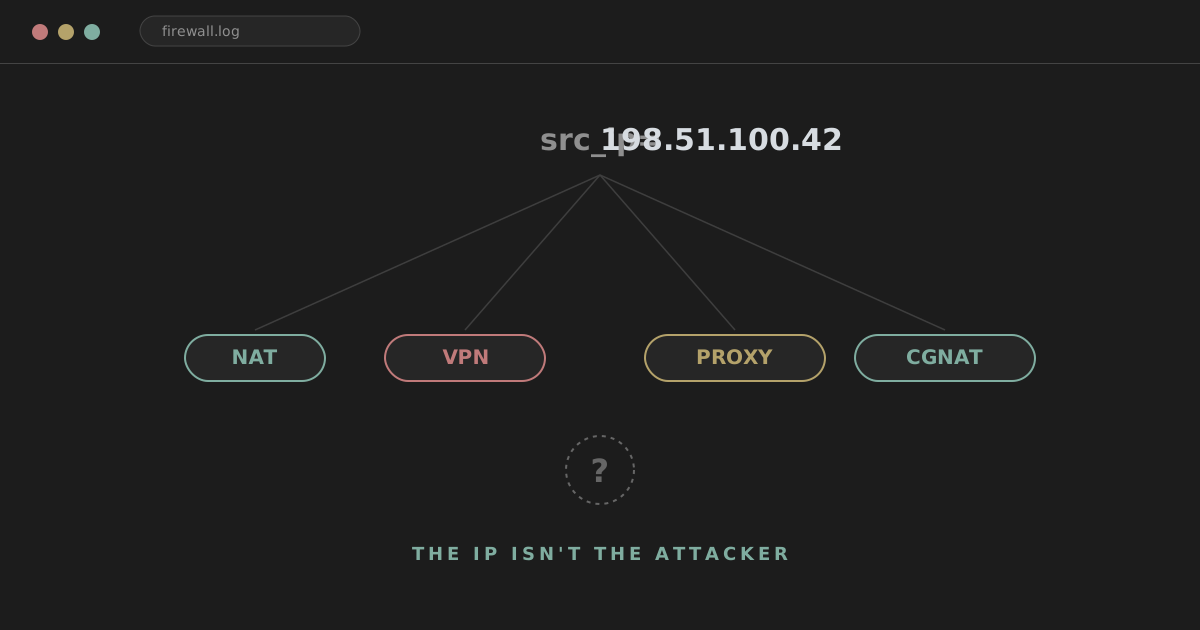
An IP address is an observation point, not an identity.
It tells you where, in the network, a piece of activity was seen. It does not, by itself, tell you who generated it. Between "who generated it" and "where we saw it" sits a whole stack of NAT, VPNs, proxies, CDNs and shared infrastructure, and any one of those layers can make the address in your log describe someone else's server, someone else's exit node, or thousands of someone else's customers rather than the person actually responsible.
A better version of that case note is closer to this:
The authentication attempt was observed from 198.51.100.42,
an IP geolocated to the Netherlands and associated with a
commercial hosting/VPN provider.
That sentence says exactly what you know, and nothing you don't. Everything else, whether the connection really came from a VPN customer in Auckland, a compromised account being worked from a botnet, or someone genuinely travelling in Amsterdam, is a hypothesis you still have to test against other evidence. This guide is about building the mental model that lets you write the second sentence instead of the first, and about knowing what else to go and look for before you're willing to write something stronger.
visitor@thefish.nz:~$ cat contents.txt
Sections
The 30-second version
Before any of the detail, here's the whole article compressed into a mental model you can hold in your head during triage.
IP address
→ Where did this connection appear to come from?
NAT
→ Multiple devices can share one public IP.
VPN
→ The destination usually sees the VPN exit, not the user.
Proxy
→ One system makes the request on behalf of another.
CDN / reverse proxy
→ The server may see an intermediary, not the client.
Your logs
→ Which IP you see depends on where in the chain you're looking.
If you only remember one line from this article, make it that last one. Everything below is really just that idea, applied to specific technologies you'll run into during real investigations.
Network perspective: where you're standing changes what you see
Here's a connection travelling from a home laptop to Microsoft 365, with a VPN in the middle:
Laptop
192.168.1.20
    |
    v
Home Router / NAT
203.0.113.10
    |
    v
VPN Tunnel
    |
    v
VPN Exit
198.51.100.42
    |
    v
Microsoft 365
Ask yourself three questions about this one connection.
What IP does Microsoft see? 198.51.100.42.
What IP did the user's home ISP assign to the router? 203.0.113.10.
What IP did the laptop have on its own local network? 192.168.1.20.
All three of those are correct, legitimate IP addresses associated with this connection. None of them, on its own, identifies the human sitting at the keyboard. Each one just tells you where, in the chain, that particular log was written.
This is the concept I'll keep calling network perspective, or observation point: the IP you're looking at describes the vantage point of whatever system logged it, not a fixed property of the person behind it. Every section from here on is really a variation on this same idea, applied to a different piece of infrastructure.
Public and private addressing
Most of the addresses you'll see inside an environment aren't publicly routable at all. RFC 1918 carves out three ranges specifically for private use, and you'll see them constantly in firewall, DHCP and endpoint logs:
10.0.0.0/8
172.16.0.0/12
192.168.0.0/16
So when an alert shows a source of 10.20.5.17 or 192.168.1.50, that's not something you can look up as a unique host on the public internet. It's only meaningful in the context of the specific private network it lives on, which means you also need to know which network before it tells you anything at all. The same 10.20.5.17 could be a workstation in one office and a completely different device in another office three floors down, or three countries away.
Worth a quick mention: 127.0.0.0/8 is loopback, traffic a host sends to itself. If you ever see that as a "source IP" in an external-facing log, something upstream is almost certainly misconfigured, not attacking you.
A word on IPv6. With enough address space that NAT isn't structurally necessary the way it is in IPv4, IPv6 does remove one layer of the attribution problem. But don't read that as "IPv6 addresses identify a device or person." Privacy extensions rotate the host portion of an address specifically to prevent long-term tracking, and VPNs, proxies and corporate egress infrastructure all still apply just as they do over IPv4. Fewer NAT'd devices behind one address doesn't mean the address maps cleanly to a person.
NAT and PAT
Network Address Translation is the most basic reason a single public IP can represent more than one device. A home network is the simplest case:
Laptop       192.168.1.10
Phone        192.168.1.11
TV           192.168.1.12
                 |
                 v
              Router
                 |
                 v
          203.0.113.25
                 |
                 v
             Internet
Every external system this household talks to will see all three devices as 203.0.113.25. The router is doing Port Address Translation (PAT, sometimes just lumped in under "NAT") to keep multiple simultaneous connections straight, tracking them by port rather than address:
192.168.1.10:51822 -> 203.0.113.25:41001
192.168.1.11:60214 -> 203.0.113.25:41002
That's why source port and timestamp become relevant if you're ever trying to work out which device behind a shared address generated a specific connection. Without them, you've only got "one of the devices behind this address, at some point," which is a much weaker statement than it sounds.
The practical takeaway, and one worth internalising before you go anywhere near the VPN and proxy sections: one public IPv4 address does not necessarily equal one device. And it certainly doesn't equal one person.
Carrier-grade NAT
Scale the household example up to an entire ISP or mobile carrier and you get Carrier-Grade NAT (CGNAT), which uses its own reserved shared space:
100.64.0.0/10
Under CGNAT, an ISP places large numbers of unrelated customers behind the same handful of public IPv4 addresses, because it's run out of (or is conserving) IPv4 space:
Customer A
Customer B
Customer C
Customer D
     |
     v
 ISP CGNAT
     |
     v
203.0.113.50
     |
     v
 Internet
From the outside, all four customers can appear to be the same source. This is extremely common on mobile networks and increasingly common on residential broadband, so don't be surprised when a single "suspicious" IP turns out, on closer inspection, to correspond to an entire carrier's worth of subscribers rather than one household.
If you genuinely need to identify a specific subscriber behind CGNAT, you're generally looking at needing the ISP's own NAT logs, correlated on an exact timestamp and source port, not just the public IP. That's a formal request to the carrier, not something you can resolve from your own logs. The lesson for day-to-day triage is simpler: treat a shared, CGNAT-classified public IP as much weaker evidence of "who" than a dedicated residential address, and don't build a case on it alone.
VPNs
This is the one you'll hit constantly, especially in identity alerts, so it's worth spending real time on.
User
New Zealand
203.0.113.10
     |
     | encrypted tunnel
     v
VPN Provider
Netherlands
198.51.100.42
     |
     v
Target service
The target service sees 198.51.100.42. It generally does not see 203.0.113.10 at all. So when GeoIP tells you the connection came from the Netherlands, that's telling you where the VPN exit is. The user could physically be in Auckland, London, Sydney, New York, or almost anywhere else on the planet. The geolocation isn't wrong, exactly. It's just answering a different question than the one you probably wanted answered.
A few flavours worth distinguishing, because they carry different weight as evidence:
- Commercial VPN providers (privacy-focused consumer services) typically route many unrelated customers through a shared pool of exit IPs. An address belonging to one of these tells you almost nothing about which customer generated a given connection, only that someone using that service did.
- Dedicated exits are assigned to a single customer or small group, which makes the IP a somewhat stronger (though still not conclusive) signal.
- Rotating exits change the exit address per session or even per connection, which is exactly what it sounds like for correlation: painful.
- Corporate VPNs get their own section below, because they change the interpretation of an alert in a specific and important way.
The point to hold onto across all of them: IP belongs to a known VPN provider does not mean the VPN provider attacked us, and it doesn't independently identify which of that provider's customers you're actually looking at. It's context, and useful context, but it's not attribution.
Corporate VPNs
This deserves special attention because it can completely flip how you read an identity alert.
Say an employee in Auckland connects to their company's VPN before authenticating to Microsoft 365. Their sign-in might show up as originating from 203.0.113.80, which happens to belong to the company's Australian datacentre. The identity platform, going purely on IP, reports:
User location: Sydney
The user is sitting in Auckland. They never left. The VPN's egress point is in Sydney, and that's the only location the destination service ever sees.
This matters directly for a whole family of identity alerts: impossible travel, unfamiliar sign-in properties, atypical travel, unusual location, "new country," anonymous IP. Every one of those is built, at least partly, on IP geolocation. When you know the org routes all VPN traffic through a specific regional egress point, a chunk of those alerts stop being surprising at all, they're just what normal VPN usage looks like for that org. Knowing your own organisation's egress IP ranges (and any known corporate VPN or proxy ranges for partner orgs you work with) is one of the highest-value pieces of context you can build into your triage process, and it's usually cheap to gather once.
The broader lesson: these location-based alerts are signals that something is inconsistent with a baseline, not conclusions about where a person physically is.
Impossible travel
Worth its own short section since it follows directly from the VPN discussion. A classic alert:
08:55 Auckland IP
09:07 Amsterdam IP
Twelve minutes isn't enough time to physically travel between those two cities, so something is inconsistent. But "something is inconsistent" has a longer list of explanations than "the account is compromised":
- compromised credentials being used from a genuinely different location
- the user switching VPN connections between sessions
- mobile carrier routing changing the apparent egress point
- corporate egress infrastructure with multiple regional exits
- a proxy or security product sitting between the user and the service
- how a particular cloud application batches or reports sign-in events
- two different, entirely legitimate active sessions
- stale or simply inaccurate GeoIP data on one of the two hops
Impossible travel is evidence of an inconsistency worth investigating. It is not, on its own, proof of account compromise. What actually moves the needle is everything else you can pull alongside it: device ID, browser and user agent, session ID, which MFA method was satisfied and whether it was freshly completed or inherited from an existing token, which application was accessed, ASN and VPN/proxy classification for both IPs, endpoint telemetry if you have EDR visibility on the device, and whether the behaviour matches this user's normal pattern.
Proxies and Tor
VPNs get most of the attention, but they're really one member of a broader family: anything that sits between a client and a destination and makes the request look like it came from somewhere else.
Forward proxies
User
10.10.10.25
    |
    v
Corporate Proxy
203.0.113.100
    |
    v
Website
The destination website sees 203.0.113.100, the proxy, not the user's actual endpoint IP. This is exactly how secure web gateways, enterprise proxies and cloud web security platforms (the Zscaler-style architecture, without naming any vendor specifically) normally work, and it's completely intentional: it's why a large organisation can have hundreds or thousands of users all appear to originate from a small handful of published egress addresses. If you're investigating outbound activity and see a burst of unrelated-looking requests all sharing one IP, check whether that IP is a known corporate egress point before assuming it's one very busy attacker.
Residential proxies
A more deliberate version of the same idea: routing traffic through an ordinary consumer internet connection rather than a datacentre. The resulting IP looks, to your reputation feeds and GeoIP, exactly like a normal residential customer:
Residential broadband provider
Auckland, New Zealand
rather than the hosting or VPN classification you might expect from someone trying to hide. This is precisely why a rule like "block traffic from known hosting/VPN ASNs" gets weaker over time. Residential proxy networks exist commercially and legitimately for things like ad verification and market research, and they also get abused, sometimes by routing traffic through compromised consumer devices without the owner's knowledge. Don't assume every address flagged as a residential proxy is malicious, and don't assume a "clean" residential IP means the traffic is trustworthy either.
Tor
A Tor exit node is the last relay before traffic reaches the open internet, and it's the address the destination sees, not the originating user's address. Exit node lists are public, so tagging traffic as coming from a known exit is straightforward and genuinely useful context. But "traffic came from a Tor exit" tells you the traffic passed through Tor. It says nothing about who was on the other end, which could be anyone from a privacy-conscious researcher to a journalist to, yes, an attacker. Treat it as a strong prioritisation signal, not an identification.
Cloud hosting
A common one:
Suspicious authentication from 198.51.100.77
ASN: major cloud provider
An address sitting inside a large cloud provider's ranges could be, among other things: VPN infrastructure built on top of that cloud, a proxy service, entirely legitimate automation or a SaaS integration your org actually uses, an attacker-controlled VPS spun up for the occasion, an internet-wide security scanner, your own company's other infrastructure, or a compromised workload belonging to a completely unrelated customer of that provider.
The cloud provider owns or announces the address block. A customer running on top of that infrastructure generated the actual traffic. "Microsoft/AWS/Azure/Google owns this IP" tells you nothing about who's using it right now, any more than "the phone company owns this phone number" tells you who's calling.
ASN and WHOIS
ASN
A lookup on an IP will usually hand you something like:
IP: 198.51.100.42
ASN: AS64500
Organisation: Example Hosting Ltd
An Autonomous System Number identifies a network, or group of routed networks, operating under a common routing policy. For triage purposes, it's genuinely useful: it can tell you whether you're looking at a residential ISP, a mobile carrier, a cloud provider, a hosting company, an enterprise network, a VPN service, or a CDN, and that classification often shapes how much weight to give the rest of the alert.
But the memorable line is worth writing on a sticky note: ASN ownership tells you about the network, not the actor using it.
WHOIS / RDAP
WHOIS and its modern replacement, RDAP, will give you registration information for an address range: the allocated block, the registered organisation, the country the allocation is associated with, an abuse contact, the ASN, and a network name. All useful for context and for knowing who to notify if you need to report abuse.
What it doesn't give you: proof that an employee of the registered organisation initiated the traffic, or proof that the person using the address was physically located in the country the allocation is associated with. An IP registered to a company in the United States tells you about the company's registration, not about the physical location of whoever's currently sending packets from that range.
IP geolocation
GeoIP is an estimate, built from datasets that map address ranges to physical locations based on registration records, routing information and various forms of triangulation. It is not GPS, and it's worth treating the confidence level differently depending on how specific the claim is.
198.51.100.42
Country: Netherlands
City: Amsterdam
Country-level attribution is often reasonably reliable, though "often" is doing some work in that sentence. City-level gets noticeably less reliable, and I wouldn't lean on it for anything that matters. Street-level attribution isn't something ordinary IP geolocation can give you at all, no matter how confident the vendor dashboard looks.
Reasons a GeoIP result can be flatly wrong or badly misleading: VPN exit nodes (by design), how an ISP routes traffic internally, mobile carrier infrastructure, an address range that was recently reassigned, cloud infrastructure, corporate egress gateways, a stale vendor database that hasn't caught up with a reassignment, anycast addressing, CGNAT, and regional egress points that don't match the user's actual region.
GeoIP is investigative context, not GPS. Use it to prioritise and to spot inconsistencies worth chasing. Don't use it as a standalone conclusion in an incident report.
Reverse proxies, CDNs and headers
Everything above has been about outbound traffic, where the destination sees an address further up the chain than the real client. Now flip it around: you're the one running the web service, and you need to figure out what's actually hitting you.
Client
198.51.100.25
     |
     v
Cloudflare / CDN / WAF
203.0.113.50
     |
     v
Reverse Proxy
10.10.1.20
     |
     v
Web Server
10.10.1.30
Depending on logging configuration, your web server might record the connecting address as 10.10.1.20, the internal reverse proxy, or it might record the CDN's address, or, if things are configured well, it might have the actual client address preserved in a header. You need to understand the infrastructure sitting in front of your application before you can say anything meaningful about a source address in the application's own logs.
X-Forwarded-For and friends
Proxies and load balancers commonly add an X-Forwarded-For header so that systems further down the chain can see who the original client was:
X-Forwarded-For: 198.51.100.25
Multiple hops append to the list:
X-Forwarded-For: 198.51.100.25, 203.0.113.10
Here's the part that catches people out: this is just an HTTP header, and by default a client can send it themselves.
X-Forwarded-For: 1.2.3.4
If your application blindly trusts whatever arrives in that header, an attacker can hand you any IP they like. So the question isn't "what does X-Forwarded-For say," it's "which component in my infrastructure actually inserted or sanitised this value, and do I trust that component." A left-most entry in an arbitrary, client-controllable header is not verified truth. It's only trustworthy once you know your edge infrastructure strips any client-supplied value and inserts its own, and that nothing downstream of that point is reachable directly.
You'll also run into Forwarded:, X-Real-IP:, True-Client-IP: and CF-Connecting-IP:, among others, with the exact set depending on the products in front of your application. The underlying question is always the same one: which component created this value, and do I trust that component? That's a principle worth carrying into every investigation involving forwarded addresses, not just the CDN section.
CDN and WAF infrastructure
If a public-facing application sits behind a CDN or WAF, your origin logs will show a constant stream of connections from that CDN's own IP ranges. Without understanding the architecture, it's easy to misattribute activity to the CDN provider itself, when really the CDN is just the last hop before your server, faithfully relaying traffic from thousands of unrelated origin clients. The address that actually matters for attribution usually lives one layer further out, in the CDN's or WAF's own edge logs, or in a trusted forwarding header if one's configured correctly. The habit to build: always work out which hop actually generated the log line you're looking at before you draw a conclusion from it.
Log perspective: the same connection, different logs
Put several of the pieces above together and you get something like this, a malicious request travelling through several hops before it reaches your web server:
Attacker device
        |
        v
Residential proxy
        |
        v
VPN
        |
        v
Cloudflare
        |
        v
Load balancer
        |
        v
Web server
Depending on which system's logs you're reading, you'll see a different address for the same event:
VPN provider log:     residential proxy IP
Cloudflare log:       VPN exit IP
Load balancer log:    Cloudflare edge IP
Web server log:       load balancer IP
If forwarding headers are configured correctly somewhere in that chain, some of the earlier addresses might also survive further down. All of these logs are simultaneously correct. None of them is lying to you. They're each describing a different point in the connection chain, and confusion usually starts the moment someone forgets that and treats one hop's address as the whole story.
Reading it in your own logs
Firewall logs
A typical entry:
src_ip=198.51.100.42
dst_ip=203.0.113.20
dst_port=443
action=allow
What you can safely say: a connection to the destination was observed from 198.51.100.42.
What you can't automatically say, just from this one line: that this was the attacker's real IP, that they live at the GeoIP location, that whoever's registered as owning the address range conducted the activity, that the address represents exactly one device, or that the same address will still be relevant tomorrow.
Authentication logs
A slightly richer example:
User: sarah@example.com
Result: Success
Source IP: 198.51.100.42
Country: Netherlands
ASN: Example VPN Provider
MFA: satisfied
Device: unknown
Work through it the way you would in a real queue. Is this a VPN Sarah, or her org, normally uses? Has this ASN shown up for her account before? Is the device recognised, or is "unknown" itself the interesting part? Was MFA freshly completed at sign-in, or inherited from an existing token or session? What application did the session actually access? Are there other simultaneous sessions for the same account elsewhere? What happened after authentication succeeded, did the session touch anything unusual? Does endpoint telemetry from her device corroborate the sign-in? Is the source IP itself flagged as anonymisation infrastructure? Are other, unrelated users authenticating through that exact same address around the same time, which would point toward shared infrastructure rather than something specific to Sarah?
The IP is one input into that list, not the whole investigation. Let it inform the questions. Don't let it answer them for you.
IP reputation
Reputation feeds will happily classify an address as malicious, suspicious, VPN, proxy, Tor, scanner, botnet, hosting, or residential. That's genuinely valuable, particularly when it corroborates something you're already seeing in behaviour. But reputation data can be stale, incomplete, flat-out wrong, or based entirely on a previous user of a shared or dynamically reassigned address rather than whoever's using it now.
An address with a clean reputation is not automatically safe, it might just not have been caught yet, or might be shared with legitimate users most of the time. An address with a poor reputation doesn't independently prove that the specific activity you're looking at right now is malicious. Reputation is a prior, not a verdict.
Dynamic addressing and time
Dynamic IP addresses
ISPs reassign addresses to customers regularly, which is exactly why a lookup on an IP always needs to be anchored to a specific point in time. An address observed today may well belong to a completely different subscriber by next week. Any historical search should be framed as IP plus timestamp, never just IP on its own, and that matters most when you're going back to investigate something that happened weeks or months ago.
Time is evidence
Which is really the same point stated more broadly: precise timestamps, including timezone, turn a weak observation into a usable one. "IP 198.51.100.42 attacked us yesterday" is close to useless for correlation. This is a lot more useful:
2026-09-20 03:42:17 UTC
198.51.100.42
source port 51822
Accurate, consistently-timezoned timestamps are what let you actually line up firewall logs, identity provider logs, VPN logs, endpoint telemetry, cloud logs, web server logs and proxy logs against each other. Get the timezone wrong on one source and every correlation you build on top of it inherits the error.
Source ports
Most day-to-day SOC work doesn't need source ports to identify anyone. But in a NAT or CGNAT situation, the combination of public IP, source port and timestamp is often the only thing that can distinguish one connection from another sharing the same public address. Worth grabbing when you're logging an event, even if you don't end up needing it.
A worked investigation
Pull it together with a realistic sequence.
An alert fires: a successful login to a finance application from an IP classified as a commercial VPN provider, immediately followed by a request to export a customer list.
Step one, observation, not attribution: the login and the export were both observed from 198.51.100.9, an address associated with a named VPN provider, geolocated to Singapore. That's it, that's all you actually know at this point.
Step two, context: is this a VPN provider anyone at your org has legitimate cause to use? Does this user, or anyone on their team, normally work through a VPN for remote access? Has this specific ASN appeared for this account before, and if so, how often?
Step three, corroboration: what does the device look like, MFA method and freshness, session age, and anything the identity provider's risk scoring already flagged? If you have EDR on the endpoint, does its telemetry agree there was a legitimate, interactive session running, or does the timing look automated?
Step four, behaviour: is a bulk customer-list export normal for this user, this role, this time of day? Is there a second, simultaneous session anywhere else for the same account?
Only once you've worked through that does a conclusion become defensible, and even then it's phrased as a conclusion built from all of that evidence together, not from the IP address that happened to trigger the alert in the first place. The IP got you into the investigation. It's rarely, on its own, what should get you out of it.
What you can actually say
A quick reference for case notes, built from everything above.
| You observed... | You can safely say | You cannot conclude from the IP alone |
|---|---|---|
| A source IP in a log | Activity was observed from that address, at that hop, at that time | Who the person is, or where they physically are |
| A GeoIP country/city | The address is geolocated there | The user is physically in that country or city |
| A known VPN/hosting ASN | The traffic passed through that provider's infrastructure | That provider, or any specific customer of theirs, is responsible |
| A poor reputation score | The address has a history worth treating with caution | This specific activity is definitely malicious |
| A shared/CGNAT address | The address represents multiple possible sources | Which of those sources generated this connection |
| An X-Forwarded-For value | A value was present in the header | The value is trustworthy, unless you know which component inserted it |
SOC tip
Whenever you catch yourself writing "the attacker's IP," pause and rewrite it as "the IP observed for this activity." It's a small habit, but it keeps your case notes honest about the gap between what you saw and what you've actually proven, and it's a lot easier to defend under review six months later.
None of this means IP addresses are useless, they're one of the most consistently available pieces of evidence you'll have, and in plenty of cases they're exactly the pivot that cracks an investigation open. The point is narrower than "ignore IPs." It's that an IP address earns you a starting point and a set of questions, not a verdict. Treat it as an observation, chase the corroboration, and save the word "attacker" for the point where the rest of the evidence actually supports it.