PowerShell Is Not the Alert: Investigating Living-off-the-Land Activity
Part of Security Operations · Step 8 of 17 · essential
Browse all 27 field guides
- Alert to Conclusion: Investigating Without Tunnel Vision
- From Header to Host: Investigating Phishing in the SOC
- How to Think Like a SOC Analyst in an Interview
- Identity Attacks for SOC Analysts: Sessions, Tokens, MFA and Account Compromise
- The IP Isn't the Attacker: A SOC Analyst's Guide to NAT, VPNs and Proxies
- PowerShell Is Not the Alert: Investigating Living-off-the-Land Activity (this article)
- Ransomware Before the Ransomware: What the SOC Should See Before Encryption Starts
- SPF, DKIM and DMARC: What They Actually Prove (and What They Don't)
- Threat Hunting for SOC Analysts: Turning a Suspicion Into a Searchable Hypothesis
- Windows Event Logs for SOC Analysts: What an Event ID Actually Proves
- One Alert Is Not the Incident: Scoping Security Incidents in the SOC
- Beyond the Alert: CIS Critical Security Controls v8.1 for SOC Analysts
- Six Functions, Not Six Steps: NIST CSF 2.0 for SOC Analysts
- Check the Scope First: ISO 27001 for SOC Analysts
- Search It, Don't Memorise It: NZISM for Security Practitioners
- Same Problem, Four Lenses: CIS vs NIST vs ISO 27001 vs NZISM
- A Claim Is Not Evidence: Security Assurance for SOC Analysts
- Inherent Risk Comes First: Supplier Security Assurance for Analysts
- Present Is Not Effective: How to Test Security Controls
- A Clean Opinion Is Not Zero Risk: How to Read a SOC 2 Report
- Count Is Not Risk: Security Metrics, KPIs and KRIs That Actually Matter
- Read the Scope Before the Findings: How to Review a Penetration Test Report
- Not the Assessment Itself: How to Design a Supplier Security Questionnaire
- Which Part? Cloud and SaaS Security Assurance
- Lead With the Decision: Executive Security Risk Reporting
- Related Is Not Identical: Framework and Control Mapping Without the Spreadsheet Monster
- CIS, NIST, ISO 27001 and NZISM: The Interview Guide for Security Practitioners
"Suspicious PowerShell detected."
That's the whole alert, most of the time. A rule matched, a dashboard lit up, and the title tells you what the detection logic thinks it saw. It doesn't tell you who ran it, what launched it, what it actually did, or whether any of that is unusual for this user on this system. Treating the alert title as the finding is one of the most common ways a SOC investigation goes sideways, because the title is a hypothesis someone else's rule generated, not a conclusion you've earned yet.
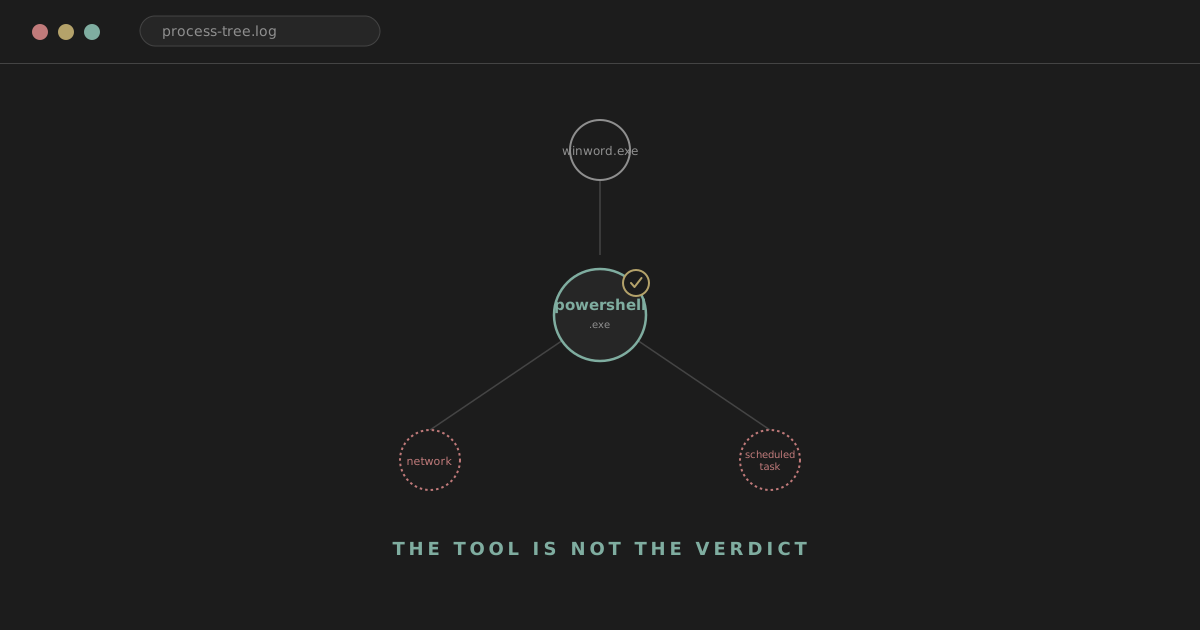
The first thing worth wanting, before anything else, is the parent process, the child process if there is one, the full command line, the account, the file path, the host, any network connections that followed, any files created, any registry changes, whether anything looks like persistence, whether there are related alerts on the same host or elsewhere, and how common this exact activity actually is across the estate. powershell.exe on its own is a name. This tells you almost nothing:
powershell.exe
This tells you considerably more:
winword.exe
    ↓
powershell.exe
    ↓
outbound network connection
    ↓
new executable
Same binary in both. Completely different amount of evidence. That gap is what this article is about.
analyst@thefish.nz:~$ cat contents.txt
Sections
What living off the land actually means
Living off the land means using tools, binaries or scripting capabilities that already exist on the system, and are legitimate for entirely ordinary reasons, to carry out something malicious. It's not a Windows-only idea, but Windows is where SOC analysts run into it constantly, so that's where this article stays.
Defenders care about it because it inverts the usual detection story. A new, unrecognised binary dropped onto a host is relatively easy to notice. A legitimate, Microsoft-signed utility that's already present on every managed endpoint, already allowed by policy, and already doing something it's designed to do, blends straight into normal activity.
Watch out
Allowlisting doesn't help here, because the binary is meant to be there. Signature checks don't help, because the binary is genuinely signed. The only thing left that actually distinguishes the malicious use from the ordinary one is behaviour and context, which is exactly why this discipline exists.
PowerShell
PowerShell deserves the most space here because it's the one you'll run into constantly, and because the reasoning that applies to it applies, with small variations, to everything else in this article.
It's useful to attackers for the same reasons it's useful to administrators. It's already installed. It's trusted. It's extraordinarily flexible, capable of process execution, file manipulation, network activity, registry changes and remote administration, all from one interpreter. And in a lot of environments it's allowed to run more or less freely, because restricting it too aggressively breaks legitimate administration.
Legitimate use covers most of what a SOC actually sees day to day: system administration, automation, software deployment, incident response tooling, configuration management, reporting. Potentially suspicious use includes encoded or obfuscated commands, remote content being downloaded and run, an Office application as the parent process, execution on a workstation that doesn't normally see this kind of activity, deliberately hidden execution, an unexpected child process spawned from the PowerShell session, anything resembling persistence being created, or interaction with credential-sensitive processes.
None of those, individually, is always malicious. Encoded commands are genuinely common in legitimate automation. Remote content gets downloaded by real deployment tooling constantly. The list is a set of things worth checking, not a set of things that convict on sight.
Parent-child relationships tell you more than the process name does
This is one of the most useful habits to build, and worth practising until it's automatic. explorer.exe launching powershell.exe is the shape of someone opening PowerShell themselves, which is unremarkable on a system where that's expected. A management agent launching powershell.exe is the shape of routine automation. winword.exe launching powershell.exe is a different picture, because Word doesn't need a shell to render a document. outlook.exe launching cmd.exe, which then launches powershell.exe, sits in the same category. A browser process launching mshta.exe is worth the same kind of attention.
None of these chains proves anything by itself. What they do is tell you where to look next, and the parent process is very often more informative than the child process name, because the child is frequently the same handful of interpreters showing up again and again. The parent is what tells you the story behind why it showed up this time.
The command line is where the actual behaviour lives
Where you have it, whether from process-creation telemetry with command-line auditing enabled or from an EDR agent, the command line is usually the richest single field available. Worth checking: is it encoded, is it obfuscated, was execution deliberately hidden, does it reference a remote URL, is it running from an unusual path, does it carry execution-policy flags, is there base64 content, does it spawn a further suspicious child process, does the behaviour look like it's trying to avoid touching disk at all.
It's worth being honest that legitimate administrators use exactly the same features. -EncodedCommand is a normal way to pass complex script content through the command line without fighting quoting rules. Remoting, scripts and execution-policy flags are all ordinary administrative tools. Their presence narrows the question; it doesn't answer it. Context, again, is what actually tells you which side of the line you're on.
Where PowerShell telemetry actually comes from
Process creation is your baseline: Event 4688 on the Security log, or the equivalent from an EDR agent, giving you the parent, the child, the account and, where enabled, the command line.
Script Block Logging, Event 4104, is genuinely one of the most useful PowerShell-specific artefacts available. PowerShell can deobfuscate a command at runtime before executing it, and Script Block Logging captures the block of code actually being run, often after that deobfuscation has already happened, which is precisely the point at which a simple obfuscation attempt stops helping the person who used it. What it can reveal is the script content itself, sometimes in a decoded or de-obfuscated form, along with the execution context around it. What it doesn't guarantee is that every PowerShell action in every environment is being logged this way, that your SIEM actually received every event that was generated, or that an attacker with sufficient access couldn't interfere with logging on that specific host. It's a strong source, not an infallible one, and whether it's enabled at all depends entirely on Group Policy configuration.
Module logging records details of the commands executed within specific PowerShell modules as they run, giving another angle on pipeline activity, again dependent on configuration.
Transcription is a different mechanism entirely: rather than writing to the event log, it writes plain-text transcripts of PowerShell session activity to disk, which can be useful during forensic review but lives outside your normal log pipeline unless something is specifically collecting those files.
AMSI, the Antimalware Scan Interface, is worth understanding conceptually even though it's not really a logging source in the same sense. It's an interface that lets security products inspect script content, including PowerShell, at the point just before execution, rather than only being able to see a file on disk.
Analyst tip
AMSI is a genuinely useful capability, and it's also not a complete solution: coverage and effectiveness vary by product, attackers have developed and continue to develop techniques aimed at evading it, and exactly what gets logged when AMSI flags something depends on the security product doing the inspecting. Worth knowing it exists and roughly what it does. Not worth treating as a guarantee.
Obfuscation is a reason to look closer, not a verdict
Heavy string concatenation, base64-encoded blocks, character substitution, and commands that are clearly being built up dynamically rather than written plainly are all patterns worth paying attention to. It's worth resisting the shorthand "base64 means malicious," though, because plenty of entirely legitimate tooling encodes data this way for completely mundane reasons, passing complex parameters through a command line being the most common. Obfuscation raises the priority of a closer look. It doesn't settle the question on its own.
Encoded commands are a specific case worth understanding properly. -EncodedCommand takes a base64-encoded, UTF-16LE string and lets PowerShell decode and execute it, which is a genuinely normal way to pass a script through contexts that would otherwise mangle quoting and special characters. When you encounter one during an investigation, decoding it safely, in a controlled and non-executing way, and reading the decoded content for URLs, file paths, registry locations or further process launches is a reasonable and common step. The content of what you find still has to be read in context rather than treated as automatically damning just because it arrived encoded.
Network activity is where PowerShell gets genuinely interesting
powershell.exe
↓
DNS query
↓
TLS connection
↓
file written
A PowerShell process that never touches the network is a fundamentally different situation from one that resolves a domain and opens a connection immediately afterwards. Worth inspecting: the destination itself, the domain and its reputation, the SNI or hostname if TLS is involved, the ASN the destination sits in, how recently that infrastructure first appeared, whether any other hosts in the environment have contacted it, how much data moved, and the timing relative to everything else in the chain. This is exactly the territory the IP attribution guide covers in more depth, particularly the reminder that a raw IP or reputation hit is a starting point for investigation, not a conclusion about who's on the other end.
Files created are the next natural pivot
From a PowerShell process, the useful next step is often looking at what it wrote to disk: downloaded files, anything landing in temp directories, user profile paths, startup locations, script files, or binaries that have been renamed to look like something else. Worth asking whether the file was actually executed, whether it's signed, what its hash and reputation look like, where it came from, how prevalent it is elsewhere in the environment, whether other systems show the same artefact, and whether it was deleted shortly afterwards, which is itself a signal worth noting.
Watch out
A file being written is not the same as a file being executed. Each is a separate claim, and each needs its own evidence before you treat it as established.
Other living-off-the-land binaries worth recognising
PowerShell isn't the only tool that fits this pattern. What follows is a practical subset, not a full LOLBAS catalogue, covering the ones that come up often enough to be worth understanding without needing to look them up every time.
rundll32.exe
Legitimately used to load and execute functions exported by a DLL, which covers a genuinely wide range of normal Windows behaviour, including several Control Panel applets. It's attractive for abuse because it's an ordinary, signed way to get code inside a DLL to run without needing a standalone executable. Worth checking: which DLL is actually being loaded, what path it lives in, whether it's signed, what the parent process was, whether any unusual network activity followed, and whether the DLL is sitting in a temporary or otherwise user-writable directory rather than somewhere you'd expect system components to live.
regsvr32.exe
Legitimately registers and unregisters DLLs as COM servers, writing the relevant entries into the registry. It's a known vector for executing script content, including from remote locations, which is exactly why unusual file paths, content referencing a remote or downloaded source, an uncommon parent process, associated network activity, or execution on an ordinary user workstation rather than an administrative context all deserve a closer look.
mshta.exe
Executes HTML Application (HTA) files, which can contain script content and run with more privilege than a browser tab would normally allow. It's high-signal in a lot of environments simply because legitimate HTA usage is comparatively rare, but it isn't universally malicious, since some internal tooling and legacy applications genuinely rely on it. Worth checking whether the content being executed is local or remote, what the parent process was, what child processes followed, whether there's associated network activity, and what user context it ran under.
certutil.exe
A legitimate command-line certificate and certificate-authority management utility. Defenders watch it closely because, beyond its core purpose, it also has encode and decode functionality and file-retrieval capability that has been repeatedly abused to fetch or stage content outside its intended use. Worth checking what it was actually asked to do, whether that matches genuine certificate management activity, and what happened immediately afterwards.
wmic.exe / WMI
Windows Management Instrumentation supports system management, inventory and remote administration, and is genuinely central to a lot of legitimate enterprise tooling. It's also a well-known avenue for remote process execution and lateral movement. Worth checking whether the source workstation is one you'd expect to be issuing this kind of remote command, and whether the pattern matches known, approved administrative tooling rather than an unfamiliar source reaching across the estate.
bitsadmin.exe and BITS
The Background Intelligent Transfer Service exists for legitimate background file transfers, commonly used by update and deployment mechanisms. Suspicious context looks like a transfer nobody expected, initiated by a user who doesn't normally trigger this kind of activity, feeding into something that looks like persistence, heading to an unusual destination, or happening at an odd time relative to everything else on the host.
schtasks.exe
The command-line interface to Windows Task Scheduler, used constantly for entirely ordinary administration and software maintenance. It becomes worth attention when a task is created moments after other suspicious execution, points at a binary in an unusual path, was created by a user who doesn't normally create tasks, carries a hidden or deliberately misleading name, or points at something sitting in a user-writable location. This connects directly to persistence, since a task that re-runs something on a schedule or at logon is a simple, durable way to maintain access.
sc.exe
The Windows service control command-line tool. Worth attention around a newly created service, a service binary sitting in an unexpected path, service creation happening remotely against another host, or an unexpected privileged account being used to create it.
reg.exe
The command-line registry editor. Comes up most often around persistence, changes to security-relevant settings, new startup entries, or general configuration changes worth understanding in context. It's a large enough topic on its own that this article won't try to be a complete registry-persistence reference; the point here is simply recognising reg.exe as a tool worth the same behavioural questions as everything else on this list.
Signed does not mean safe
This is worth stating as plainly as possible, because it's a genuinely common point of confusion and a strong SOC interview topic in its own right. A binary being signed by Microsoft, living in System32, matching a known-good hash, or being trusted by an AppLocker policy tells you who produced it and that it hasn't been tampered with since. It does not tell you why it's being invoked right now, by whom, with what arguments, or to what end.
Analyst tip
A signature tells you who produced the binary, not why it is being used. Every tool covered in this article is legitimately signed, legitimately present, and legitimately useful. That's precisely why the investigation has to happen at the level of behaviour rather than stopping at "is this a real Microsoft binary," because the answer to that question is almost always yes regardless of what's actually going on.
LOLBAS as a defensive reference
The Living Off The Land Binaries and Scripts project catalogues exactly this category of dual-use tooling, documenting known abuse patterns for legitimate system binaries. It's genuinely useful as a reference for understanding what a given binary is capable of beyond its obvious purpose, for building context during an investigation, and for informing detection development. It's not something to treat as a checklist to memorise wholesale; the value is in understanding the pattern it documents, not in reciting the catalogue.
Detection logic gets stronger as it gets more specific, up to a point
A detection built on process name alone is weak:
process_name = powershell.exe
Adding the parent relationship strengthens it considerably:
parent = winword.exe
AND
child = powershell.exe
Adding behaviour on top of that strengthens it further still:
Office parent
+
PowerShell
+
network connection
+
new file
More conditions generally increase fidelity, meaning fewer false positives for a given true positive. They can also mean a detection misses variants that don't happen to match every condition, which is exactly the trade-off detection engineering has to manage constantly: tight enough to be actionable, loose enough to still catch the technique when the details shift slightly.
Sequence gives ambiguous events meaning
09:11  user opens document
09:11  Word launches PowerShell
09:12  DNS request
09:12  outbound TLS
09:12  executable written
09:13  executable launched
09:14  scheduled task created
Any single line here has a plausible innocent explanation on its own. Documents get opened constantly. DNS queries and outbound connections happen constantly. It's the order and the tightness of the window that turns a set of individually forgettable events into something worth writing up, and building that sequence deliberately, rather than reacting to whichever event happened to generate the alert, is a large part of what separates a thorough investigation from a quick look.
Who ran it matters, and so does what they normally run
PowerShell executed by an endpoint management service, a system administrator, a finance user, or a service account are four genuinely different situations, and reading them the same way throws away useful context. It's worth being equally clear about the other side of this: privileged or administrative execution is not automatically benign. Compromised administrator accounts are exactly the kind of access an attacker wants most, and treating admin activity as inherently trustworthy just because of who the account belongs to is its own kind of mistake.
The same reasoning applies to the asset itself. PowerShell on an administrative jump host, a developer's workstation, a public kiosk, a domain controller, and a finance user's laptop all deserve to be read differently, because what's normal for each of those systems is genuinely different, and the potential impact of something going wrong on each of them is different too.
Prevalence changes the hypothesis without proving anything
A strange PowerShell command appearing once, on one endpoint, is a different situation from the same command appearing every morning across eight thousand endpoints as part of a known deployment. That difference is worth checking deliberately rather than assuming. It's not proof either way: malicious activity can and does spread widely, and genuinely legitimate internal tooling can be rare by nature simply because it's purpose-built for a small team. Prevalence tells you how unusual something is in your specific environment. It's context for the rest of the investigation, not a verdict on its own.
Ruling out ordinary administration
Before treating PowerShell activity as suspicious, it's worth deliberately checking the boring explanation first. PowerShell is used constantly by Microsoft's own tooling, endpoint management platforms, deployment systems, administrators doing their jobs, backup software, security products, and automation platforms of every kind. Worth asking: is the parent process what you'd expect from one of those systems, is the script signed, is it running from a known path, does it correspond to an approved change, does it come from a recognised management system, does the same activity show up consistently across the estate, and does the account involved match a normal administrative pattern. Ruling out the mundane explanation properly is just as much a part of the investigation as chasing the suspicious one.
Combinations that deserve real attention
Office
↓
PowerShell
↓
network activity
PowerShell
↓
credential-sensitive process access
↓
new authentication
mshta
↓
PowerShell
↓
scheduled task
browser
↓
downloaded file
↓
rundll32
None of the individual links in any of these chains is unusual by itself. It's the combination, in this order, in a short window, that builds real confidence, the same principle that runs through the Windows Event Logs guide and the investigation methodology piece as well.
A worked investigation
EDR fires: suspicious PowerShell execution on FIN-LT-014. The underlying telemetry, pulled together, looks like this.
10:14:02  outlook.exe
10:14:09  winword.exe
10:14:21  powershell.exe
10:14:22  DNS request for an unusual domain
10:14:23  outbound TLS connection
10:14:29  executable written to user temp
10:14:31  executable launched
10:15:10  scheduled task created
Working through it stage by stage, holding observation, interpretation, confidence and next pivot apart deliberately.
outlook.exe at 10:14:02 is an observation: Outlook was active. Interpretation: nothing yet, this is completely ordinary. Confidence: unchanged. Next pivot: none required unless later evidence sends you back here.
winword.exe at 10:14:09, seven seconds later, is an observation worth noting given what follows, though on its own it's still just a document being opened. Interpretation: plausibly an attachment from the Outlook session moments earlier. Confidence: slightly raised, pending what Word does next. Next pivot: check whether an attachment was actually delivered around this time.
powershell.exe launched by winword.exe at 10:14:21 is where the story actually turns. Observation: Word spawned a shell. Interpretation: this is not something Word does as part of normal document rendering, and it's consistent with execution from a malicious document. Confidence: meaningfully raised. Next pivot: the command line and, if enabled, Script Block Logging output for this process.
The DNS request and TLS connection a second later are observations that the host reached out somewhere. Interpretation: consistent with a download or command-and-control connection, though on their own they don't establish what was retrieved. Confidence: raised further, particularly given how close this sits to the PowerShell launch. Next pivot: reputation and prevalence of the destination domain, and whether any other hosts have contacted it.
The executable written to user temp and then launched six seconds later are observations that something arrived and ran. Interpretation: this is consistent with a downloaded payload executing. Confidence: high at this point, though the specific nature of the payload is still unconfirmed. Next pivot: hash, signing status and reputation of the file, plus a search for that same hash elsewhere in the environment.
The scheduled task created thirty-nine seconds later is an observation that something intends to persist. Interpretation: this moves the situation from a one-off execution toward an attempt to survive a reboot or logon. Confidence: high, and this is the point most SOCs would treat as sufficient to move toward containment rather than continuing to passively observe. Next pivot: what the task is actually configured to run, and whether the same task name or mechanism shows up on any other host.
Put together, the evidence supports treating this as a document-led compromise attempt with an outbound connection, payload execution and an attempt at persistence, all within about a minute. What remains genuinely open without further work: the specific nature of the payload, whether credentials were touched, and whether this pattern exists anywhere else in the environment, which is exactly the next section.
Widening scope: where else did this happen
The host the alert landed on is a starting point, not a boundary. Worth pivoting on the command line itself, the script or file hash, the destination domain and IP, the downloaded file's hash, its filename, the scheduled task's name, the specific parent-child chain observed, the user account, and the original email attachment if there was one. The question worth asking explicitly, every time: where else did this happen.
Detection ideas worth thinking through
None of these are production-ready rules on their own, they're starting concepts worth tuning against your own environment. Office applications spawning script interpreters. PowerShell invoked with encoded arguments. PowerShell that immediately follows with a download of remote content. Unusual mshta.exe usage relative to your baseline. certutil.exe immediately followed by an executable launch. A scheduled task created by a parent process that doesn't normally create tasks. A signed binary executing content sourced from a user-writable path. Every one of these needs tuning against what's actually normal in your specific environment before it's useful rather than noisy, which is really the whole discipline of detection engineering in miniature.
Detections firing correctly is not the same as finding malware
A rule that correctly detects "Office launched PowerShell" can fire on a completely legitimate workflow, some document macro tooling and business processes genuinely do this, and that's not the detection failing. It's worth keeping the categories distinct: genuine true-positive malicious behaviour, a true positive that turns out to be entirely benign activity the rule was right to flag, an outright false positive where the detection logic itself misfired, and a low-fidelity detection that's doing its job of surfacing something for a human to assess even though most of what it surfaces will turn out fine. Confusing these, treating every benign result as though the detection itself was broken, tends to lead to rules being disabled rather than tuned, which quietly removes real coverage.
Common mistakes worth naming
Treating "PowerShell" as synonymous with "malware." Treating a signed binary as automatically safe. Stopping the investigation at a single VirusTotal check. Ignoring the parent process. Ignoring the command line when it's available. Ignoring who ran it and what system it ran on. Ignoring the sequence and timing of surrounding events. Stopping after finding one suspicious indicator rather than building the full picture. Assuming no file on disk means no compromise, when plenty of techniques are deliberately fileless. Assuming built-in Windows tools can't be part of something malicious because they're built in. Blocking a core system binary outright as a first response. Building enormous blanket allowlist exceptions that quietly undo whatever detection existed in the first place.
Response, proportionate to what you've actually found
Depending on the evidence and your authority in a given environment, the realistic options include isolating the endpoint, killing the specific process, blocking the malicious infrastructure involved, quarantining a file, removing an identified persistence mechanism, disabling an account or revoking its active sessions, collecting forensic evidence before anything changes further, widening the scope of the investigation, or escalating.
Watch out
Blocking powershell.exe across the entire environment is very rarely a sensible response to a single incident, because it breaks a large amount of legitimate administration for comparatively little gained protection against an attacker who can usually reach for another tool. Response should match the specific threat found, not the name of the binary involved.
Some environments constrain PowerShell fairly heavily, through constrained language mode, application control, or policy restrictions. Worth understanding that attackers operating in a genuinely restricted environment tend to shift toward other native binaries and scripting mechanisms rather than simply giving up, which is exactly why detections and investigative habits built around a single named tool are fragile. The discipline that actually holds up is paying attention to behaviour, wherever it happens to originate, rather than anchoring entirely on one interpreter.
A brief note on versions: Windows PowerShell (versions up to 5.1) ships with Windows itself. PowerShell 7 and later, commonly invoked as pwsh.exe, is a separate, cross-platform install. The process names differ, and logging behaviour and configuration can differ between them too, so it's worth checking which one you're actually looking at during an investigation rather than assuming they behave identically.
A handful of ATT&CK techniques are worth being able to place without needing every ID memorised: Command and Scripting Interpreter covers PowerShell and the command-line tools throughout this article; Signed Binary Proxy Execution covers the rundll32, regsvr32 and mshta pattern specifically; Scheduled Task/Job covers the persistence angle; System Services covers the sc.exe pattern. ATT&CK is genuinely useful as a shared vocabulary for organising this kind of behaviour and comparing notes with other analysts. It's a way of describing what you found, not a substitute for having actually investigated it.
Things worth being able to explain in a SOC interview
Why PowerShell is simultaneously legitimate and genuinely risky. What a parent-child process relationship actually tells you, and why it's usually more informative than the process name alone. Why command-line telemetry matters and what it depends on. What Event 4104 is and what it captures. What AMSI is, at a conceptual level, and its limits. What living off the land means as a concept. Why a Microsoft signature doesn't mean an action is benign. How you'd actually investigate a suspicious PowerShell alert from first principles. Why context and prevalence both matter, and how they're different from each other. How you'd scope similar activity across an entire estate rather than stopping at one host.
Six scenarios to practise
Talk through each one out loud rather than writing a model answer to memorise.
winword.exe → powershell.exe. A strong answer checks the command line first, establishes whether an email or document delivery preceded it, and looks for the network and file activity that would typically follow if this is genuinely malicious.
PowerShell executed by an SCCM agent. A strong answer checks whether this matches a known deployment pattern, whether the same command shows up across an expected fleet of managed endpoints, and resists treating administrative tooling as suspicious purely because it uses PowerShell.
mshta.exe contacts an external domain. A strong answer establishes whether the HTA content is local or remote, checks the parent process, and treats the domain's reputation as one input rather than the deciding factor.
certutil.exe appears on a finance workstation. A strong answer checks exactly what certutil was asked to do, whether that matches any legitimate certificate-related activity on that host, and what happened immediately afterwards.
rundll32.exe launches a DLL from %TEMP%. A strong answer identifies which DLL and export are actually being called, checks whether it's signed, and treats execution from a user-writable temp path as a reason to look harder rather than a conclusion on its own.
schtasks.exe creates a task immediately after suspicious PowerShell. A strong answer connects the timing explicitly, checks the task's target binary and path, and treats this combination as a strong persistence signal worth prioritising.
Quick reference
| Binary / feature | Normal purpose | What makes me look closer |
|---|---|---|
| powershell.exe / pwsh.exe | Administration, automation, scripting | Office/browser parent, encoded or obfuscated command, remote download, unexpected child process |
| cmd.exe | Command execution, scripting, batch files | Unusual parent (Office, browser), chained into further interpreters, unfamiliar arguments |
| rundll32.exe | Load and execute DLL exports | Unusual DLL path, execution from a user-writable directory, unsigned DLL, associated network activity |
| regsvr32.exe | Register/unregister COM DLLs | Remote or downloaded content, unusual parent, activity on an ordinary user workstation |
| mshta.exe | Execute HTA applications | Remote HTA content, unfamiliar parent process, associated network activity |
| certutil.exe | Certificate and CA management | Use of encode/decode or file-retrieval functionality outside certificate workflows |
| wmic.exe | System management, inventory, remote admin | Remote process execution, activity from an unexpected source workstation |
| bitsadmin.exe | Background file transfer (BITS) | Unexpected transfer, unusual initiating user, odd destination or timing |
| schtasks.exe | Scheduled task administration | Task created shortly after suspicious activity, odd binary path, hidden or misleading task name |
| sc.exe | Windows service control | New service with an unusual binary path, remote service creation, unexpected privileged account |
| reg.exe | Registry read/modification | Changes to startup locations or security-relevant settings, unexpected account or timing |
The point underneath all of it
None of the tools in this article are the verdict. Every one of them is legitimately signed, legitimately present, and doing exactly what it was built to do, right up until the moment someone uses that legitimate capability for something else. The investigation is always the same shape: who launched it, what launched it, what arguments it carried, what it touched, what happened next, whether any of that fits the account and the system it happened on, and whether the same pattern shows up anywhere else. Parent, command, user, host, network, files, sequence, prevalence, scope. That's the whole discipline, and it holds up regardless of which binary happened to be involved this time.