Beyond the Alert: CIS Critical Security Controls v8.1 for SOC Analysts
Part of Security Operations · Step 11 of 17 · essential
Browse all 27 field guides
- Alert to Conclusion: Investigating Without Tunnel Vision
- From Header to Host: Investigating Phishing in the SOC
- How to Think Like a SOC Analyst in an Interview
- Identity Attacks for SOC Analysts: Sessions, Tokens, MFA and Account Compromise
- The IP Isn't the Attacker: A SOC Analyst's Guide to NAT, VPNs and Proxies
- PowerShell Is Not the Alert: Investigating Living-off-the-Land Activity
- Ransomware Before the Ransomware: What the SOC Should See Before Encryption Starts
- SPF, DKIM and DMARC: What They Actually Prove (and What They Don't)
- Threat Hunting for SOC Analysts: Turning a Suspicion Into a Searchable Hypothesis
- Windows Event Logs for SOC Analysts: What an Event ID Actually Proves
- One Alert Is Not the Incident: Scoping Security Incidents in the SOC
- Beyond the Alert: CIS Critical Security Controls v8.1 for SOC Analysts (this article)
- Six Functions, Not Six Steps: NIST CSF 2.0 for SOC Analysts
- Check the Scope First: ISO 27001 for SOC Analysts
- Search It, Don't Memorise It: NZISM for Security Practitioners
- Same Problem, Four Lenses: CIS vs NIST vs ISO 27001 vs NZISM
- A Claim Is Not Evidence: Security Assurance for SOC Analysts
- Inherent Risk Comes First: Supplier Security Assurance for Analysts
- Present Is Not Effective: How to Test Security Controls
- A Clean Opinion Is Not Zero Risk: How to Read a SOC 2 Report
- Count Is Not Risk: Security Metrics, KPIs and KRIs That Actually Matter
- Read the Scope Before the Findings: How to Review a Penetration Test Report
- Not the Assessment Itself: How to Design a Supplier Security Questionnaire
- Which Part? Cloud and SaaS Security Assurance
- Lead With the Decision: Executive Security Risk Reporting
- Related Is Not Identical: Framework and Control Mapping Without the Spreadsheet Monster
- CIS, NIST, ISO 27001 and NZISM: The Interview Guide for Security Practitioners
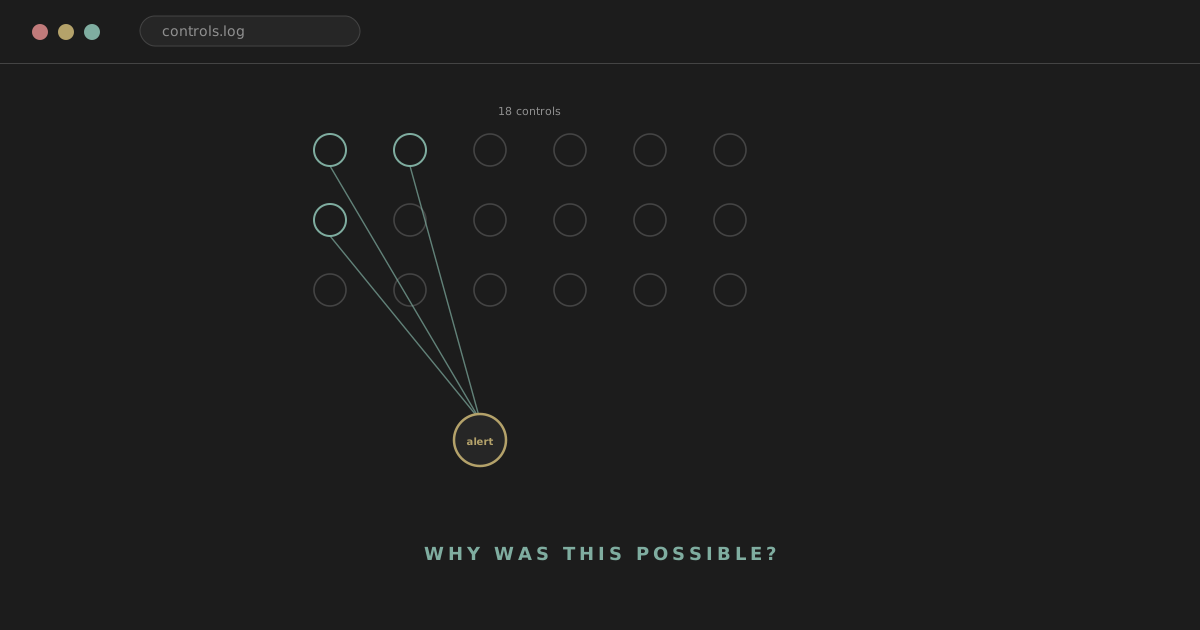
An analyst picks up an alert: a successful login from an unfamiliar location. The investigation runs through the usual steps. Unusual IP, but the credentials were valid. MFA was satisfied. It's a new device the user hasn't used before. A few minutes after sign-in, the session touches SharePoint. The immediate job is straightforward: work out whether this account is actually compromised, and if it is, contain it.
That question gets answered. But there's a second, more useful question sitting underneath it that a lot of alert queues never leave time to ask: why was this possible in the first place, and what should have reduced the likelihood or impact of it?
Analyst tip
Closing the alert fixes the queue. Understanding why the environment allowed it in the first place is what actually reduces how often you see the same incident again.
Frameworks can sound dry, particularly to people who spend their day doing operational work rather than writing policy. The CIS Critical Security Controls are worth an exception, because a large part of the framework maps directly onto things a SOC analyst already deals with every shift: account hygiene, logging coverage, patching, email filtering, malware containment, backup recovery. You may already understand a fair amount of this without having a name for it yet. This article gives you that name, and a way of using it.
analyst@thefish.nz:~$ cat contents.txt
Sections
What are the CIS Critical Security Controls?
The CIS Critical Security Controls are published by the Center for Internet Security, a non-profit best known outside this framework for the CIS Benchmarks (more on the difference shortly). The Controls are a prioritised set of cybersecurity practices, developed by a community of practitioners rather than handed down as pure theory, aimed at reducing the most common and damaging ways organisations actually get compromised.
The current version is CIS Controls v8.1, released in mid-2024 as an iterative update to v8 rather than a ground-up rewrite. It's worth being specific about the version, because v7 organised things differently (twenty controls, grouped into Basic, Foundational and Organizational categories) and that structure no longer applies. v8 and v8.1 reorganised around eighteen Controls, grouped by activity rather than by asset type or by that old three-tier category system, which is a genuinely more useful way to think about them operationally.
The hierarchy is simple once it clicks:
18 Controls
↓
153 Safeguards
↓
each Safeguard assigned to an Implementation Group
↓
IG1 (56) → IG2 adds 74 (130) → IG3 adds 23 (153)
A Control is a broad security objective, something like "manage accounts properly" or "monitor and defend the network." A Safeguard is a specific, actionable step that sits underneath a Control. Control 6, Access Control Management, is a good example: it's the broad statement that access needs to be actively managed, and its Safeguards get specific, things like establishing an access-granting process, requiring MFA for externally-exposed applications, and centralising access control.
None of the Controls are self-contained checklists you tick off in an afternoon. They describe an ongoing security programme, not a one-time project. Where this article paraphrases a Control or Safeguard, treat it as a working explanation rather than the authoritative CIS text; the official wording lives at cisecurity.org, and it's worth reading directly rather than relying entirely on any secondary source, this one included.
CIS Controls vs CIS Benchmarks
Worth clearing up early, because the two get confused constantly and they answer different questions.
CIS Controls answer: what should our security programme actually be doing? They're organisation-level practices, account management, logging, vulnerability management, and so on.
CIS Benchmarks answer: how should this specific technology be securely configured? They're detailed, platform-specific hardening guides, for Windows, for Linux distributions, for Microsoft 365, for major cloud platforms, for network devices, each with concrete settings to check or change.
A rough way to hold the two apart: the Controls tell you that accounts need to be managed carefully. A Benchmark for, say, a specific Linux distribution tells you which exact settings to check to reduce that system's attack surface. This is a simplification rather than a formal definition, and the two are complementary rather than competing; a mature security programme uses Benchmarks as one of the ways it actually implements several of the Controls.
The 18 CIS Controls
Here's the full list, with the plain-English purpose of each and the kind of thing a SOC analyst tends to run into that connects back to it.
| Control | Plain-English purpose | SOC connection |
|---|---|---|
| 1. Inventory and Control of Enterprise Assets | Know what devices exist on your network | Unknown endpoint appears in EDR telemetry |
| 2. Inventory and Control of Software Assets | Know what software is installed and authorised | Unexpected remote-access tool in process logs |
| 3. Data Protection | Know where sensitive data lives and control its exposure | Large or unusual data access/transfer |
| 4. Secure Configuration of Enterprise Assets and Software | Reduce attack surface through hardened defaults | Exposed RDP, unnecessary services running |
| 5. Account Management | Manage the full lifecycle of user and admin accounts | Former contractor account still authenticating |
| 6. Access Control Management | Control who can access what, and how | Excessive standing privilege, poor MFA coverage |
| 7. Continuous Vulnerability Management | Find and remediate vulnerabilities before they're exploited | Known CVE repeatedly triggering alerts, unpatched internet-facing app |
| 8. Audit Log Management | Collect and retain logs that support investigation | Missing logs, short retention, gaps in telemetry |
| 9. Email and Web Browser Protections | Reduce the attack surface of the most common delivery vectors | Phishing, malicious attachments, filtering failures |
| 10. Malware Defenses | Detect, prevent and contain malicious code | EDR/AV detections, payload execution, quarantine |
| 11. Data Recovery | Ensure the organisation can actually recover from data loss | Backups exist but haven't been restoration-tested |
| 12. Network Infrastructure Management | Securely manage the devices that make the network work | Unmanaged switch, obsolete firmware, flat network |
| 13. Network Monitoring and Defense | Detect and respond to malicious network activity | IDS/IPS alerts, DNS anomalies, lateral movement |
| 14. Security Awareness and Skills Training | Build the human ability to recognise and report threats | Repeated phishing clicks, or strong phishing reporting culture |
| 15. Service Provider Management | Manage the risk introduced by third parties | Compromised SaaS/MSP, over-privileged vendor access |
| 16. Application Software Security | Build and maintain secure software | Application vulnerabilities, exposed secrets, insecure dependencies |
| 17. Incident Response Management | Have a repeatable, practised way to handle incidents | Escalation paths, evidence handling, post-incident review |
| 18. Penetration Testing | Validate that controls actually hold up under attack | Confirmed attack paths, findings that improve detections |
The rest of this section goes through each one in a little more depth: what it actually means, what weak implementation tends to look like from a SOC seat, and a handful of questions worth asking when you suspect it's relevant.
Control 1: Inventory and Control of Enterprise Assets
You can't secure, or investigate, what you don't know exists. This Control is about actively managing all devices connected to the network, including end-user devices, servers, IoT and mobile, so that unauthorised or unmanaged assets can be identified and dealt with.
A SOC analyst sees this Control's weaknesses constantly, often before recognising them as such: an EDR alert fires from a hostname nobody in the team recognises, a server is communicating externally with no clear owner, or DHCP records and the official asset inventory quietly disagree with each other. Worth asking: is this asset actually in our inventory? Who owns it? Is it managed by our EDR at all, or did we only see this because of a network log?
Control 2: Inventory and Control of Software Assets
The software equivalent of Control 1: actively manage all software on the network so that unauthorised or unmanaged software is found and either removed or brought under management. Software inventory and asset inventory tend to be weak or strong together, since they usually depend on the same underlying visibility tooling.
Operationally, this shows up as unsupported software still running in production, a remote-access tool nobody sanctioned appearing in process telemetry, or a vulnerable application that was installed once and forgotten. Worth asking: is this software authorised? Is it actually in the inventory, or only visible because it happened to generate telemetry?
Control 3: Data Protection
Identify processes and technical controls to identify, classify, securely handle, retain and dispose of data. This is a broad Control, covering everything from classification to encryption to disposal, and it's the one most directly tied to the actual impact of a breach rather than the mechanics of how it happened.
In practice: sensitive data sitting somewhere it shouldn't on an endpoint, an account with access to far more than its role justifies, data moved to an unapproved cloud storage location, or inadequate encryption on something genuinely sensitive. Worth asking: what could this account or host actually access? Was any of it sensitive? Would we have noticed if it left the organisation?
Control 4: Secure Configuration of Enterprise Assets and Software
Establish and maintain secure configurations, moving systems away from insecure vendor defaults. This is where CIS Benchmarks earn their keep operationally, since they're one of the main practical mechanisms for actually implementing this Control on a given platform.
An exposed RDP port, unnecessary services left running on a server build, weak default audit settings that mean events aren't even being generated, these are all Control 4 gaps surfacing during an investigation rather than during a configuration review. Worth asking: was this configuration set deliberately, or is it just what shipped by default? Would a standard hardening baseline have closed this off?
Control 5: Account Management
Use processes and tools to assign and manage authorisation for user, administrator and service accounts, including their creation, use, and eventual removal. This is one of the Controls a SOC analyst will end up thinking about the most, because so many incidents trace back to an account that should never have been usable.
Stale accounts still authenticating, service accounts nobody's tracking, default accounts left in place, accounts belonging to people who left the organisation months ago, shared accounts that make it impossible to attribute activity to one person, all of these are Control 5 problems showing up as investigation findings. Worth asking: should this account still exist? Who owns it, and is there a process that should have disabled it already?
Control 6: Access Control Management
Closely related to Control 5, but distinct: this is about creating, assigning, managing and revoking access credentials and privileges for users, administrators and service accounts, the how much can they do question rather than the should this account exist question.
Excessive standing privilege, permanent admin access where just-in-time would do, MFA that's technically deployed but doesn't actually cover the account in question, privilege escalation during an intrusion, group memberships that have drifted from what a role actually needs, all Control 6 territory. Worth asking: was this level of access appropriate for this account? Was MFA actually enforced here, or was there a gap?
Control 7: Continuous Vulnerability Management
Develop a plan to continuously assess and track vulnerabilities, and to remediate them, on an ongoing basis rather than as a periodic scramble. "Continuous" is doing real work in this Control's name: a scan run once a quarter is a very different posture to genuinely continuous tracking.
A known-vulnerable server that keeps generating alerts, a critical CVE that's been accepted as a risk and then quietly never revisited, an internet-facing application running an unpatched, exploitable version, these are the operational face of weak vulnerability management. This connects directly to PowerShell Is Not the Alert: plenty of "living off the land" activity is only possible in the first place because a vulnerability created the initial foothold. Worth asking: was this vulnerability known before the incident? Was it scanned for? If it was known, why wasn't it remediated?
Control 8: Audit Log Management
Collect, alert, review and retain audit logs that can help detect, understand and recover from an attack. If there's one Control that determines whether a SOC can actually do its job at all, it's this one, since every other Control's failures are usually only visible through the logs Control 8 is responsible for generating and keeping.
Missing logs, retention that's too short to reconstruct anything useful, inconsistent timestamps across sources, important systems that were never onboarded to the SIEM, a complete absence of authentication or command-line telemetry, all of these directly limit what an investigation can actually establish. Windows Event Logs for SOC Analysts covers this territory in more depth. Worth asking: do we actually have telemetry for this system, this time window, this event type? Or are we inferring from absence?
Control 9: Email and Web Browser Protections
Improve protections and detections against threats delivered through email and the browser, still by far the most common initial access route into most organisations. This Control covers filtering, sender authentication, and browser-level hardening together.
Phishing that gets through, malicious attachments, suspicious links a filter should have caught, browser exploitation, filtering failures generally, these are the everyday face of Control 9. SPF, DKIM and DMARC and From Header to Host both cover this territory directly. Worth asking: should this have been filtered before it reached the user? What specifically let it through?
Control 10: Malware Defenses
Prevent or control the installation, spread and execution of malicious code. This is the Control most people picture first when they think "cybersecurity," EDR and antivirus specifically, but it's genuinely one Control among eighteen, not the whole programme.
Malicious PowerShell, payload execution, a quarantine action, an endpoint that needed to be isolated, these are direct Control 10 events. Worth asking: did our tooling actually detect this, or did we find it some other way? If it did detect it, did it also contain it, or only alert on it?
Control 11: Data Recovery
Establish and maintain data recovery practices sufficient to restore in-scope enterprise assets to a known, trusted state. This is the Control that determines whether ransomware is a bad day or an existential event for the organisation.
Ransomware encountering backups that turn out not to exist, or exist but have never actually been tested for restoration, the absence of an immutable or offline copy, these are Control 11 failures discovered at the worst possible moment. Ransomware Before the Ransomware covers this in depth. Worth asking: do backups exist for this system? When were they last successfully tested with an actual restore, not just a completed backup job?
Control 12: Network Infrastructure Management
Establish, implement and actively manage network devices to prevent attackers from exploiting vulnerable network services and access points. Routers, switches, firewalls and wireless access points all sit under this Control, and they're frequently the least-monitored part of an estate.
An unmanaged switch nobody remembers installing, insecure default configuration on a network device, obsolete firmware that's never patched, a flat network with no segmentation to slow lateral movement, all Control 12 gaps. Worth asking: is this device actually managed and monitored? Does the network's segmentation actually limit what this compromised host could reach?
Control 13: Network Monitoring and Defense
Operate processes and tooling to establish and maintain comprehensive network monitoring and defense against threats across the enterprise's network infrastructure and user base. If Control 12 is about managing the network, Control 13 is about watching it.
IDS/IPS detections, firewall telemetry, DNS anomalies, proxy logs, lateral movement detected through network patterns, these are squarely Control 13's operational output. The IP Isn't the Attacker and Threat Hunting for SOC Analysts both live in this territory. Worth asking: did our network telemetry actually catch this, or only the endpoint side? Would we have seen this activity if the host itself hadn't alerted first?
Control 14: Security Awareness and Skills Training
Establish and maintain a security awareness programme to influence behaviour among the workforce, and build role-specific skills where needed. This is the human-factors Control, and it's easy to dismiss from a SOC seat until you notice how often it's the actual root cause.
Phishing reports, or the lack of them, credential harvesting that worked because nobody recognised the pattern, social engineering, a specific team repeatedly clicking the same style of lure, all connect back here. This Control also covers the specialised training SOC and IT staff themselves need, not just general end-user awareness. Worth asking: had this user been trained on this specific pattern? Is this an individual lapse, or a team-wide gap?
Control 15: Service Provider Management
Develop a process to evaluate service providers who hold sensitive data, or are responsible for critical IT platforms or processes, to ensure they're protecting those platforms and data appropriately. Modern breaches increasingly start somewhere other than the organisation's own infrastructure.
A compromised SaaS supplier, an MSP with more access than the relationship actually requires, a cloud provider incident, privileged vendor access that was never scoped down after a project finished, a third party's incident becoming your incident, all Control 15 territory. Worth asking: did this activity originate from a third party's access? Was that access appropriately scoped and monitored?
Control 16: Application Software Security
Manage the security life cycle of in-house developed, hosted or acquired software to prevent, detect and remediate security weaknesses before they can impact the enterprise. This is largely a development-and-engineering-facing Control, but its failures show up squarely in security operations.
Insecure applications, exploitable application-layer vulnerabilities, hardcoded secrets, vulnerable dependencies, general software development lifecycle weaknesses, these tend to surface as application-layer alerts or, worse, as a confirmed compromise with an application as the entry point. Worth asking: is this a known application vulnerability class? Has this application been through any kind of security review?
Control 17: Incident Response Management
Establish a programme to develop and maintain an incident response capability, plans, roles, communications, training, so the organisation is prepared to identify, respond to, and recover from a security incident. Everything covered elsewhere in this article's SOC field guides, timeline reconstruction, scoping, tunnel-vision avoidance, ultimately sits under this Control's umbrella.
Whether there's a real, exercised plan rather than a document nobody's opened since it was written, clear escalation paths, proper evidence handling, a genuine post-incident review, these are what separate a mature Control 17 implementation from a token one. Alert to Conclusion and One Alert Is Not the Incident both sit downstream of this Control existing properly. Worth asking: did we actually follow a defined process here, or improvise? Did anything from this incident feed back into the plan afterwards?
Control 18: Penetration Testing
Test the effectiveness and resilience of enterprise assets by identifying and exploiting weaknesses in controls, and simulating the objectives of real attackers, then using the findings to improve. This is the Control that validates whether everything above actually holds up under genuine pressure rather than on paper.
From a SOC perspective, this shows up as validation of attack paths that were previously theoretical, confirmation (or disproof) of assumptions the team had been operating on, and findings that directly improve detection logic once they're fed back in. Worth asking: has this specific attack path actually been tested? Did the last test's findings genuinely change anything, or just get filed?
Understanding Implementation Groups
Not every organisation needs to implement every Safeguard immediately, and CIS builds that proportionality directly into the framework through three Implementation Groups.
IG1 is described by CIS as essential cyber hygiene, an emerging minimum standard for all enterprises, and it's the on-ramp into the framework: 56 Safeguards aimed squarely at defending against the most common attacks. IG2 builds on IG1 and adds 74 more Safeguards (130 total), aimed at organisations dealing with greater operational complexity, typically ones supporting multiple departments with different risk profiles and with some dedicated IT or security capability. IG3 adds a further 23 Safeguards (153 total) for organisations facing more sophisticated threats, and it commonly assumes access to specialists across risk management, penetration testing and application security.
A useful, deliberately loose way to picture this: a small accounting firm is likely starting around IG1. A mid-sized organisation handling sensitive information, with some internal IT and security capability, is likely to need a meaningful chunk of IG2. A large organisation, or one facing sophisticated adversaries or heavy regulatory obligations, has considerably more relevance for IG3.
Watch out
Company size alone doesn't determine the right Implementation Group. Risk, resources, technical complexity, data sensitivity, threat environment and regulatory obligations all matter, and two organisations of similar size can legitimately land in different groups. The groups are also cumulative: IG2 includes everything in IG1, and IG3 includes everything in IG1 and IG2.
Remember this
Control = a broad security objective. Safeguard = a specific, actionable step under that objective. Implementation Group = a way of prioritising which Safeguards matter most given an organisation's risk and resources. Three different nouns, three different jobs.
What CIS looks like from inside a SOC
Go back to the scenario this article opened with. A SIEM raises an identity alert: successful authentication from an unusual location, MFA satisfied, a new device, followed shortly by SharePoint access and what looks like a suspicious OAuth consent grant. The attacker is using entirely legitimate credentials, which is exactly what makes this pattern hard to catch on the first pass.
I've worked cases that looked close to this. Nothing about any single one of them was dramatic, valid credentials, a satisfied MFA prompt, a plausible-looking device, and on its own each one was a normal, containable identity incident. What stuck with me was noticing the same shape turning up more than once, on unrelated accounts, months apart. Handled individually, they were five closed tickets. Looked at together, they were a pattern in how access and MFA exceptions were actually managed, not five unlucky users.
The immediate SOC response runs through a familiar sequence: detect, validate, scope, contain, revoke access, recover, monitor. That work matters and it needs to happen regardless of anything else. But once the account is contained, a different set of questions becomes available, ones a single alert can't answer on its own.
SOC ALERT
    │
    ▼
Investigation
    │
    ├──▶ What happened?          ──▶ Incident response
    │
    └──▶ Why was it possible?    ──▶ Controls thinking ──▶ Improvement
Account Management. Was this a current, actively-used account, or one that should have been disabled or reviewed already?
Access Control. Was MFA actually configured correctly for this account and this application, or was there a gap, a legacy protocol, an exclusion nobody remembered? Was the level of access this account held appropriate for its role?
Audit Log Management. Did the organisation have enough telemetry, sign-in logs, mailbox audit logs, OAuth consent history, to actually reconstruct what happened, or were there gaps that left parts of the timeline unknown?
Data Protection. What could this account actually reach? Was any of it genuinely sensitive, and would the organisation have noticed if it had been exfiltrated rather than just accessed?
Security Awareness. Was phishing the entry point? If so, is this an isolated lapse or a pattern worth training against specifically?
Service Provider Management. Was a third-party SaaS integration or OAuth application involved in extending access beyond the primary account?
Incident Response Management. Did the organisation actually have a repeatable process for this exact scenario, or was the response improvised on the day?
None of these questions demand a yes/no verdict on every single Control every single time. Some won't be relevant to a given incident at all, and forcing a mapping where one doesn't genuinely fit does more harm than good. The value is in the habit: an alert tells you what happened. Asking these questions afterwards is what starts to tell you why the environment allowed it, and what should change so it's less likely next time.
A second example: ransomware
Ransomware is a useful second example precisely because it rarely traces back to one clean failure. A typical chain looks something like initial access, privilege escalation, execution, lateral movement, impact, and underneath nearly every stage of that chain sits a control gap that either let it happen, failed to catch it, or failed to limit its blast radius.
Initial access
↓
Privilege
↓
Execution
↓
Lateral movement
↓
Impact
Asset and software inventory gaps can mean the initial foothold lands on a device the security team didn't know existed. Weak secure configuration and unpatched vulnerabilities open the door for initial access or privilege escalation. Account and access control weaknesses turn a single compromised credential into a privileged one. Malware defenses either catch the payload or don't. Audit log and network monitoring gaps determine whether lateral movement is visible in time to interrupt it, or only visible afterwards while reconstructing what happened. And Data Recovery is what determines whether encryption is a serious but recoverable incident, or a genuinely existential one.
This is really the same lesson as Ransomware Before the Ransomware from a different angle: "EDR failed" is rarely the honest root cause. More often it's a chain of smaller control weaknesses that each individually look survivable, and only look like one big failure once they're lined up against each other after the fact.
Which CIS Controls matter most to a SOC analyst?
Every Control contributes to organisational security, and none of them are optional in the sense of "safe to ignore." But some show up in day-to-day security operations far more often than others, and it's worth knowing which ones to reach for first when you're trying to connect an investigation finding back to a systemic cause.
Controls 1 and 2 (asset and software inventory). You cannot properly investigate an asset you cannot identify, and you cannot tell expected software from suspicious software without knowing what's supposed to be there.
Controls 5 and 6 (accounts and access). A huge proportion of real incidents trace back to an account that either shouldn't exist, or has more access than its role justifies.
Control 7 (vulnerability management). You cannot fully understand how an attacker got their initial foothold without understanding what was exposed and unpatched.
Control 8 (audit logs). You cannot investigate activity you never logged in the first place. This is the single Control that most directly determines whether an investigation is even possible.
Control 9 (email and web). Still the most common delivery mechanism for the incidents a SOC actually handles.
Control 10 (malware defenses). The tooling most directly responsible for detecting and containing execution once it happens.
Controls 12 and 13 (network management and monitoring). Understanding privilege abuse and lateral movement depends heavily on network visibility that endpoint telemetry alone doesn't provide.
Control 17 (incident response). You cannot properly close an incident, or learn anything durable from it, without a process that captures what happened and what should change.
This isn't a claim that Controls 3, 4, 11, 14, 15, 16 and 18 matter less to the organisation, only that the eight above are the ones a working SOC analyst tends to bump into most often, and they're a reasonable place to build genuine depth first.
From alert triage to security assurance
There's a natural progression in how different levels of experience frame the same incident.
A junior analyst asks: was this alert malicious? A more experienced analyst asks: what happened across the wider environment? A senior analyst asks: what underlying weakness actually allowed this? And someone working from an assurance or risk perspective asks a version of the same question stated more formally: is this control appropriately designed, actually implemented, and genuinely operating effectively?
CIS is a useful bridge between the operational end of that progression and the assurance end, because it gives the more senior framing a name and a structure rather than leaving it as a vague instinct.
Take a concrete example. A SOC keeps noticing something over several weeks: former contractor accounts authenticating. Individually, each occurrence might get closed as a low-severity anomaly. Pattern-matched across several occurrences, it becomes a genuine control finding: the organisation's account lifecycle process isn't consistently disabling access when contractors leave.
The evidence for that finding isn't opinion, it's things like IAM account records, HR termination dates, authentication logs, and the timestamps of when accounts were actually created and disabled relative to those termination dates. The risk is straightforward to state: unauthorised access is possible through accounts that should no longer exist. And the treatment follows directly: fix the joiner-mover-leaver process itself, automate disablement where realistically possible, and monitor for the exceptions that will inevitably still slip through even after the process improves.
That's the whole shift in one example: operational evidence, gathered the way a SOC analyst already gathers it, becoming a security finding stated the way a risk or governance function would recognise it.
Don't treat CIS as a checklist
CIS is genuinely useful as a practical improvement framework. It stops being useful the moment it becomes a box-ticking exercise, and that happens more easily than it sounds.
Marking a Control "done" because a relevant product was purchased, not because it's actually working. Saying "we have EDR" without ever validating its actual coverage across the estate. Saying "we have MFA" while privileged accounts, service accounts or a handful of legacy protocols are quietly excluded from it. Saying "we collect logs" without knowing whether the logs that actually matter are the ones being retained. Saying "we have backups" without ever having tested a real restoration. Treating a written policy document as proof that the described behaviour actually happens day to day.
The distinction worth holding onto: a control can exist on paper, be appropriately designed for the risk it addresses, be genuinely implemented, and operate effectively over time. Those are four different claims, and an organisation can honestly satisfy the first without coming close to the fourth. None of this needs to turn into formal audit language to be useful, it's really just the difference between "we bought the thing" and "we know the thing actually works."
How to learn CIS without memorising it
Nobody needs all 153 Safeguards memorised, and trying to would be a poor use of study time. A more realistic approach, in stages:
Stage 1. Learn what the 18 Controls broadly cover, roughly what this article's table above gives you.
Stage 2. Connect each Control to incidents you already understand from operational experience. This article's worked examples are a starting template; your own case history, where you have one, will stick far better.
Stage 3. Read IG1 specifically. Fifty-six Safeguards is a genuinely manageable amount of material, and it covers the baseline every organisation should be doing regardless of size.
Stage 4. Pick a handful of Controls most relevant to your current role and read their full Safeguard lists in the CIS Controls Navigator.
Stage 5. Practise analysing real or lab incidents through a control lens deliberately, using the "why was this possible" question this article has been building toward.
Stage 6. Once the Controls feel familiar, compare CIS against another framework such as NIST CSF, which is a genuinely useful way to notice what each framework emphasises differently.
Exercises
Exercise 1. Take a phishing incident, real, lab-based, or hypothetical. Ask: which Controls could have reduced the likelihood of the initial compromise? Which would help detect it? Which would limit its impact if it succeeded anyway? Which govern the response and recovery afterwards?
Exercise 2. Take one SIEM alert from a lab environment or a fictional scenario. Investigate it properly, then ask a single follow-up question: what control weakness could plausibly have allowed this?
Exercise 3. Invent a small fictional organisation, a size and sector of your choosing, and decide which security practices you'd prioritise first. Try to justify the choice using IG1 rather than jumping straight to IG3's more advanced Safeguards.
None of these require expensive tooling. A notebook, a lab environment or even a purely hypothetical scenario is enough to build the habit.
Mini scenario: self-test
A company's security team pulls together the following facts during a routine review:
- 420 employee accounts, 37 administrator accounts
- MFA enabled for most employees
- three legacy systems bypass MFA entirely
- five accounts belong to former contractors
- the SIEM retains authentication logs for seven days
- several servers are missing from the last vulnerability scan
- backups exist, but restoration hasn't been tested in eighteen months
Before reading on, try genuinely answering this: what CIS-related issues can you identify here, and which Controls do they connect to?
A worked answer
Accounts. Thirty-seven administrator accounts against 420 employees is a ratio worth questioning on its own, and the five former-contractor accounts are a direct Control 5 (Account Management) finding, a lifecycle process that isn't consistently disabling access on departure.
Access control. MFA gaps on three legacy systems are a Control 6 (Access Control Management) finding. Legacy systems bypassing MFA are frequently the exact path an attacker takes once they've noticed everything else is covered.
Vulnerability management. Servers missing from the last scan are a Control 7 (Continuous Vulnerability Management) gap, coverage rather than process, but coverage gaps are exactly where unpatched, exploitable systems hide undetected.
Audit logs. Seven days of authentication log retention is thin. It's enough to catch something happening right now, but nowhere near enough to reconstruct a compromise that's been quietly running for weeks, which is a Control 8 (Audit Log Management) weakness with real investigative consequences.
Data recovery. Backups that exist but haven't had a tested restoration in eighteen months are a Control 11 (Data Recovery) finding. Untested backups are a genuine risk masquerading as a mitigated one.
None of these findings individually would necessarily justify a major incident. Together, they describe an environment where a compromised account could plausibly persist, escalate through weak MFA coverage, avoid early detection because of thin log retention, and leave the organisation with an untested recovery path if things went badly. That's the value of reading several of these together rather than one at a time.
CIS and other frameworks
CIS doesn't exist in isolation, and most mature organisations end up mapping several frameworks together rather than picking exactly one and ignoring the rest. Briefly, for context:
CIS is oriented toward practical security safeguards and prioritisation, what to actually do, and roughly in what order.
NIST CSF is oriented more toward organising and communicating cybersecurity risk and outcomes across an organisation, a shared vocabulary for talking about maturity and gaps.
ISO 27001 is a formal information security management system standard, built around risk-based governance and certification.
NZISM provides detailed security requirements and guidance particularly relevant to New Zealand government environments.
CIS itself publishes mappings between its Controls and several other frameworks, which is worth knowing about rather than trying to build that mapping from scratch. This article deliberately doesn't go deep into NIST or ISO here; Six Functions, Not Six Steps: NIST CSF 2.0 for SOC Analysts picks up that thread properly, and Related Is Not Identical: Framework and Control Mapping covers how to actually build and maintain that kind of cross-framework mapping without it collapsing into a false-equivalence spreadsheet.
Useful CIS resources
- CIS Critical Security Controls v8.1, the official overview page
- The 18 CIS Critical Security Controls, the official list with links into each Control
- CIS Controls Navigator, for browsing Safeguards by Control and Implementation Group
- CIS Controls Implementation Groups, the official IG1/IG2/IG3 explanation
- CIS Critical Security Controls FAQ, which also covers the Controls-versus-Benchmarks distinction directly from CIS
This is the first article in a short framework-learning series; Same Problem, Four Lenses compares CIS against NIST CSF, ISO 27001 and NZISM side by side once you've read a few of them.
The point
A SOC analyst's job doesn't have to end the moment an alert is closed. Underneath a lot of investigations sits something larger worth noticing: missing visibility, excessive access, poor asset management, weak configuration, thin logging, a recovery capability nobody's actually tested. CIS gives you a structured, widely-understood way to recognise those weaknesses and to talk about them with people outside the SOC who won't necessarily follow alert-queue language but will follow "Control 5, account lifecycle, here's the evidence."
The shift this article has been building toward is a small one to state and a genuinely useful one to practise: from "how do I close this alert" toward "why did this happen, what control should have prevented or limited it, and what should actually improve because of it." That question doesn't require memorising a framework. It just requires asking it consistently enough that it becomes automatic.